


Tilda landing pages
This add-on is part of our Subscription plan.
Subscribe once — enjoy all add-ons without limits.
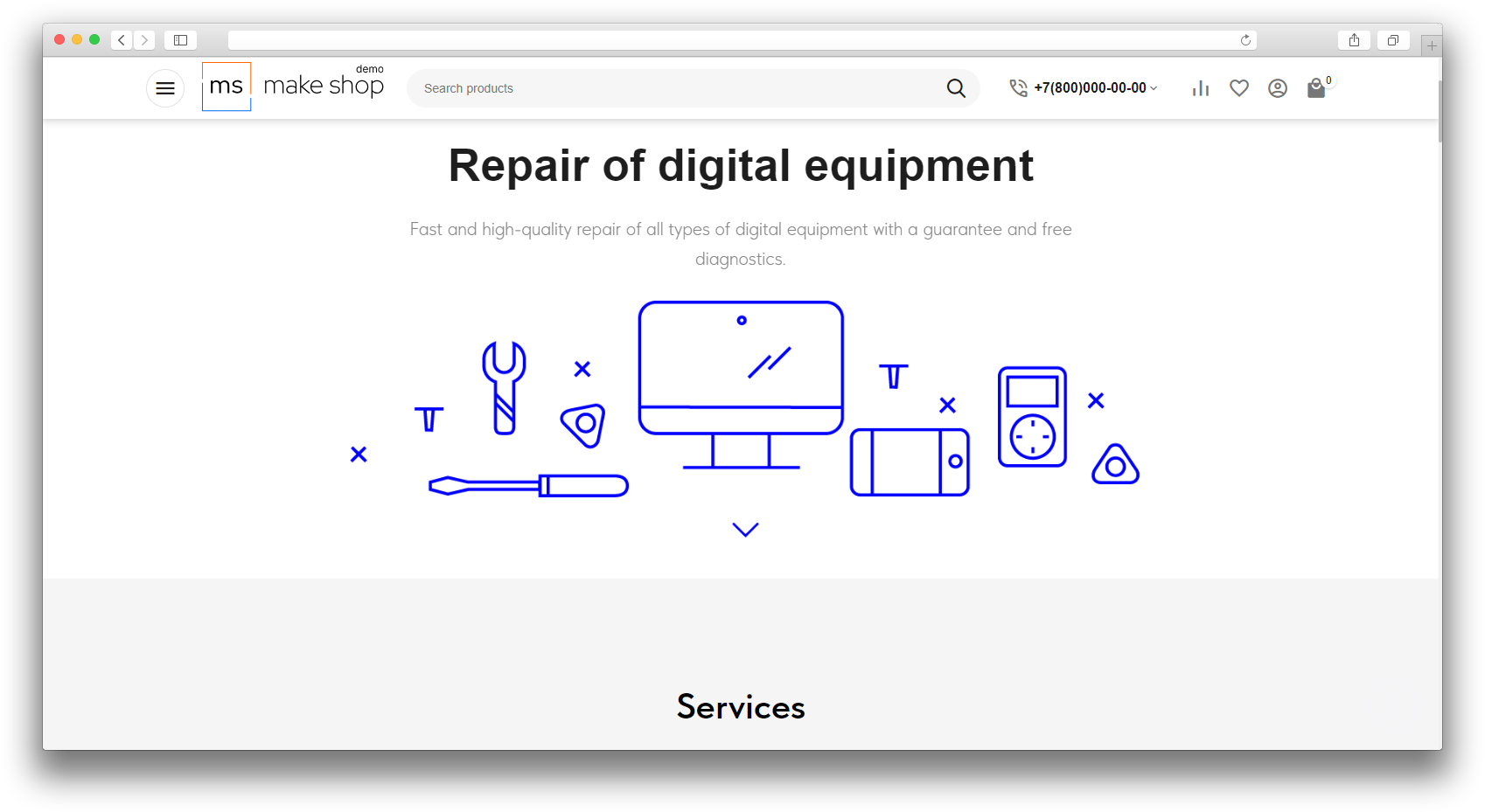
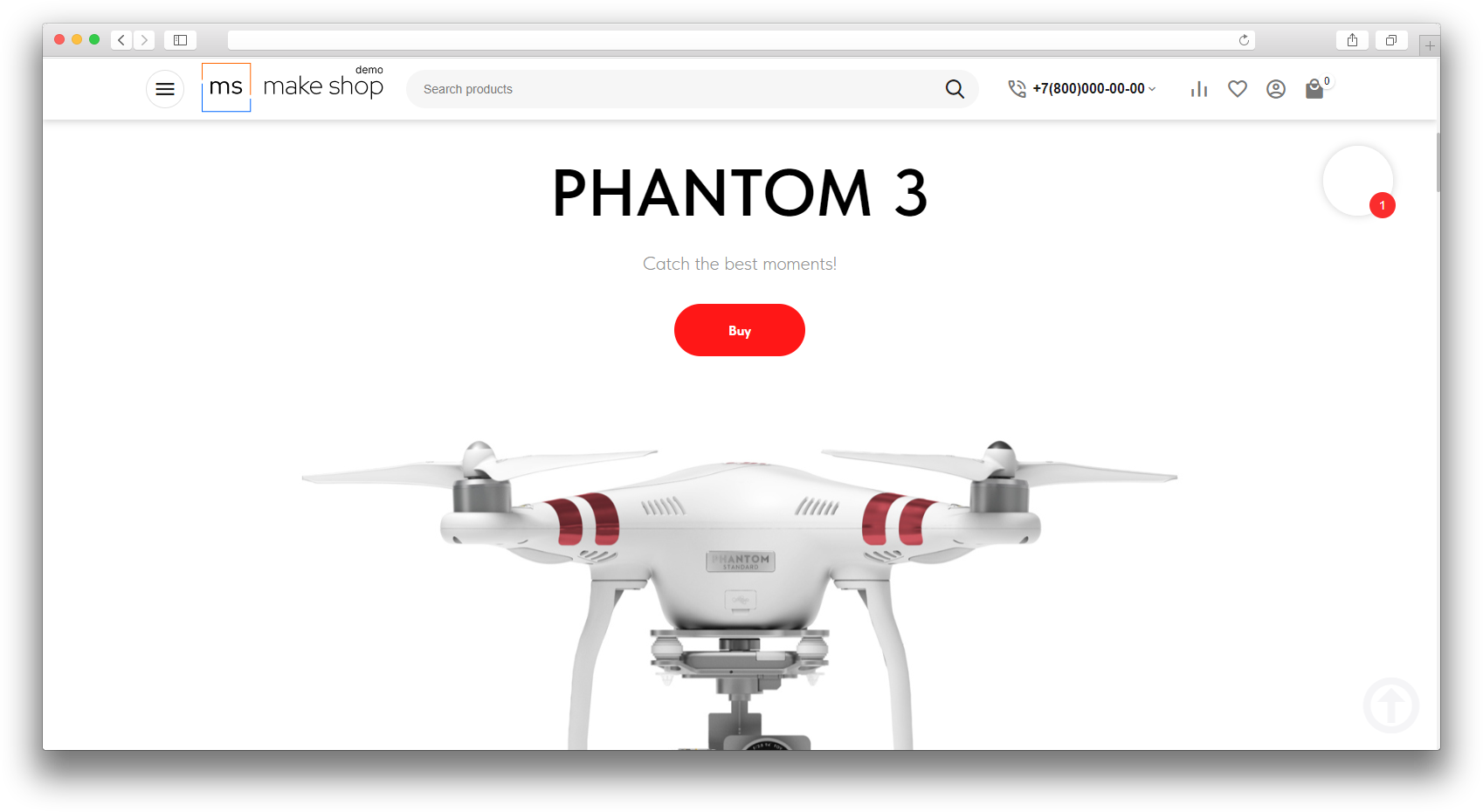
The “Tilda landing pages” add-on brings ready-made Tilda pages and blocks into CS-Cart. It is useful when you want to quickly publish a landing page, promo page, or a separate content block inside your store while keeping the familiar Tilda design.
What it is for
- to use ready-made Tilda landing pages inside the store;
- to publish promo pages and landing pages quickly;
- to place individual Tilda blocks on selected pages;
- to keep a consistent look and make content management easier.
Key features
- imports Tilda pages into CS-Cart;
- connects individual Tilda blocks;
- places Tilda content on store pages;
- refreshes connected content with repeated synchronization;
- keeps pages, landing pages, and promo blocks within one store.
How it works
After setup, the add-on gets Tilda content and places it in your store. You choose the page or block you need, and the add-on displays it in CS-Cart in ready-to-use form. If the Tilda content is updated, you can synchronize it again and show customers the latest version.
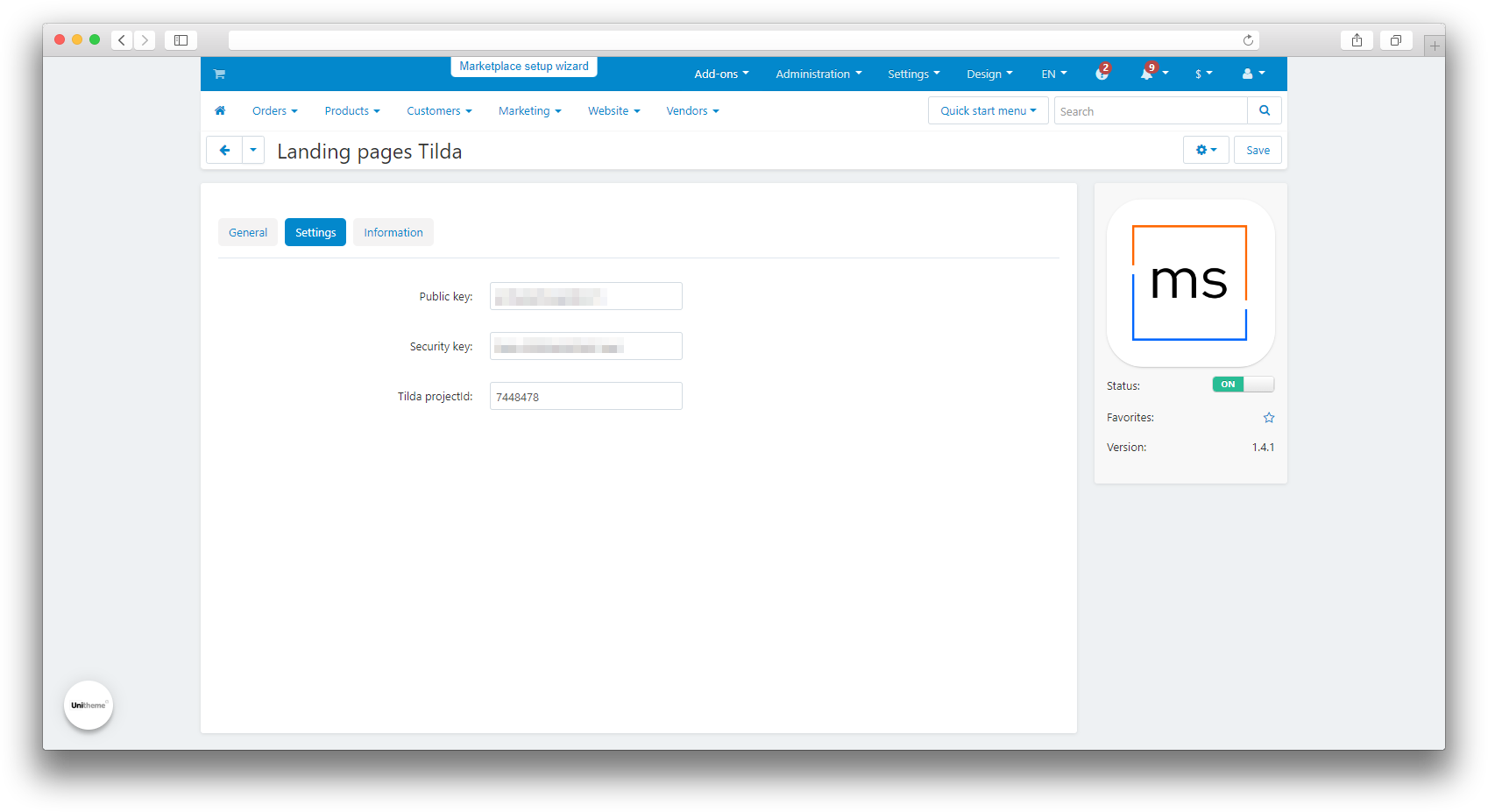
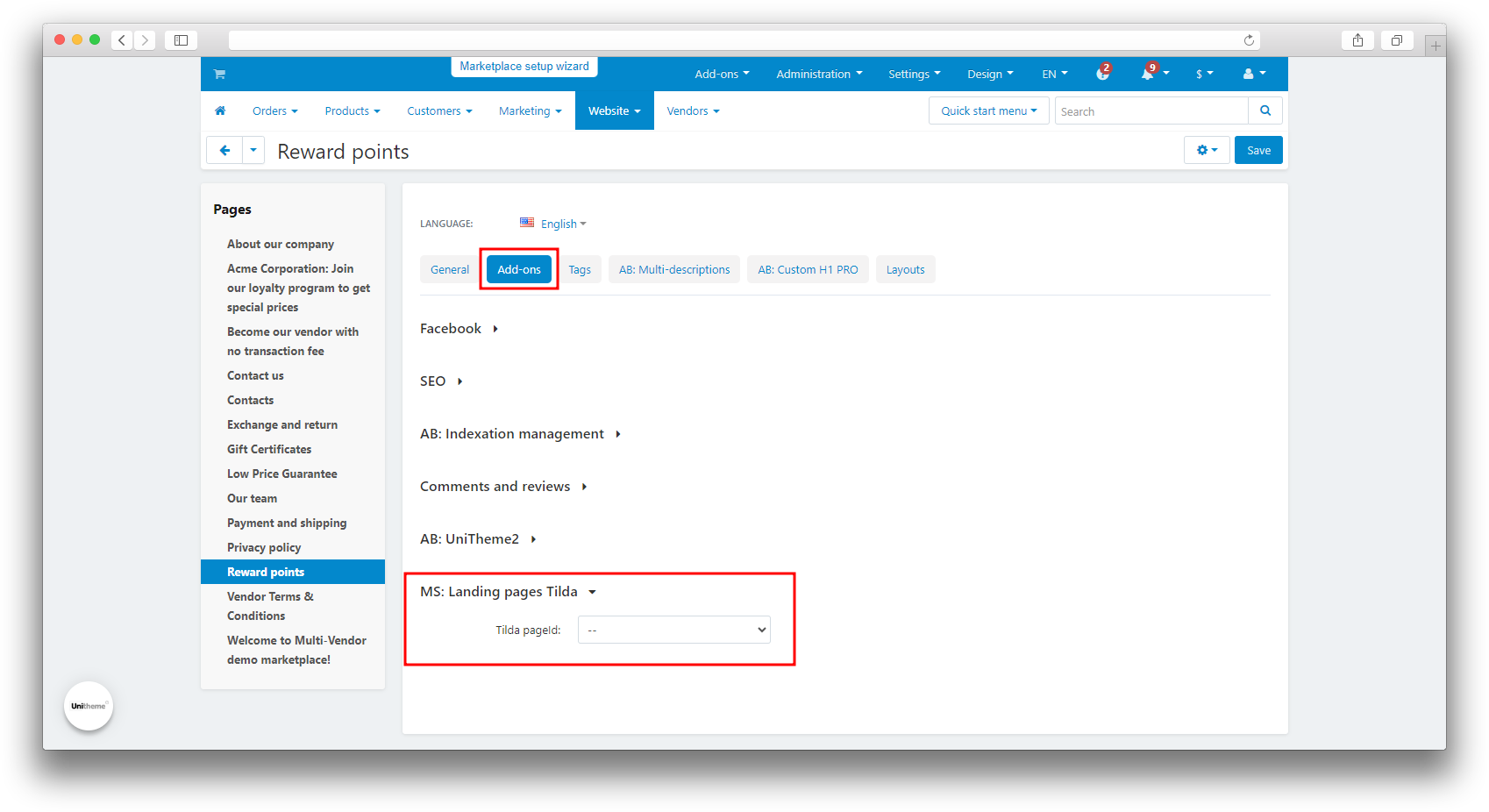
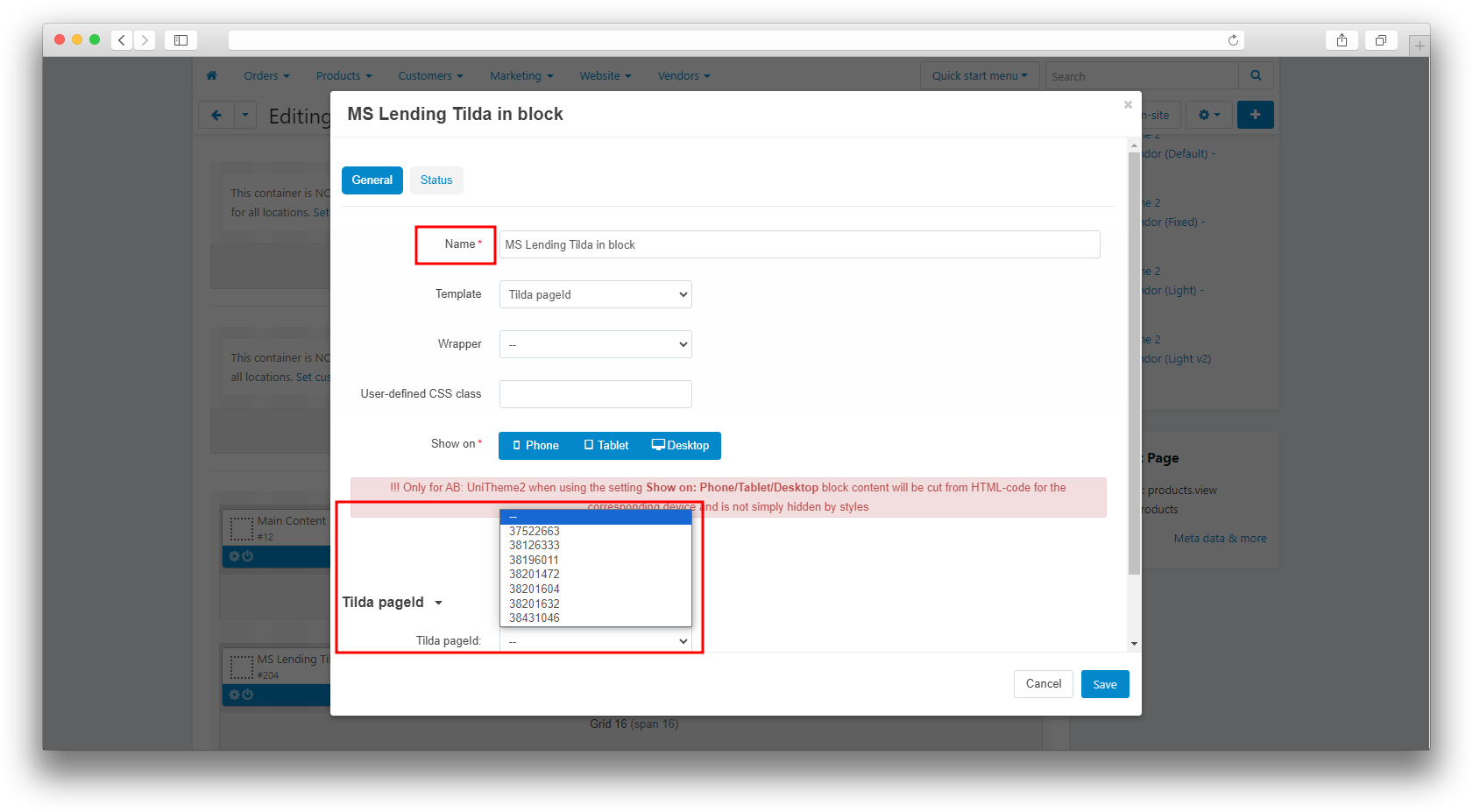
To connect, the add-on needs the Tilda project data: the Public key, the Security key, and the Tilda project ID. During synchronization the add-on updates the pages, styles, scripts, and images related to the project, and a Tilda page selector appears in the regular page editing form for display on the storefront. A separate Tilda block is available in the block manager.
Have questions about the add-on?
- Store Builder
- Store Builder Ultimate
- Multi-Vendor
- Multi-Vendor Plus
- Multi-Vendor Ultimate
- Owners
- Vendors
- English
- Русский
- 4.21.X
- 4.20
- 4.19.X
- 4.18.X
- 4.17.X
- 4.16.X
- 4.15.X
- 4.14.X
- 4.13.X
- 4.12.X
Instructions for the “Tilda landing pages” add-on
What the add-on does
The “Tilda landing pages” add-on connects ready-made Tilda pages and blocks to CS-Cart and displays them on the storefront. It is useful when you need to quickly show a landing page, promo page, or a separate block inside the store while keeping the familiar Tilda layout.
Where to find the add-on
The add-on card is available under Website → Tilda landing pages. In addition, a Tilda page selector appears in the regular page editing form, and a Tilda block can be added through the block manager.
How to configure it
- Open the add-on card under Website → Tilda landing pages.
- Set the Public key — the Tilda public key used to load project data.
- Set the Security key — the Tilda secret key used to synchronize content.
- Set the Tilda project ID — the Tilda project number from which the add-on loads pages.
- Save the settings.
Displaying Tilda content
There are two ways to show Tilda content in the store:
- in the regular page editing form, select the needed Tilda page to show the landing page on a CMS page;
- add the Tilda block to the required layout through the block manager if the content should be shown through a block.
During synchronization the add-on updates the pages, styles, scripts, and images related to the Tilda project.
How to check the result
- Fill in the Public key, Security key, and Tilda project ID on the add-on card.
- Open Website → Tilda landing pages and make sure the add-on loads the project page list.
- Open a regular page editing form and select the needed Tilda page if the landing page should be shown on a CMS page.
- Add the Tilda block to the required layout if the content should be shown through a block.
- Open the storefront and make sure the Tilda content is displayed correctly.
- Update the page or block in Tilda, synchronize it again, and confirm that the storefront shows the latest version.
Typical problems
- The project page list is empty. Check the Public key, Security key, and Tilda project ID, and make sure the Tilda service is reachable from the store server.
- The storefront content is not updated. Synchronize again and check that the page or block is actually linked to the Tilda project.
- Tilda styles conflict with the theme. Check that the page uses the correct Tilda content and refresh the synchronization.
Changelog
v1.7.1 from 08.10.2026
[*] Updated the add-on template.
v1.7.0 from 2026-05-05
[*] Updated the add-on to the current MakeShop template.
[*] Updated installation to safely add Tilda data to pages.
[!] Improved Tilda synchronization stability for API, download, and style compilation errors.
[!] Fixed the module version block display in the admin panel dark theme.
v1.6.0 from 2026-01-19
[!] Fixed incorrect Tilda page selector rendering in CS-Cart 4.14.
[!] Added support for cases when GLOB_BRACE is not available on some operating systems.
v1.5.0 from 2025-02-20
[*] Added logo display in the block and updated the add-on icon.
[!] Fixed scripts loading after content, which caused errors.
[!] Fixed files not being removed from the directory when the add-on was deleted.
[!] Fixed the main script breaking when it was not placed in a specific position.
v1.4.1 from 2023-09-01
[*] Standardized the add-on.
v1.4.0 from 2023-08-04
[+] Updated synchronization so each page now has its own directories for styles, images, and scripts.
[!] Fixed Tilda styles conflicting with the theme on some pages.
v1.3.1 from 2023-08-03
[*] Replaced short tags with standard PHP tags.
v1.3.0 from 2023-07-24
[*] Updated language variables.
[*] Moved the menu item.
v1.2.10 from 2023-07-09
[*] Standardized the add-on.
v1.2.9 from 2023-06-24
[!] Fixed loading for some JS scripts that did not have beta-file duplicates.
[!] Fixed missing Tilda script initialization.
[*] Fixed the addon.xml file.
v1.2.8 from 2022-12-26
[*] Standardized the add-on.
v1.2.7 from 2022-10-05
[*] Standardized the add-on.
v1.2.5 from 2022-05-18
[!] Fixed jQuery script duplication.
v1.2.4 from 2022-05-16
[+] Landing page scripts are no longer duplicated during loading.
[*] Updated the add-on icon.
v1.2.3 from 2022-05-13
[*] Updated the changelog.
[-] Removed a function that is not used by the add-on.
v1.2.2 from 2021-01-01
[+] Added multilanguage support.
v1.2.1 from 2020-01-01
[+] Added support for .gif images.
v1.2.0 from 2020-01-01
[+] Added support for .jpeg images.
[+] Added processing for page-specific JS and CSS files during project export.
v1.0.0 from 2022-03-01
[+] First release.
Legend:
[+] Added
[-] Removed
[*] Changed
[!] Bug fixed
Here you can share your opinion and evaluate our work.
Your feedback helps us become better and offer you even better service.