This add-on is part of our Subscription plan.
Subscribe once — enjoy all add-ons without limits.
Found it cheaper?
The "Found it cheaper?" add-on allows customers to report lower prices for products in other stores directly from the product page. This helps retain clients, promptly respond to competitor offers, and increase loyalty by providing favorable terms.
Why you need it
The add-on is designed for:
- Customer retention: Give customers the opportunity to get the product at a better price, without going to competitors.
- Competitive intelligence: Get up-to-date information on competitor prices directly from users.
- Increased loyalty: Demonstrate care for customers by offering individual terms.
- Conversion rate increase: Stimulate purchases by guaranteeing the best price.
Key features
- "Found it cheaper?" button on the product page: A visually prominent button that activates a feedback form.
- Modal window with a form: A convenient form for filling in information about a found lower price.
- Customizable form fields: Ability to enable/disable and make fields for collecting contact information (name, email, phone, city) and a link to a competitor's product required.
- Customizable texts: Editing titles, texts before and after submitting the form.
- Administrator notifications: Sending application information to a specified email.
- Consent to personal data processing: An option for compliance with legal requirements.
How it works
After installing and activating the add-on, a "Found it cheaper?" button appears on the product card. Clicking it opens a modal window where the buyer can fill in information about a found lower price (provide a link to the competitor's product, their contact details). After submitting the form, the store administrator receives an email notification and can promptly contact the buyer to offer individual terms.
Have questions about the add-on?
- Русский
- 4.18.X
Оформление подписки
Мы переходим на новую подписную систему, открывая для вас полный доступ ко всем нашим модулям. Подробную информацию об условиях подписки и часто задаваемых вопросах вы можете найти здесь.
Обратите внимание, что приобретение модулей по отдельности теперь недоступно — воспользоваться ими возможно исключительно в рамках подписки.
За единую стоимость подписки - 2000 руб/мес. Вы получаете доступ ко всем модулям.
Как оформить подписку у нас на сайте
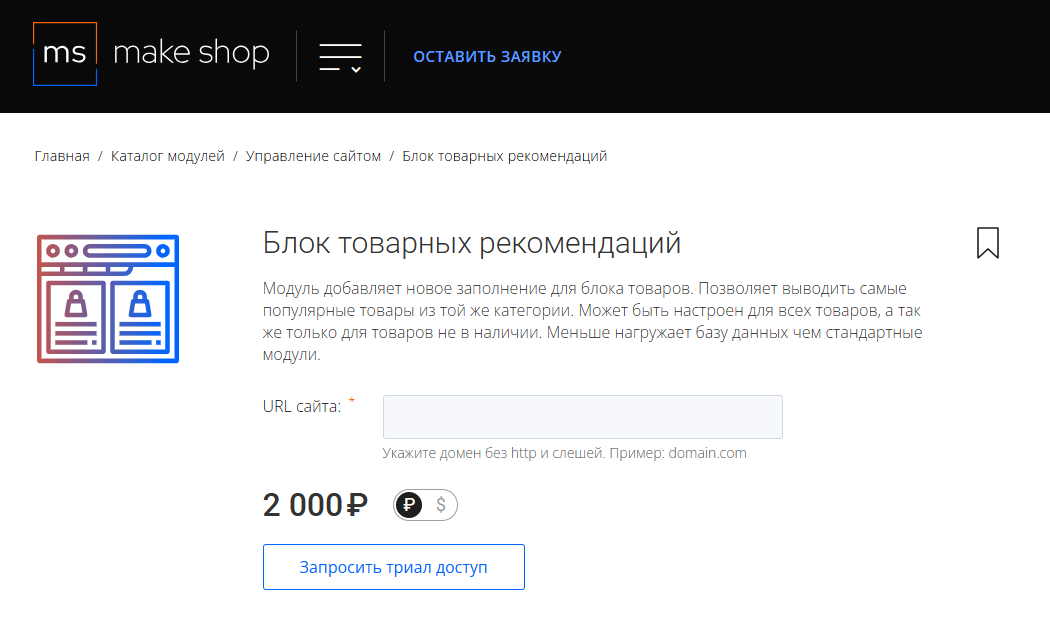
Зарегистрируйтесь или авторизуйтесь на нашем сайте и выберите интересующий вас модуль
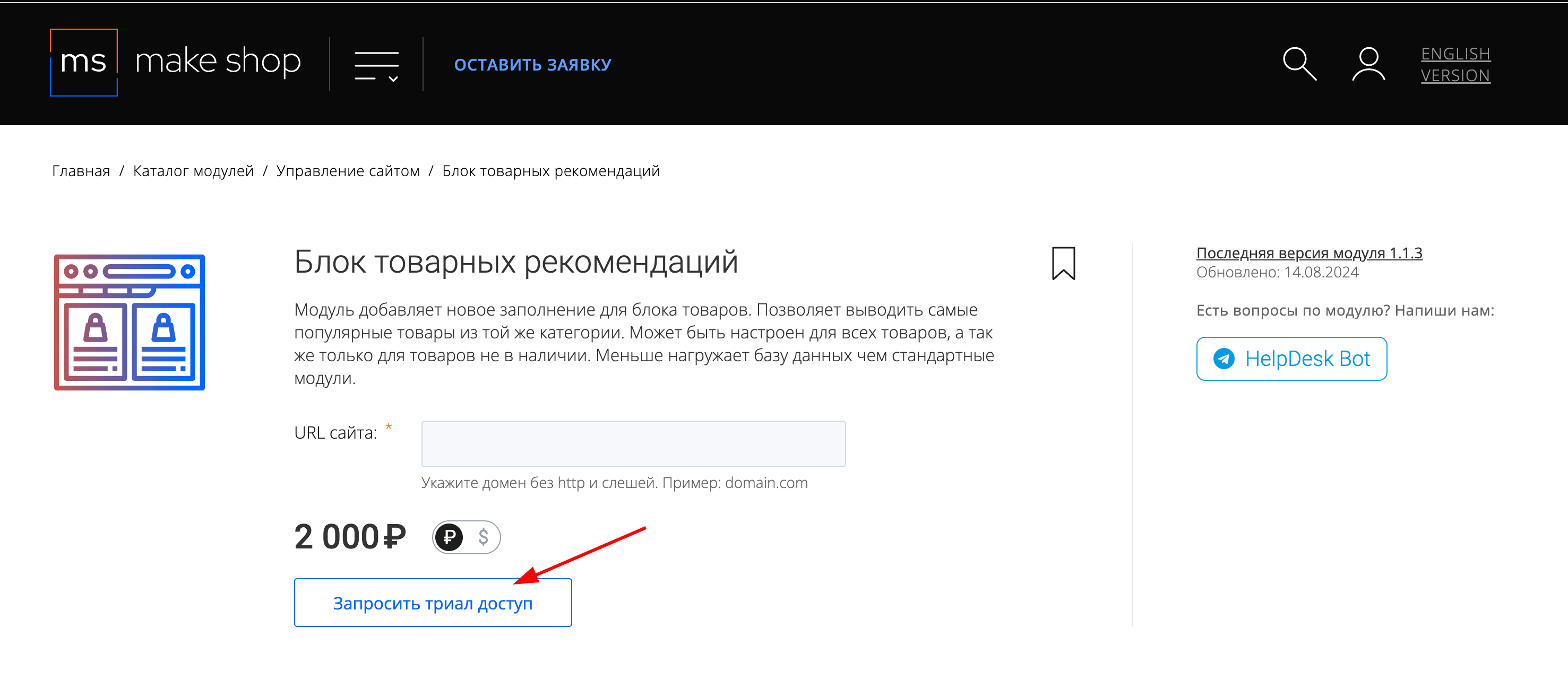
Нажмите кнопку Запросить триал доступ
Введите в поле URL сайта ваш домен в формате domain.com, без www и https://
Далее в личном кабинете в разделе загрузки вы сможете скачать нужный вам модуль и менеджер модулей для удобного управления модулями и оформления подписки.
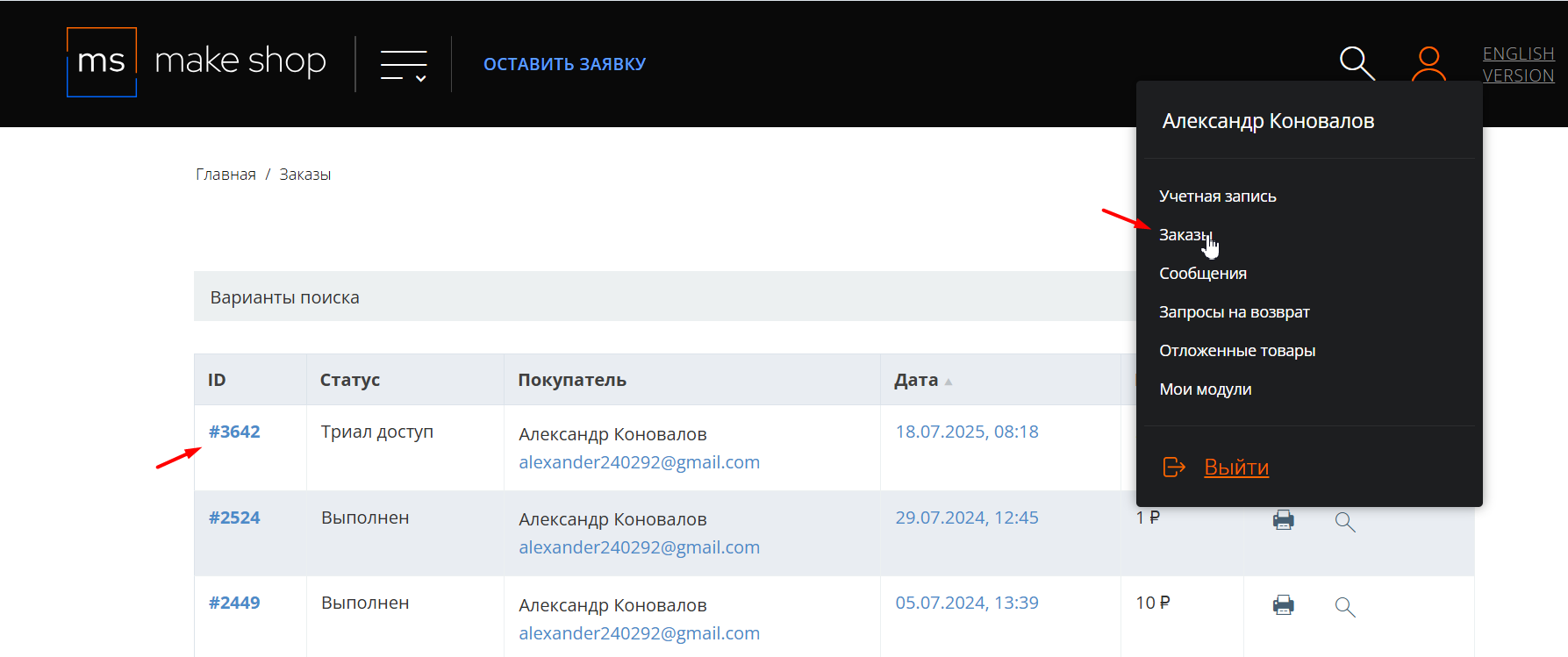
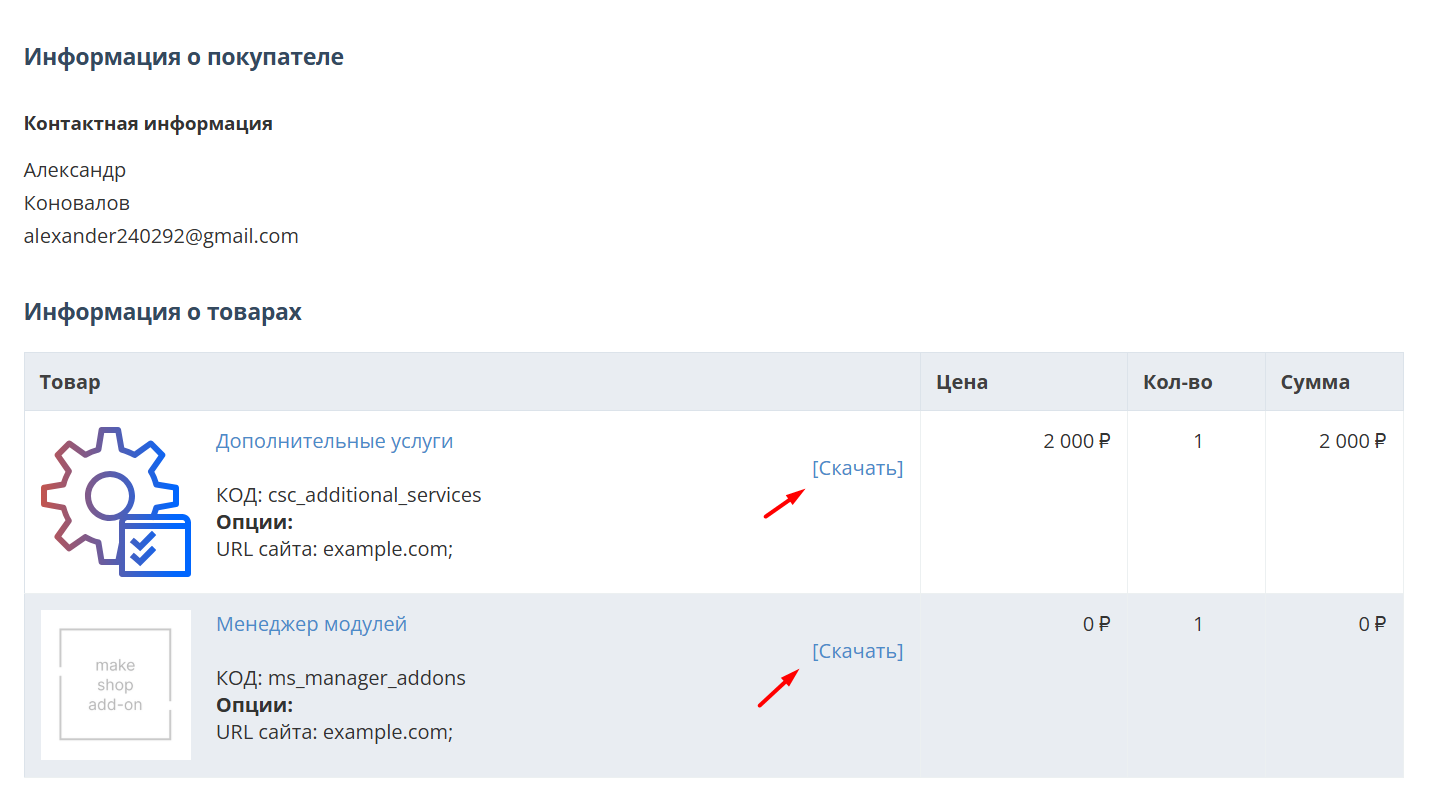
Далее у вас есть 7 дней для тестирования выбранного модуля.
По истечении строка триала, для продолжения работы необходимо оплатить подписку.
Сделать это можно из менеджера модулей.
На выбор вы можете оплатить:
для зарубежных карт - PayPal
для РФ карт - Robokassa
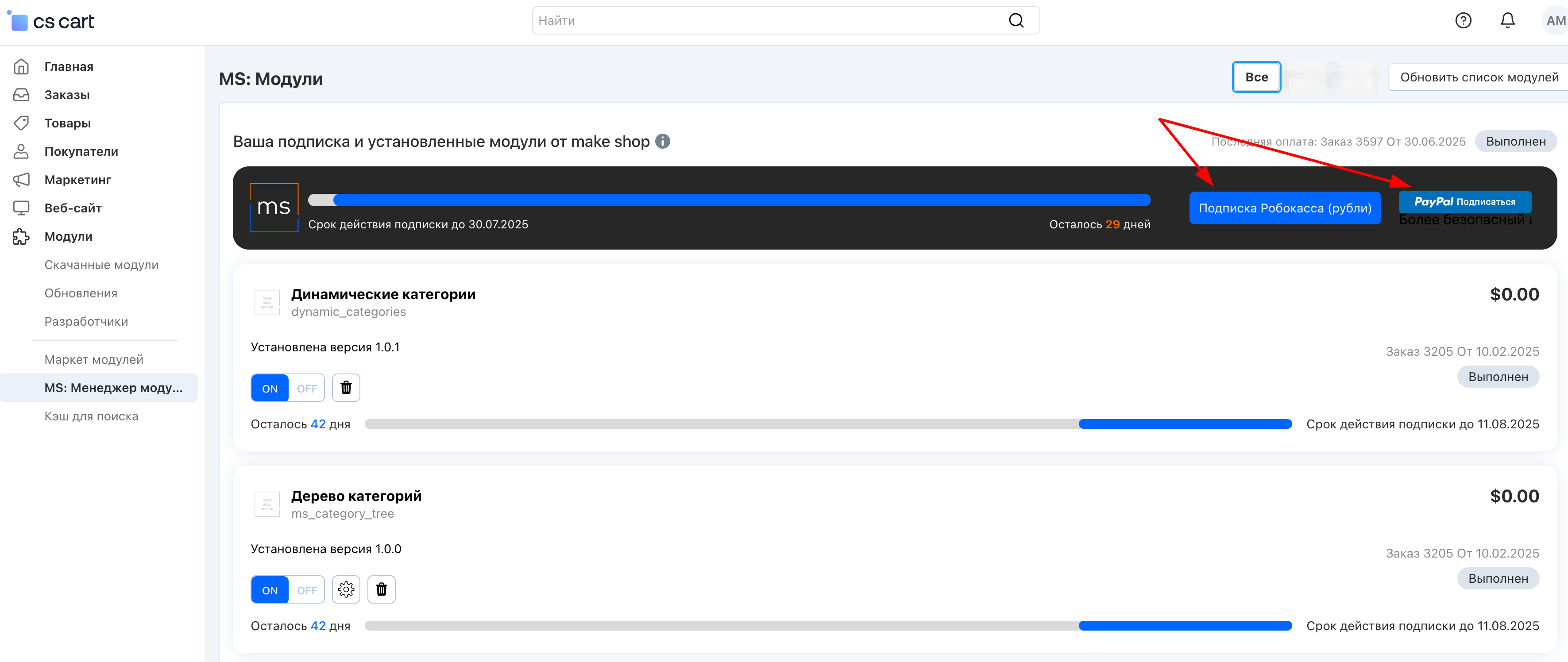
Или на странице на сайте https://makeshop.pro/subscription/
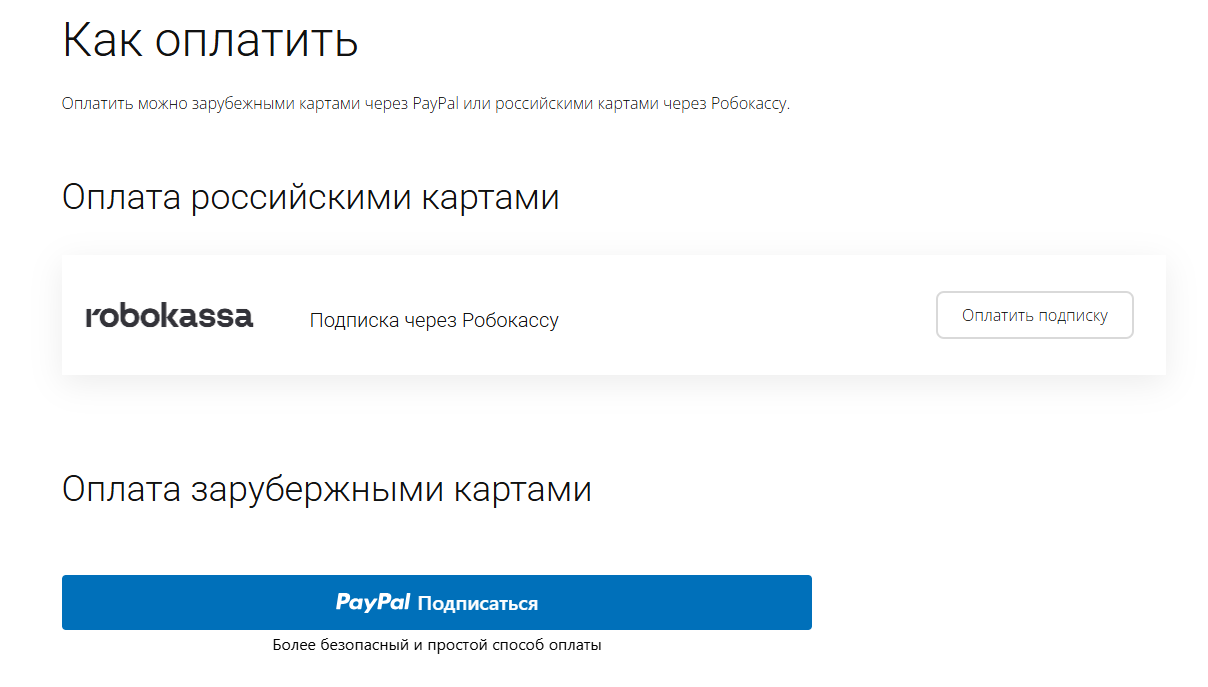
При оплате нужно указать электронную почту с которой вы оформляли триал доступ.
При покупке на маркетплейсе CS-Cart
При покупке любого модуля зарубежной картой или картой РФ
Так как система при оформлении подписки не спрашивает дополнительных вопросов (на какой домен подписка оформляется) желательно вводить электронную почту ту же что и ваша учетная запись у нас на сайте (если она есть), тогда ваши учётки свяжутся между собой.
Выберите интересующий модуль и нажмите кнопку “Оформить подписку“
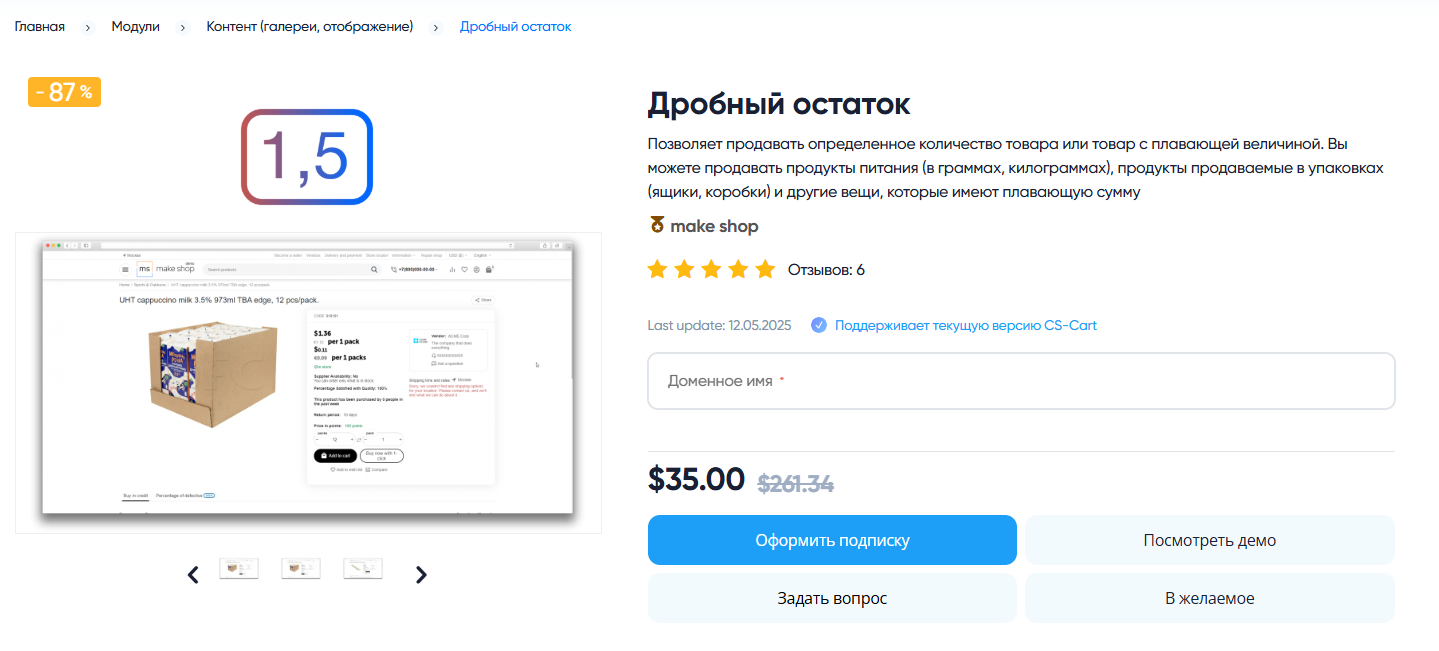
Далее после оплаты подписки вы сможете скачать модуль перейдя в раздел “Загрузки“, там выберите свой заказ и в нем будет ссылка на скачивание.
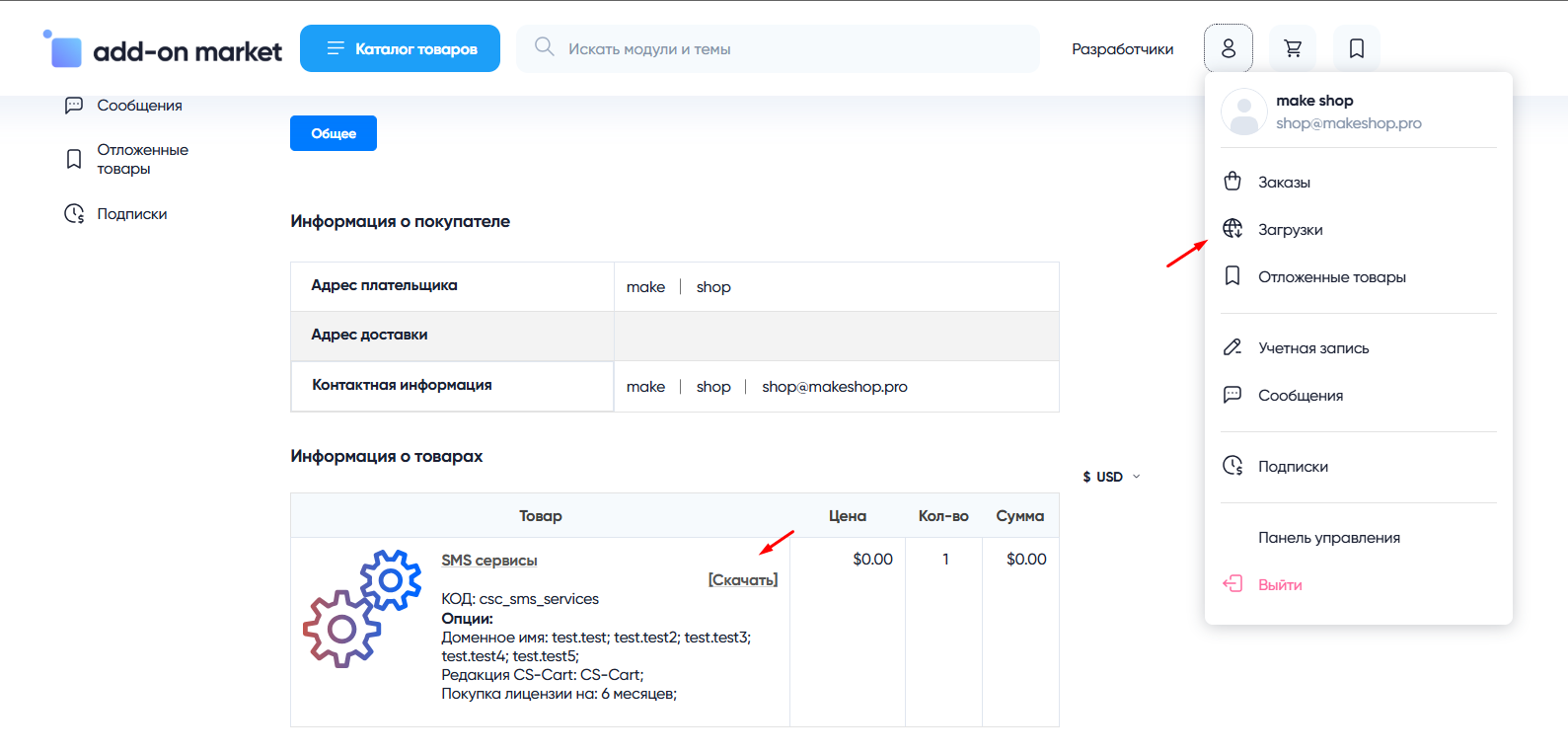
В дальнейшем, для получения новых модулей по подписке рекомендуем пользоваться нашим сайтом.
Всё что вам будет нужно сделать это на интересующем вас модуле (после авторизации) нажать кнопку “Запросить модуль по подписке“ и после одобрения скачать его в разделе загрузки.
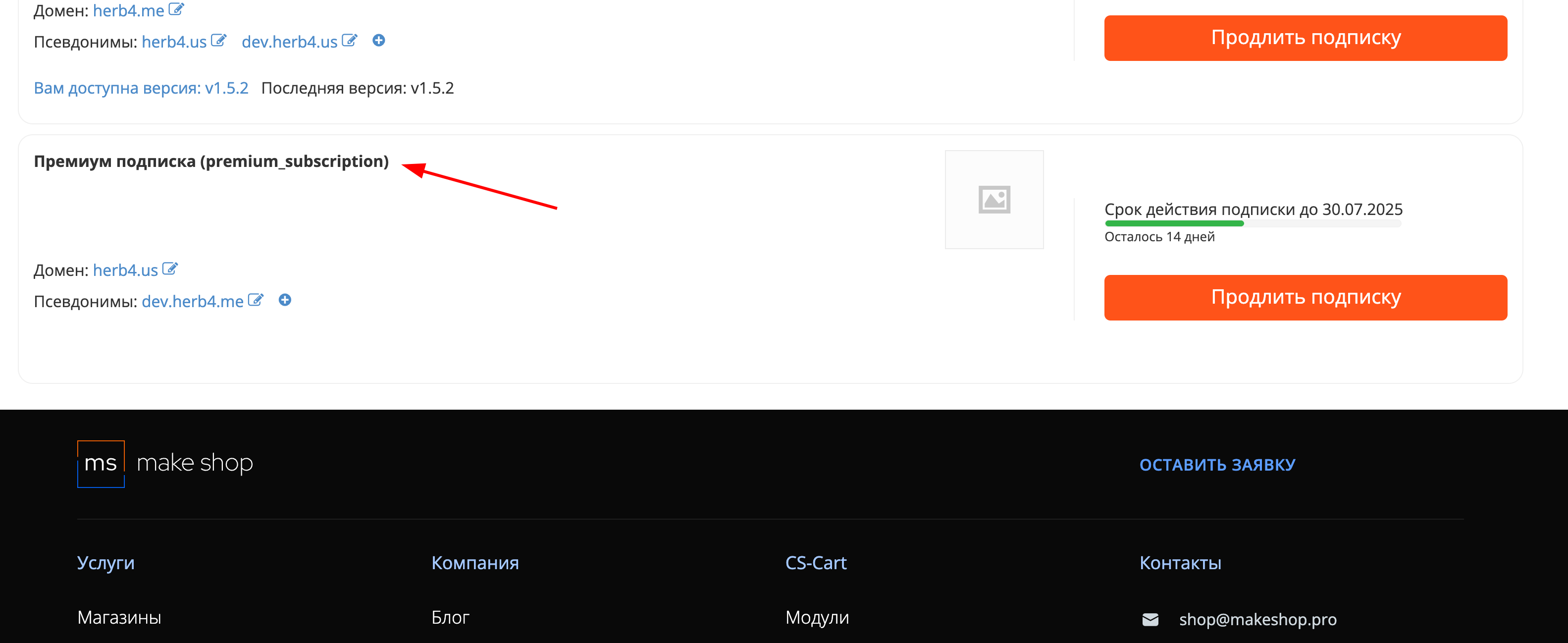
Если что-то пойдет не так - проверьте выписалась ли лицензия
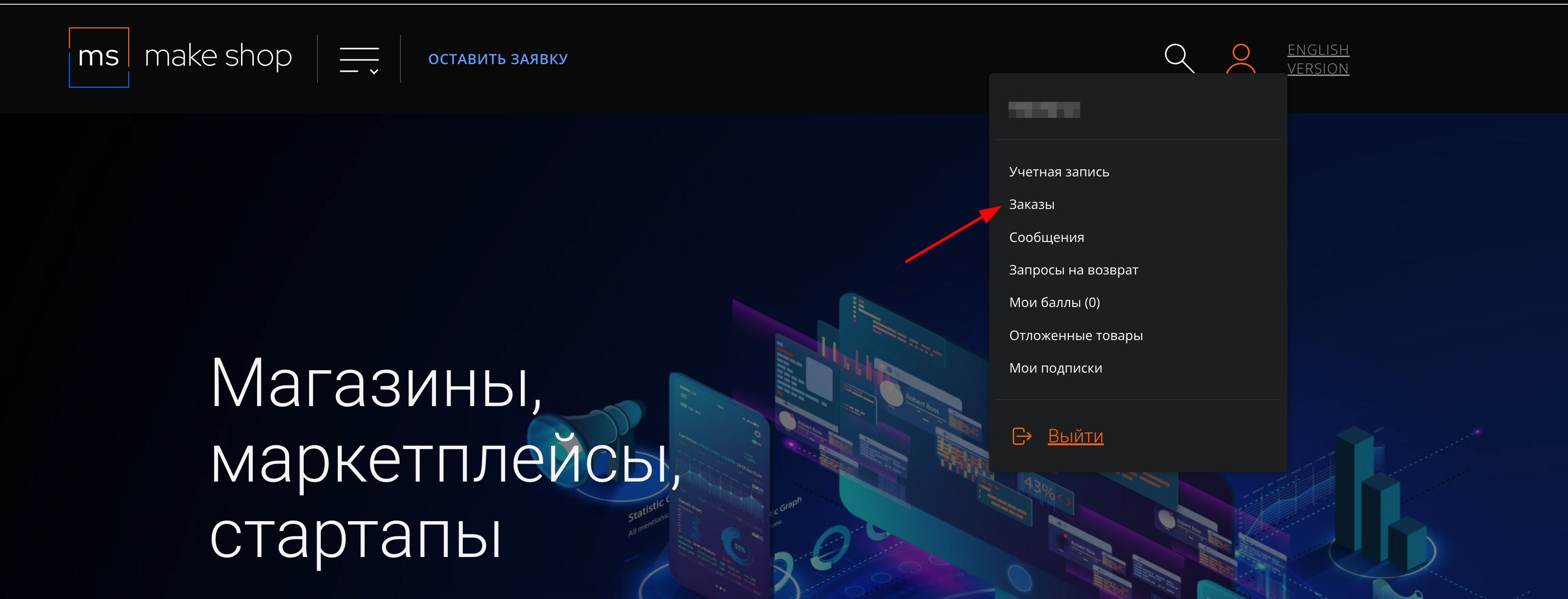
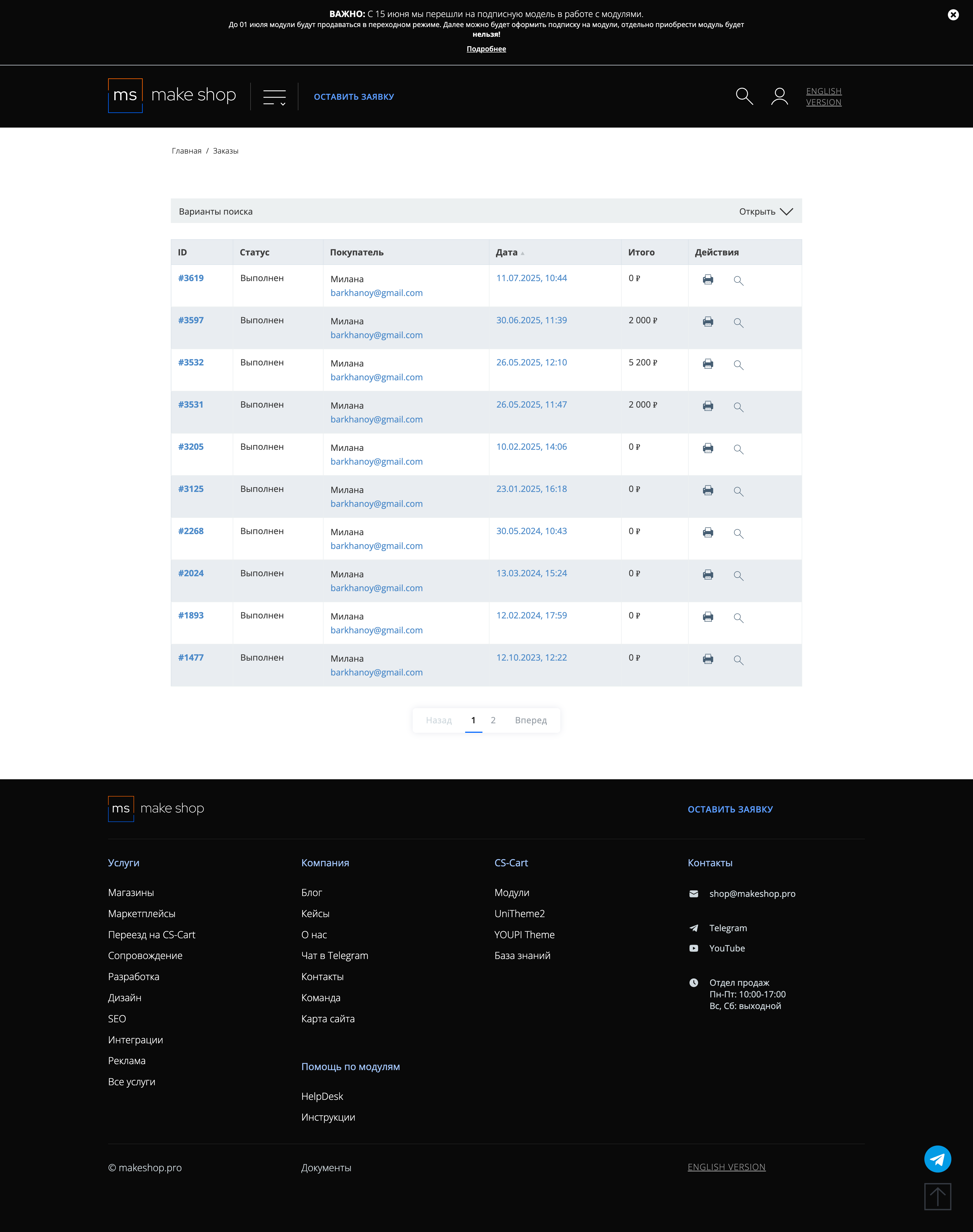
Найдите заказ с датой оформления подписки
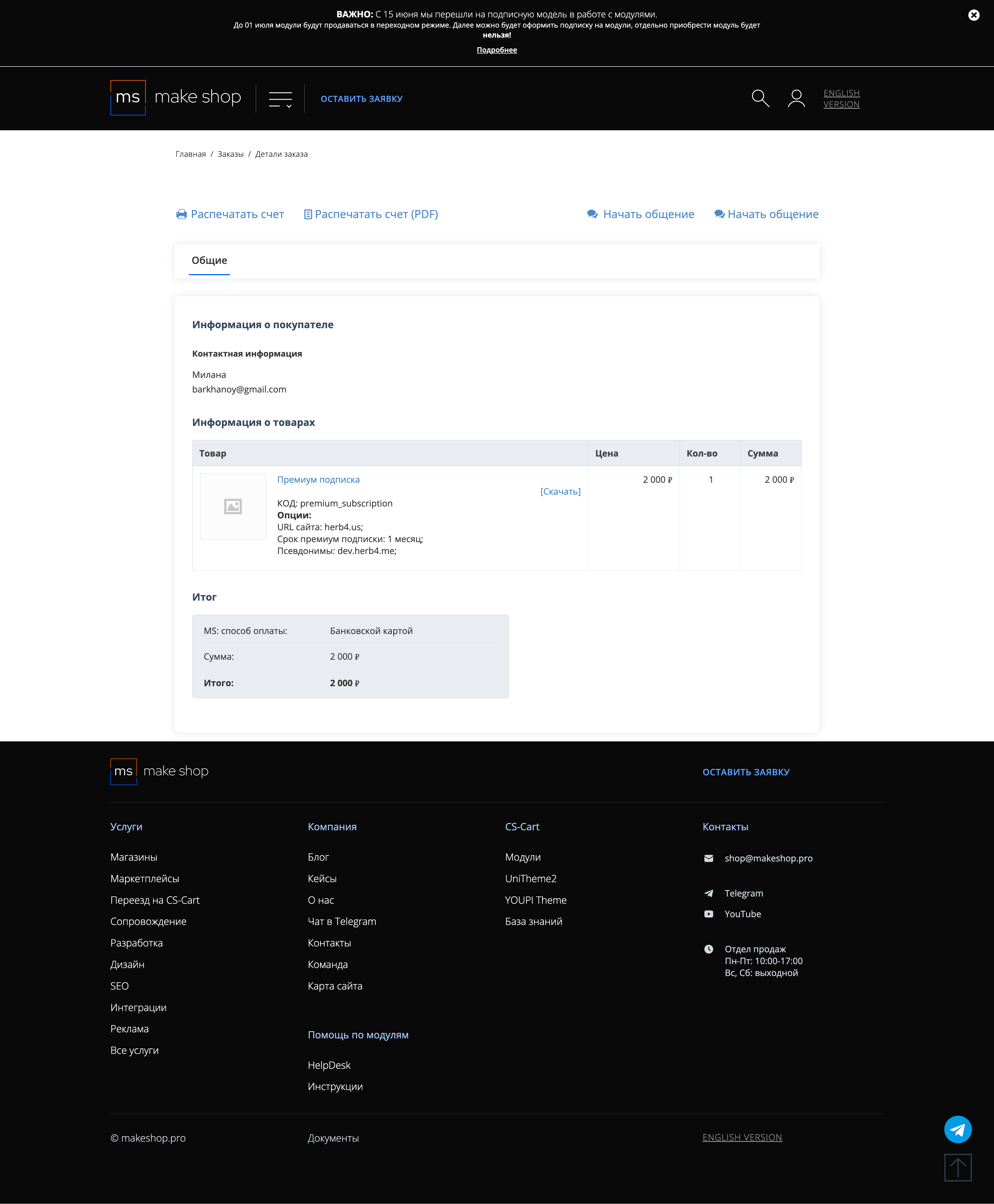
Убедитесь что у вас прописался URL сайта в заказ
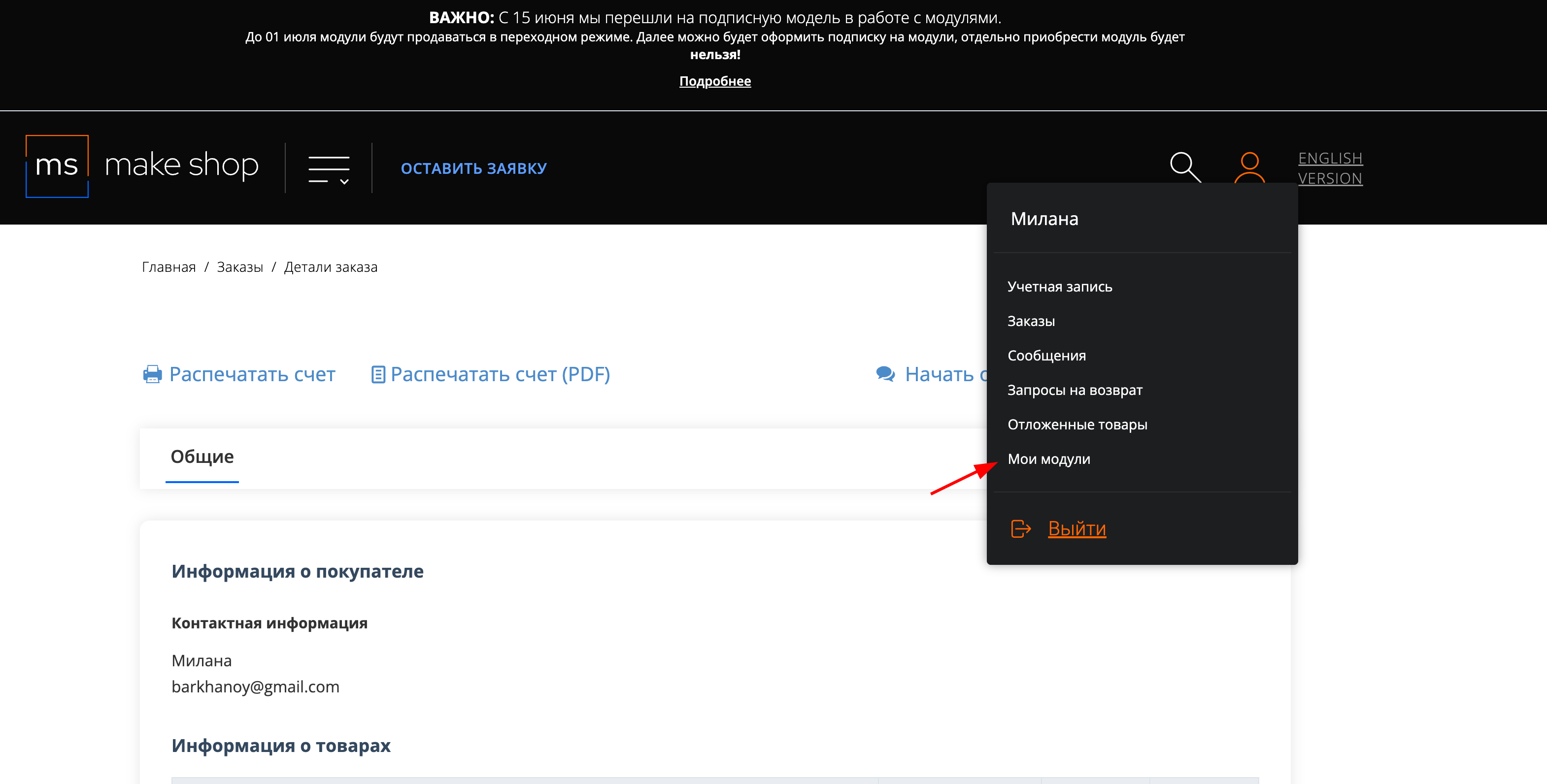
Если URL сайта неправильный и вам нужно обновить его: переходите в пункт меню “Мои модули”
Ищите модуль и проверьте URL магазина для которого выписана подписка
This add-on is part of our Subscription plan.
Subscribe once — enjoy all add-ons without limits.
What the add-on does
This add-on adds a “Found it cheaper?” button to the product page. When a customer clicks it, a modal form opens and lets them report a lower price in another store. The request is sent to the store administrator by email so they can quickly review the offer and contact the customer.
Installation
- Upload the add-on files to the addons folder of your store.
- Open Add-ons → Manage add-ons.
- Find [MakeShop.pro] Found it cheaper? and click Install.
Enabling the add-on
- After installation, the add-on is usually enabled automatically.
- If it is disabled, switch its status to Active in the add-ons list.
Where to find the add-on
The main settings are located in Add-ons → Manage add-ons → [MakeShop.pro] Found it cheaper? → Settings.
How to configure the add-on
The add-on has two main tabs: General and Additional options.
General tab
- Email for notifications — the address where customer requests will be sent.
- Sender email — the address used as the sender of notification emails.
- Pop-up window title — the title displayed at the top of the modal form. Default value: “I want it cheaper!”.
- Pop-up window button text — the label shown on the button that opens the form. Default value: “I want it cheaper!”.
- Pre-text of the pop-up window — the message shown before the form fields. By default, it offers free shipping and a discount on the price difference.
- Text after submitting the form — the message shown to the customer after the form is submitted successfully.
- Show personal data processing consent — adds a consent checkbox to the form. Enable it if you need to collect personal data in line with your legal requirements.
Additional options tab
This tab controls which fields are visible in the form and which of them are required.
- Show URL — adds a field for the competitor’s product URL.
- Make URL required — the customer will not be able to submit the form without a URL.
- Show city — adds a field for the customer’s city.
- Make city required — the City field becomes mandatory.
- Show name — adds a field for the customer’s name.
- Make name required — the form cannot be submitted without a name.
- Show phone — adds a field for the customer’s phone number.
- Make phone required — the form cannot be submitted without a phone number.
- Show email — adds a field for the customer’s email address.
- Make email required — the form cannot be submitted without an email address.
How to test the add-on
- Open any product page on your storefront.
- Make sure the “Found it cheaper?” button is visible, or check the custom text you set in the add-on settings.
- Click the button and confirm that a modal form opens.
- Submit a test request.
- Check the email address specified in Email for notifications — the request should arrive there.
Good to know
- The add-on does not change product prices automatically.
- It helps you collect requests from customers who found a lower price elsewhere and respond with a custom offer.
- If you make too many fields required, the form may become less convenient for customers.
Have questions about the add-on?
Found it cheaper?: Changelog
Documentation refresh — 2026-04-07
- updated the module description in Russian and English;
- prepared detailed setup and configuration manuals;
- added a clean English changelog entry;
- updated the module icon.
Version 1.0.6 — 2026-04-07
- Initial release of the add-on.
Ваш запрос отправлен!
Ваш запрос на доработку модуля отправлен в техническую поддержку. Мы изучим ваши пожелания и дадим обратную свзязь.
Вам придет уведомление на указанный Email.
Here you can share your opinion and evaluate our work.
Your feedback helps us become better and offer you even better service.