
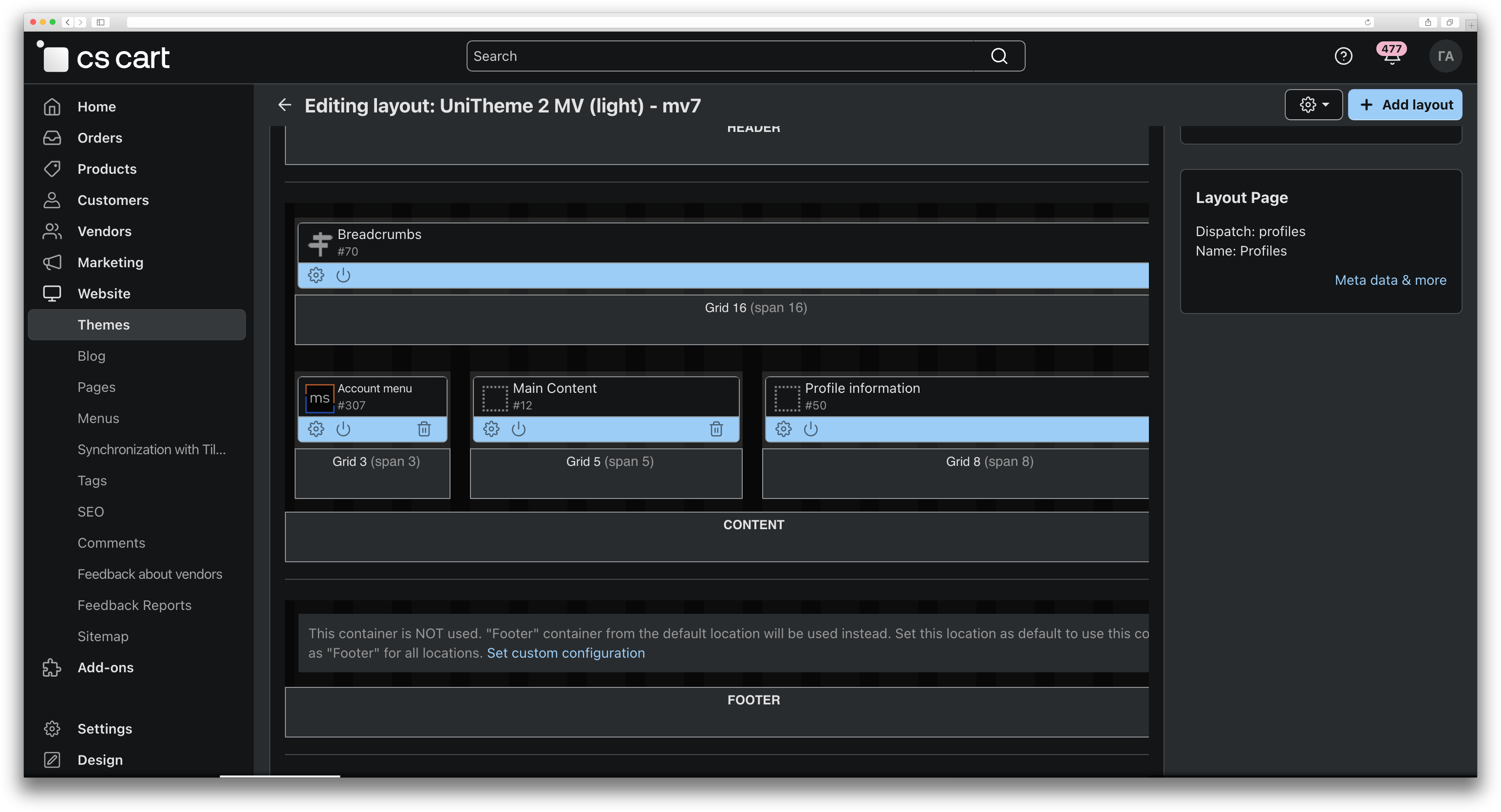
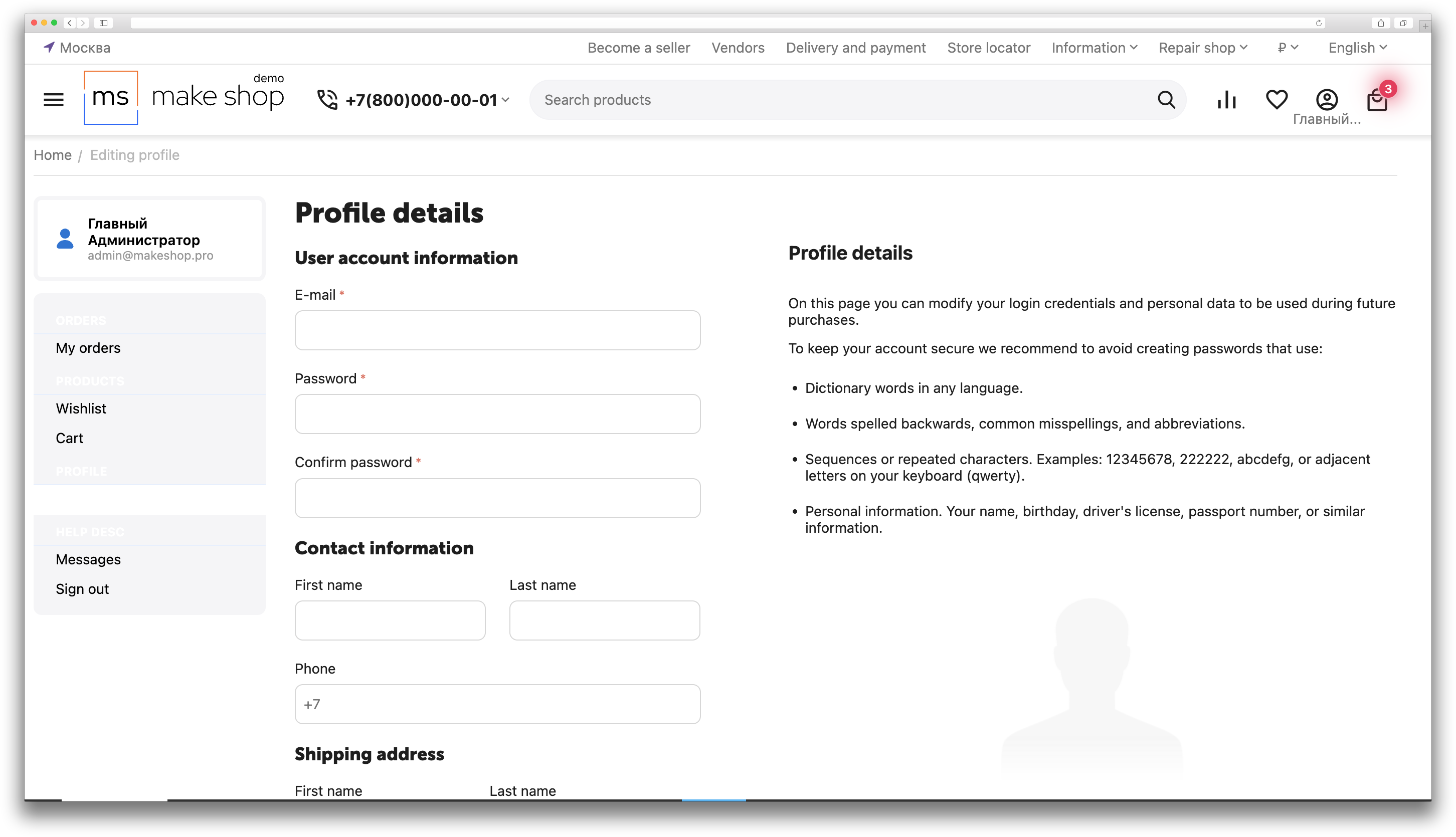


The add-on displays the personal account menu on a dedicated page and groups menu items into sections. This makes account navigation clearer and easier to extend.
Main features
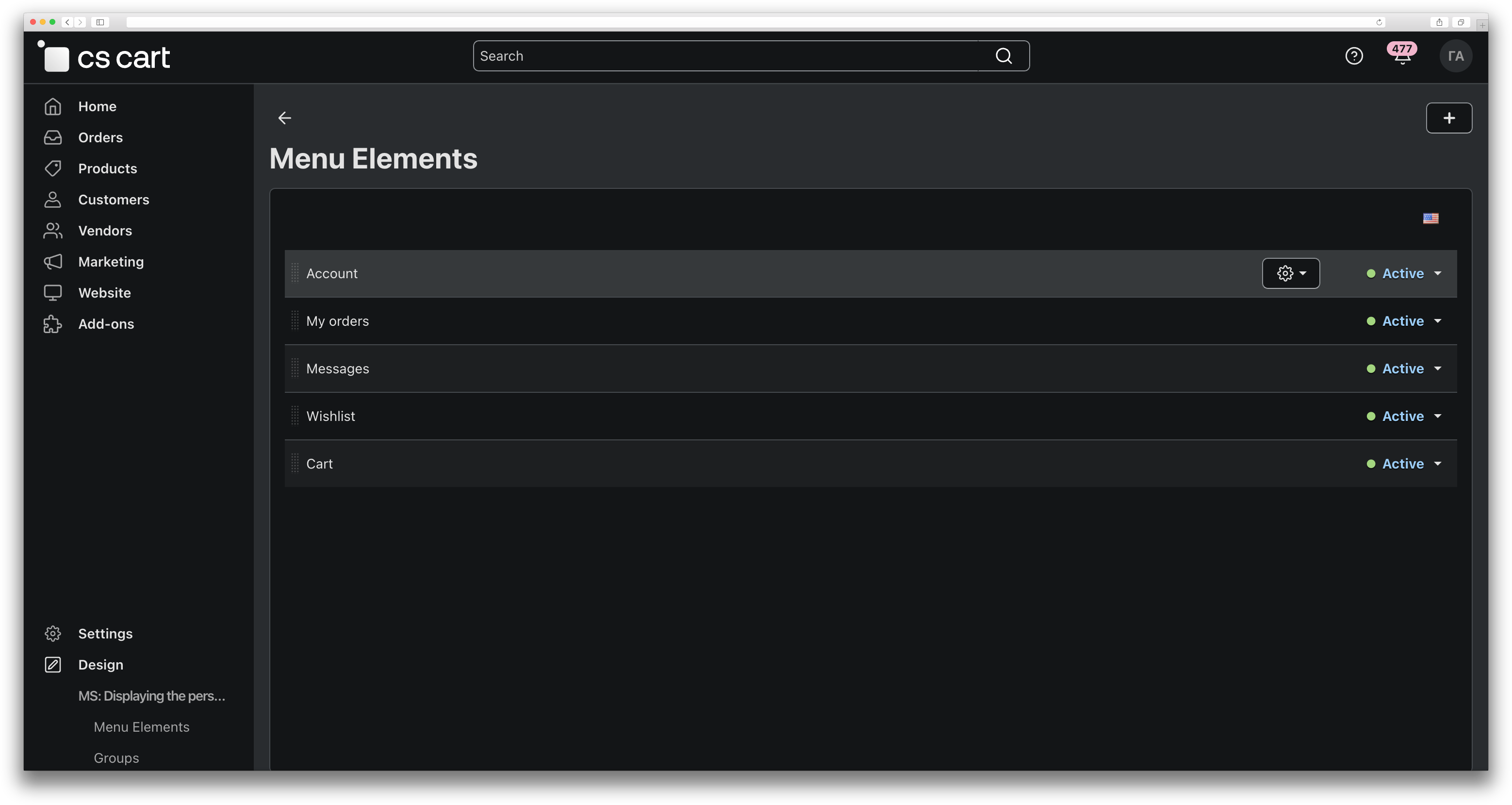
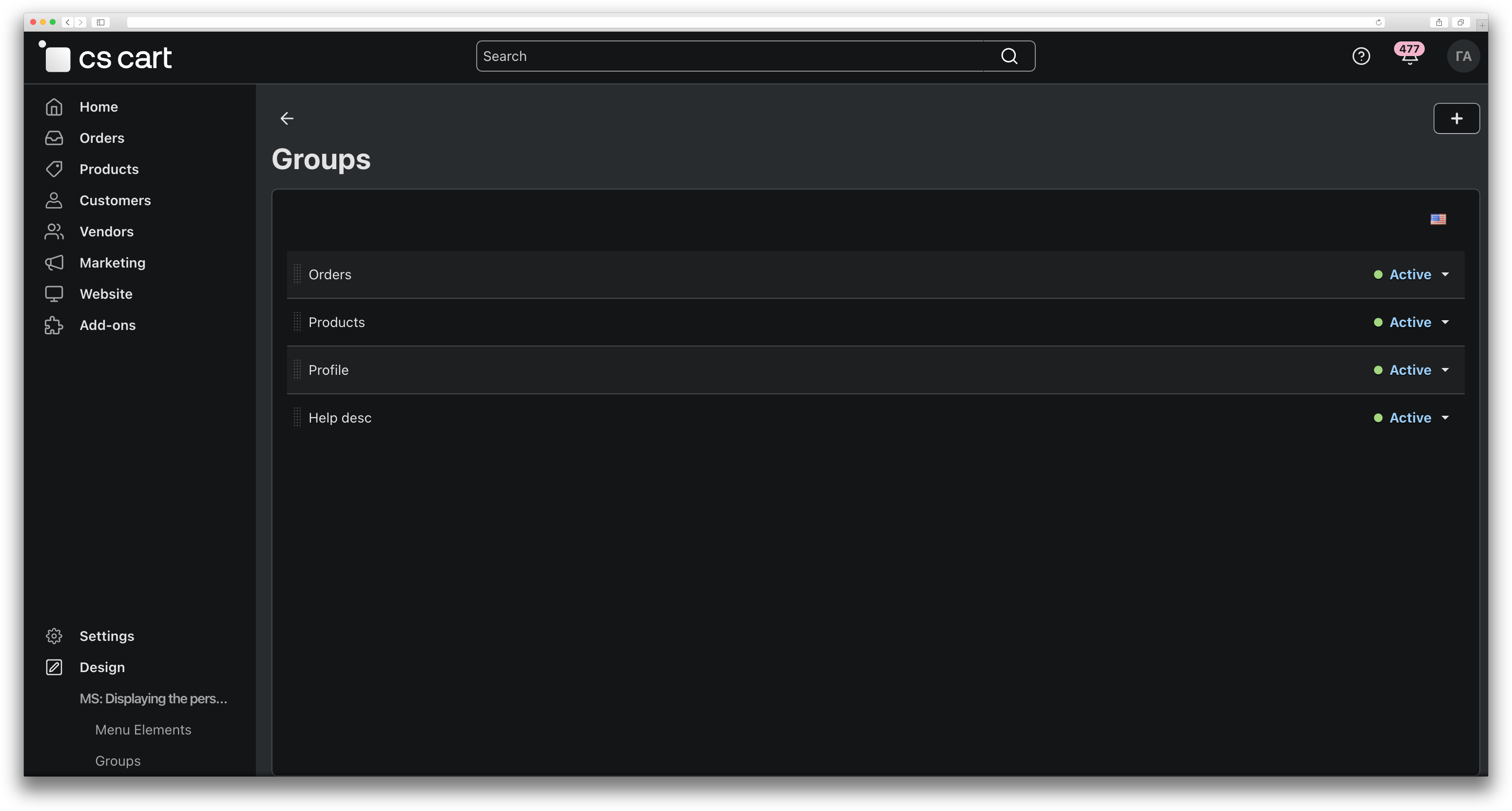
- Manage menu groups and items in the admin panel.
- Ready-made item presets to quickly build the menu.
- Display the menu via the “MS: Displaying the personal account menu on a single screen” block in layouts.
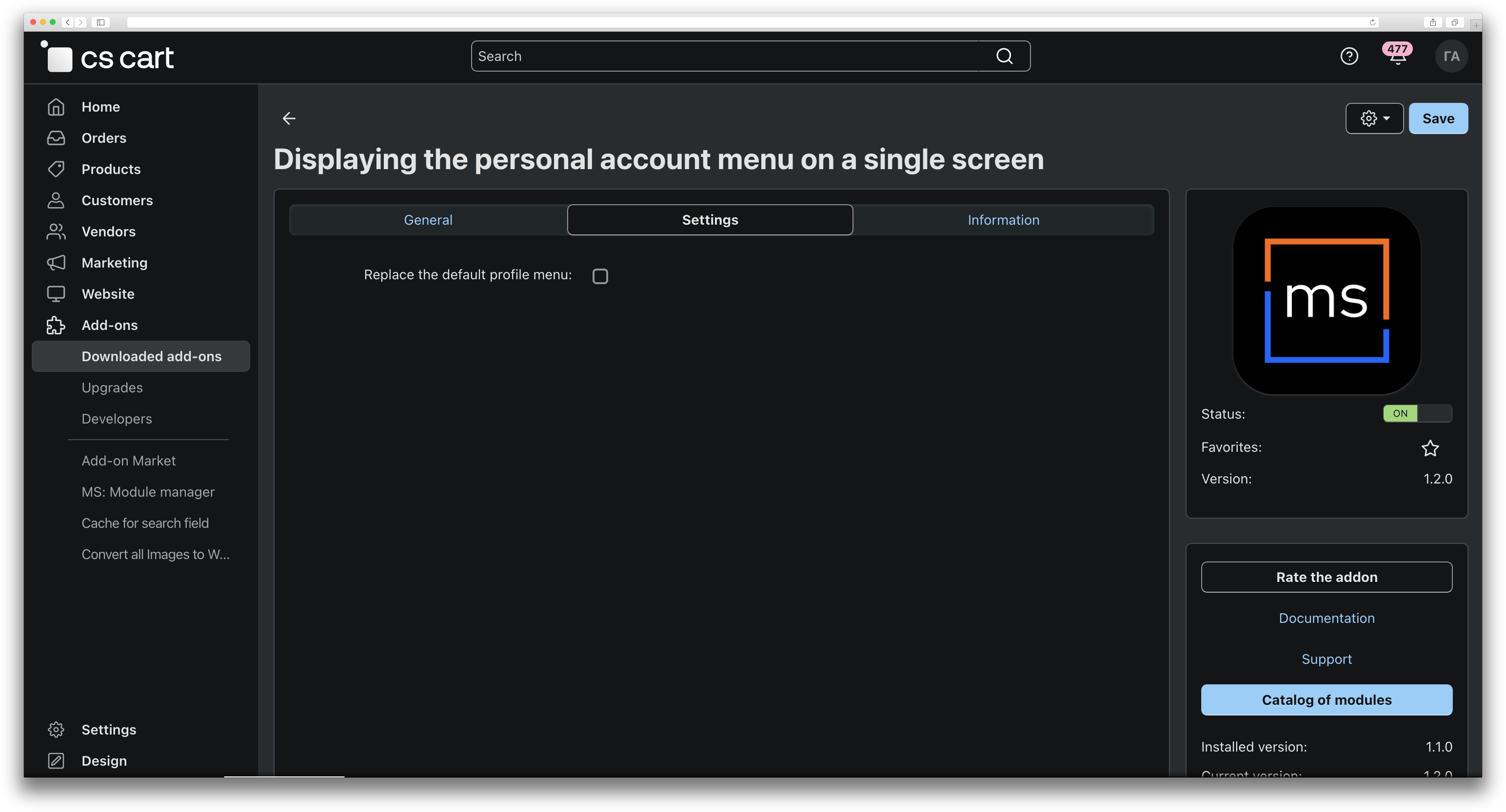
- Option to replace the default profile dropdown menu with a redirect to the profile page.
How it works
- When the add-on is installed, it creates the menu groups and items structure.
- An administrator configures groups and menu items.
- In the storefront, the menu is shown in a block placed in the layout.
Location in admin
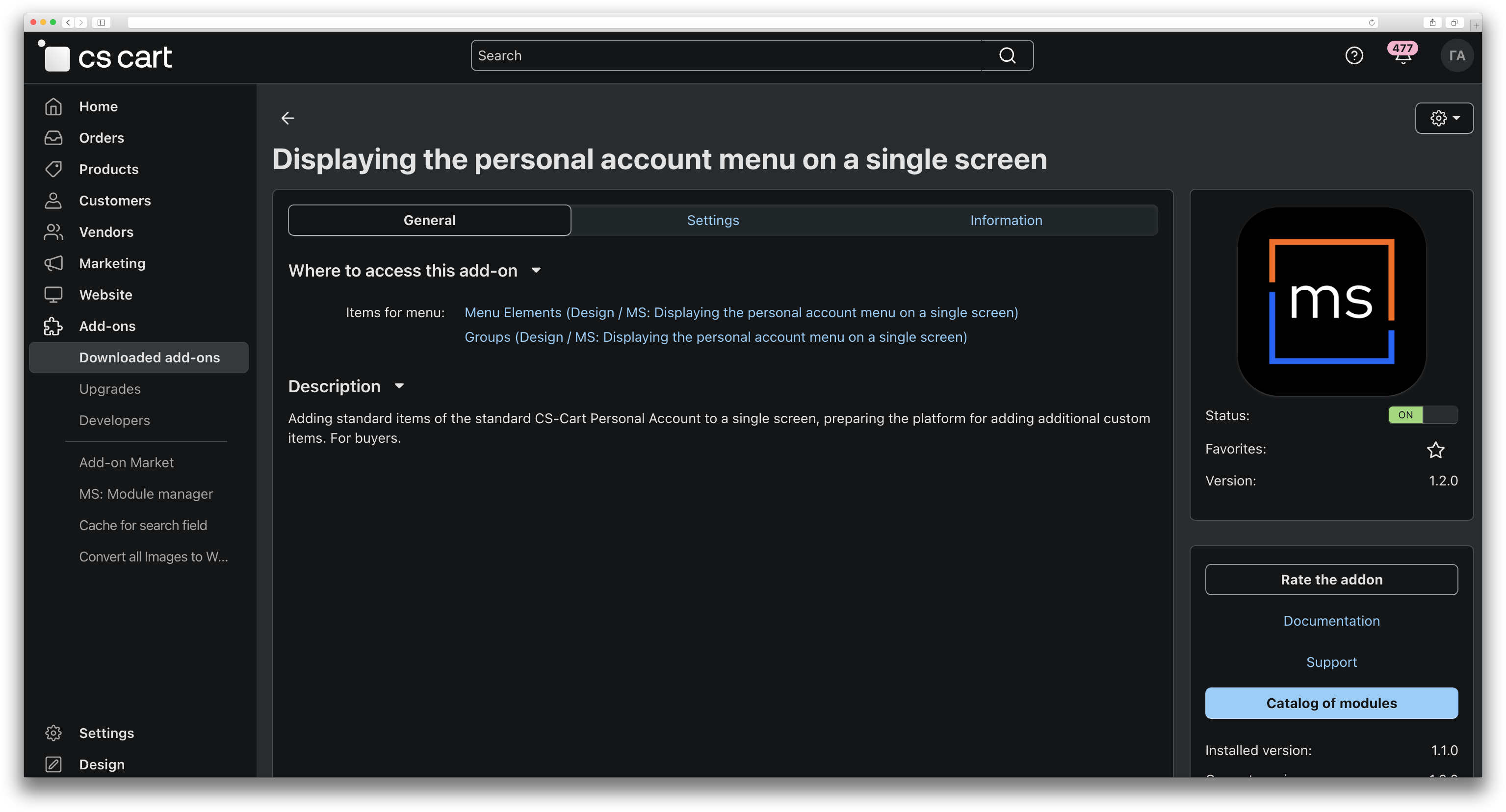
Design → MS: Displaying the personal account menu on a single screen (Menu Elements and Groups). Add-on settings: Add-ons → Manage add-ons → Displaying the personal account menu on a single screen.
- Store Builder
- Store Builder Ultimate
- Multi-Vendor
- Multi-Vendor Plus
- Multi-Vendor Ultimate
- Buyers
- English
- Русский
- 4.19.X
- 4.18.X
- 4.17.X
- 4.16.X
- 4.15.X
- 4.14.X
Оформление подписки
Мы переходим на новую подписную систему, открывая для вас полный доступ ко всем нашим модулям. Подробную информацию об условиях подписки и часто задаваемых вопросах вы можете найти здесь.
Обратите внимание, что приобретение модулей по отдельности теперь недоступно — воспользоваться ими возможно исключительно в рамках подписки.
За единую стоимость подписки - 2000 руб/мес. Вы получаете доступ ко всем модулям.
Как оформить подписку у нас на сайте
Зарегистрируйтесь или авторизуйтесь на нашем сайте и выберите интересующий вас модуль
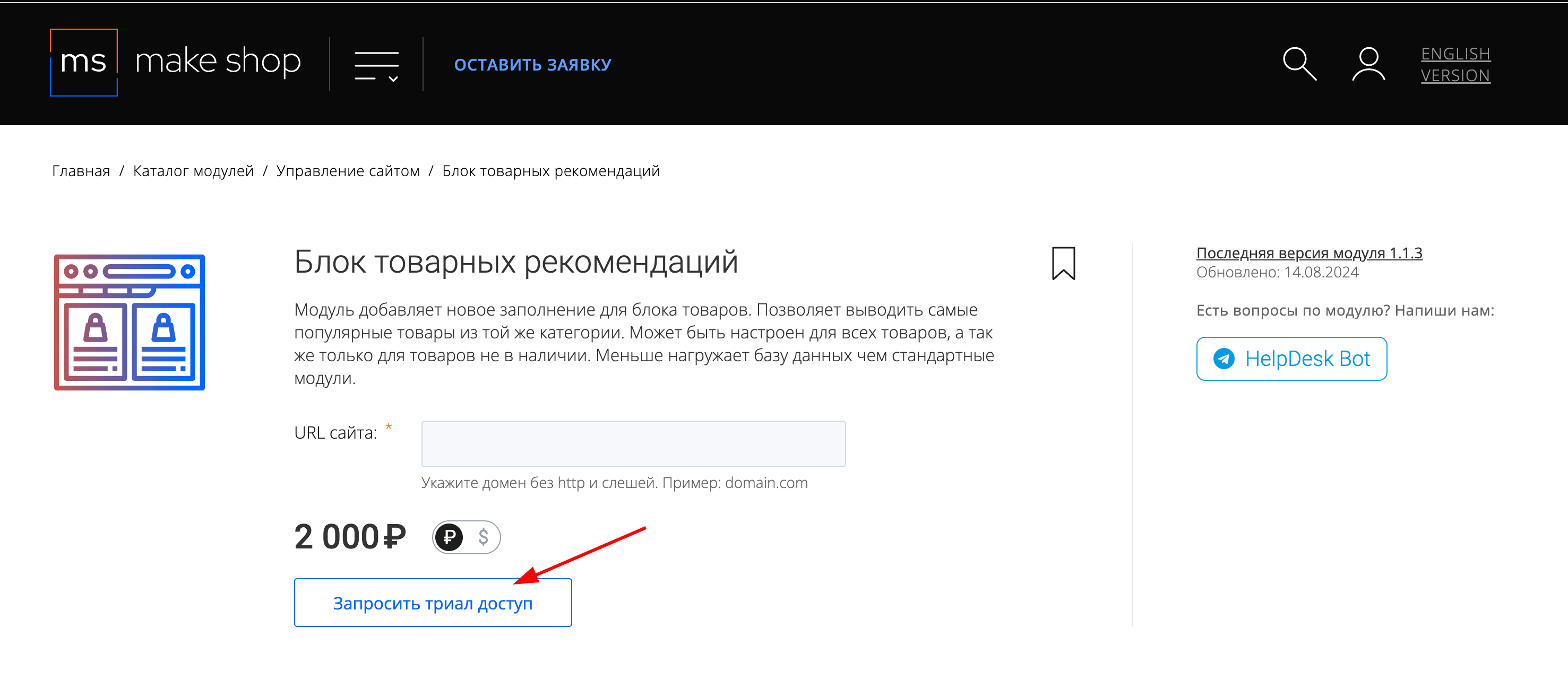
Нажмите кнопку Запросить триал доступ
Введите в поле URL сайта ваш домен в формате domain.com, без www и https://
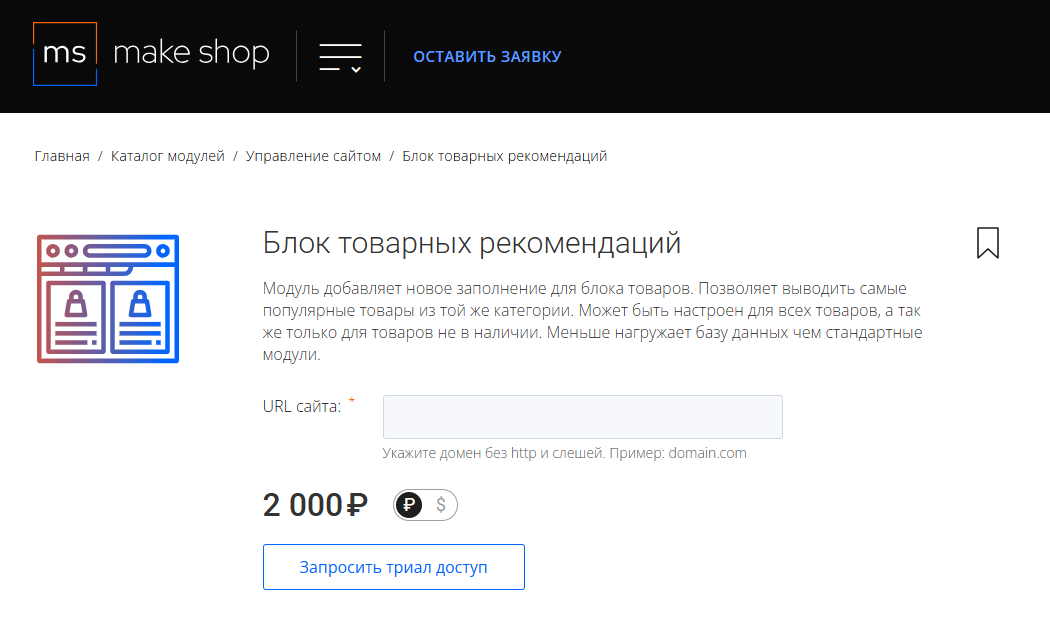
Далее в личном кабинете в разделе загрузки вы сможете скачать нужный вам модуль и менеджер модулей для удобного управления модулями и оформления подписки.
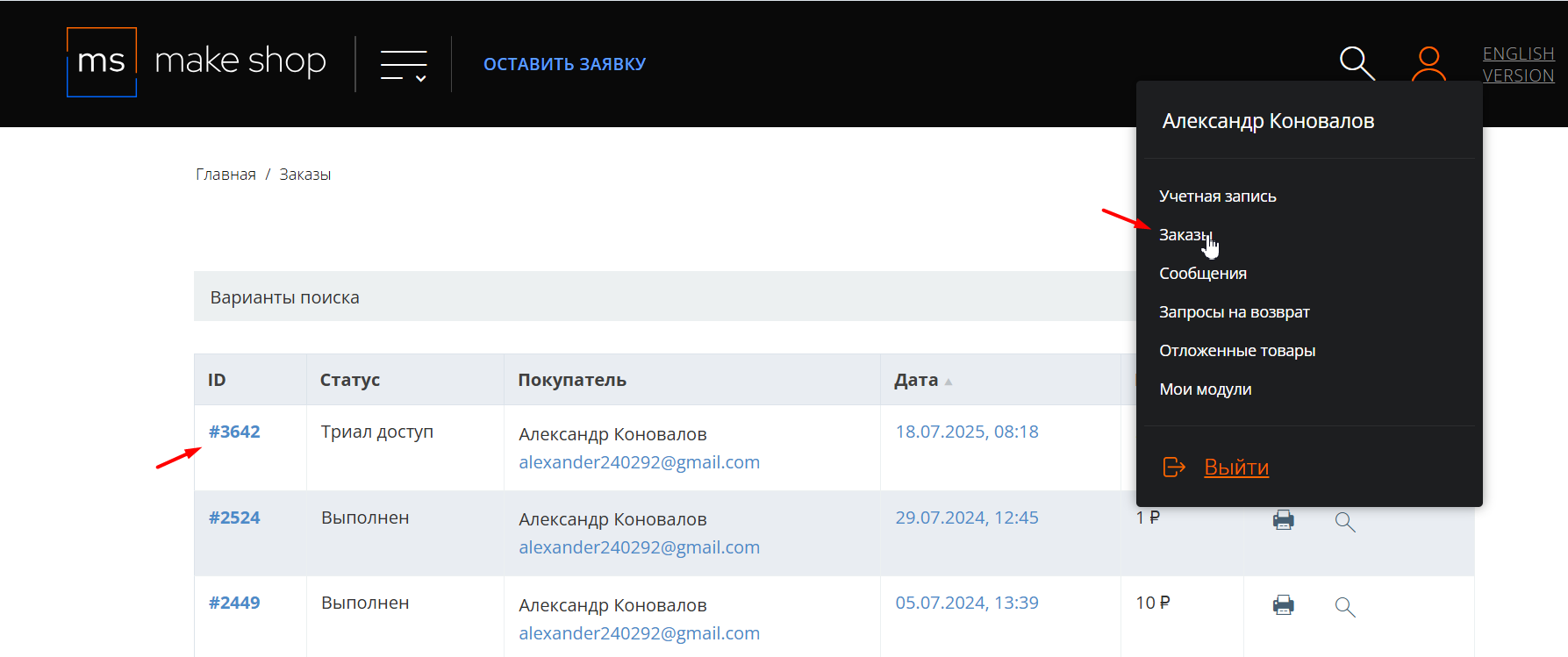
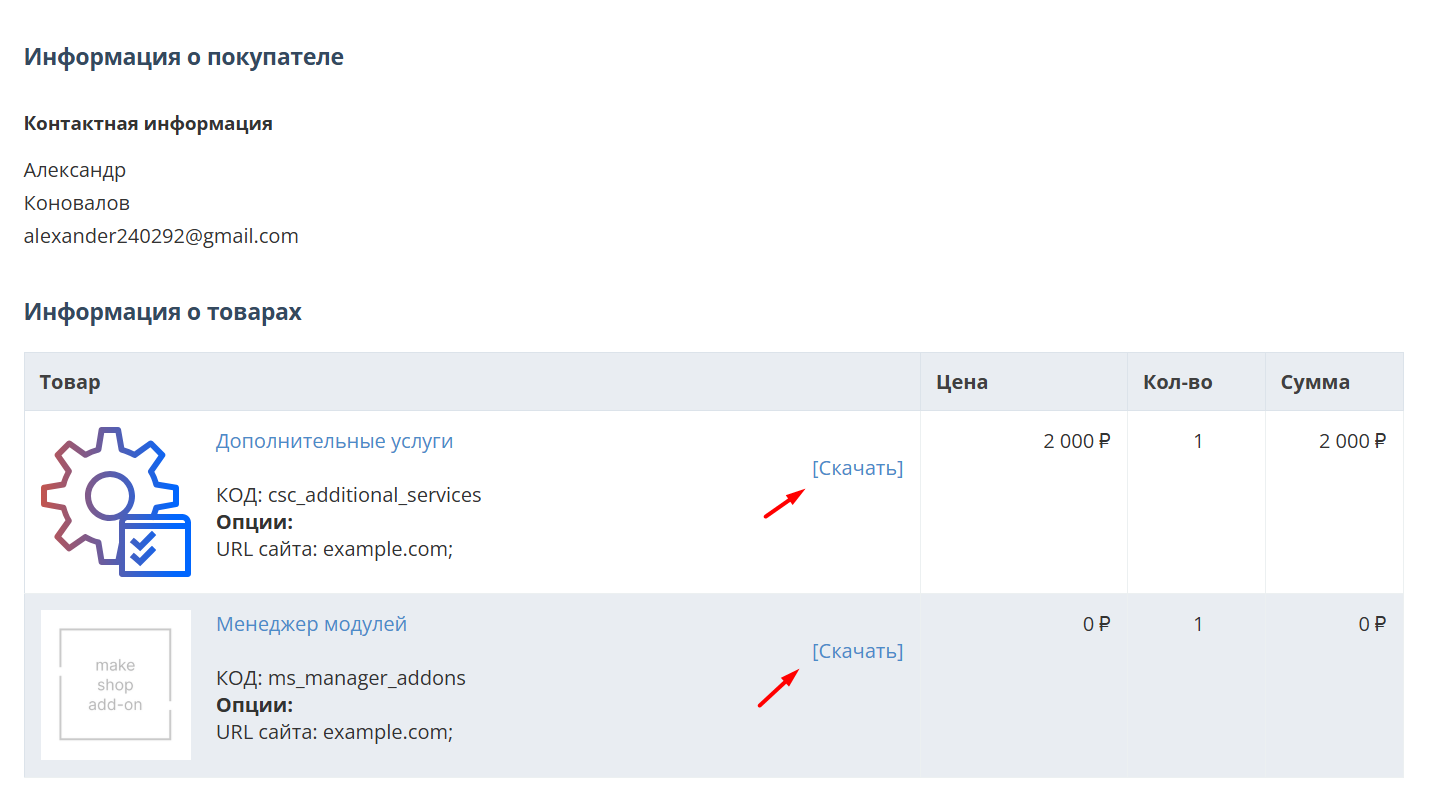
Далее у вас есть 7 дней для тестирования выбранного модуля.
По истечении строка триала, для продолжения работы необходимо оплатить подписку.
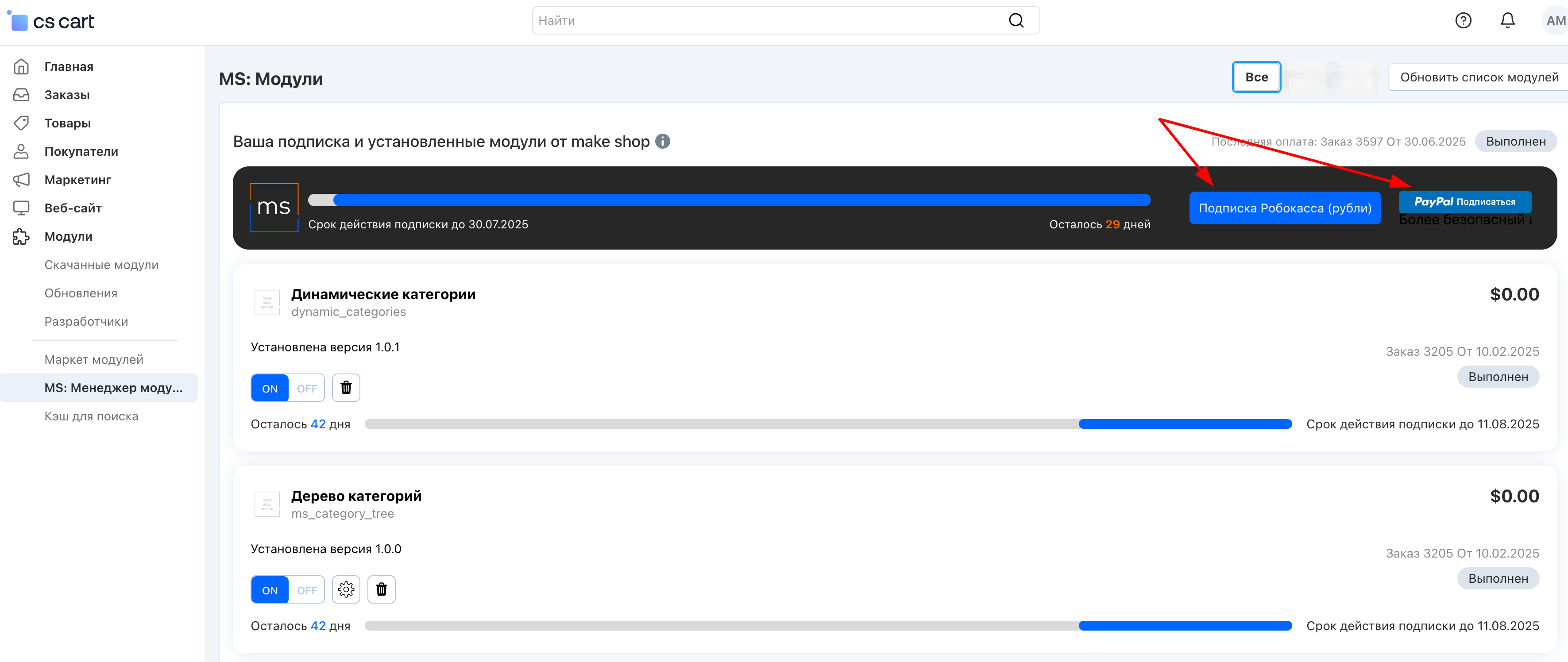
Сделать это можно из менеджера модулей.
На выбор вы можете оплатить:
для зарубежных карт - PayPal
для РФ карт - Robokassa
Или на странице на сайте https://makeshop.pro/subscription/
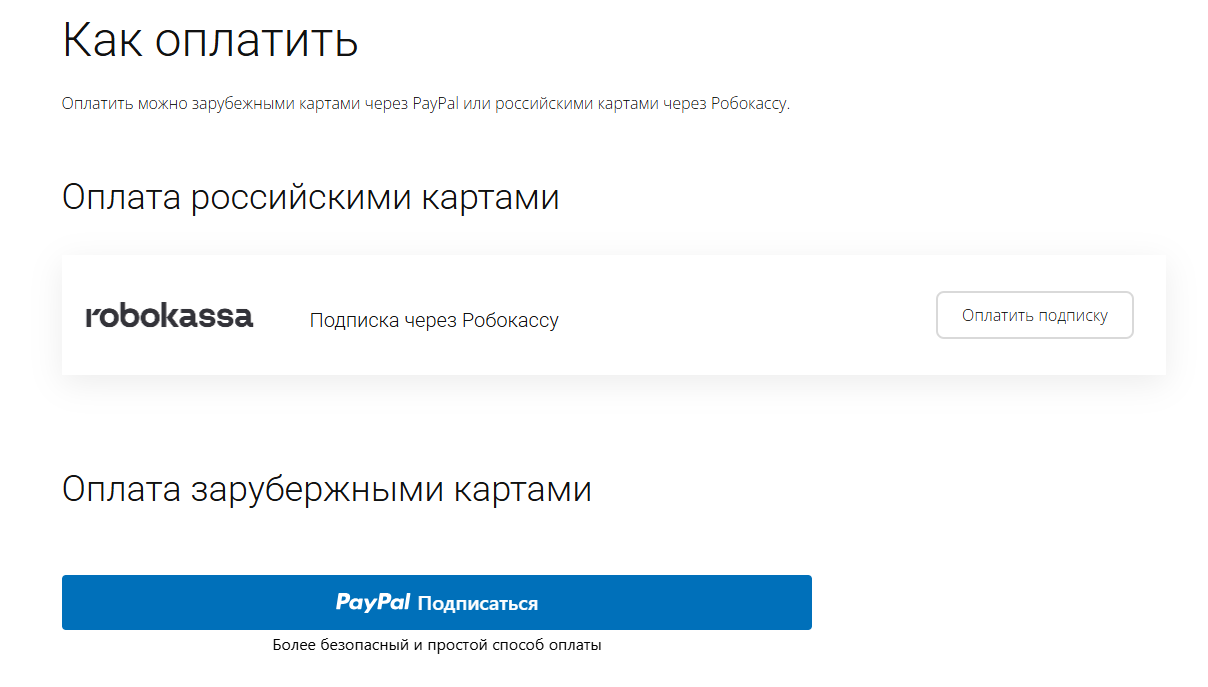
При оплате нужно указать электронную почту с которой вы оформляли триал доступ.
При покупке на маркетплейсе CS-Cart
При покупке любого модуля зарубежной картой или картой РФ
Так как система при оформлении подписки не спрашивает дополнительных вопросов (на какой домен подписка оформляется) желательно вводить электронную почту ту же что и ваша учетная запись у нас на сайте (если она есть), тогда ваши учётки свяжутся между собой.
Выберите интересующий модуль и нажмите кнопку “Оформить подписку“
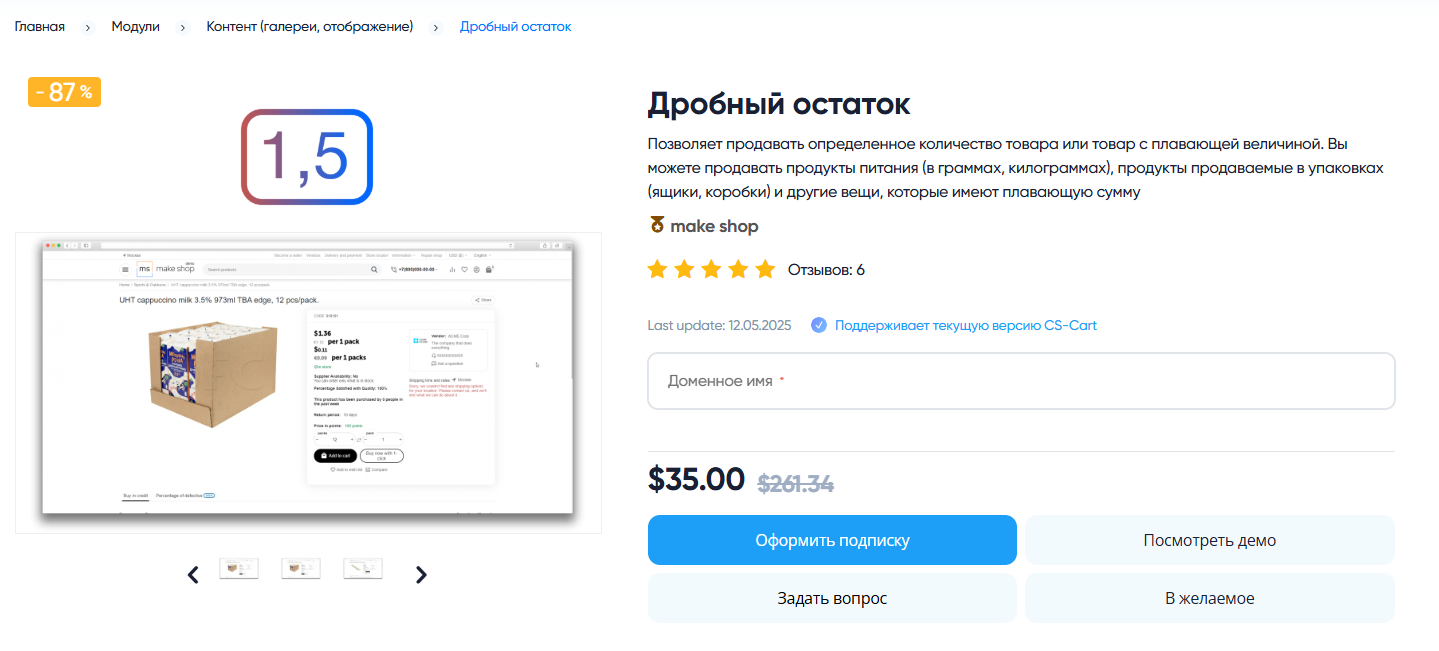
Далее после оплаты подписки вы сможете скачать модуль перейдя в раздел “Загрузки“, там выберите свой заказ и в нем будет ссылка на скачивание.
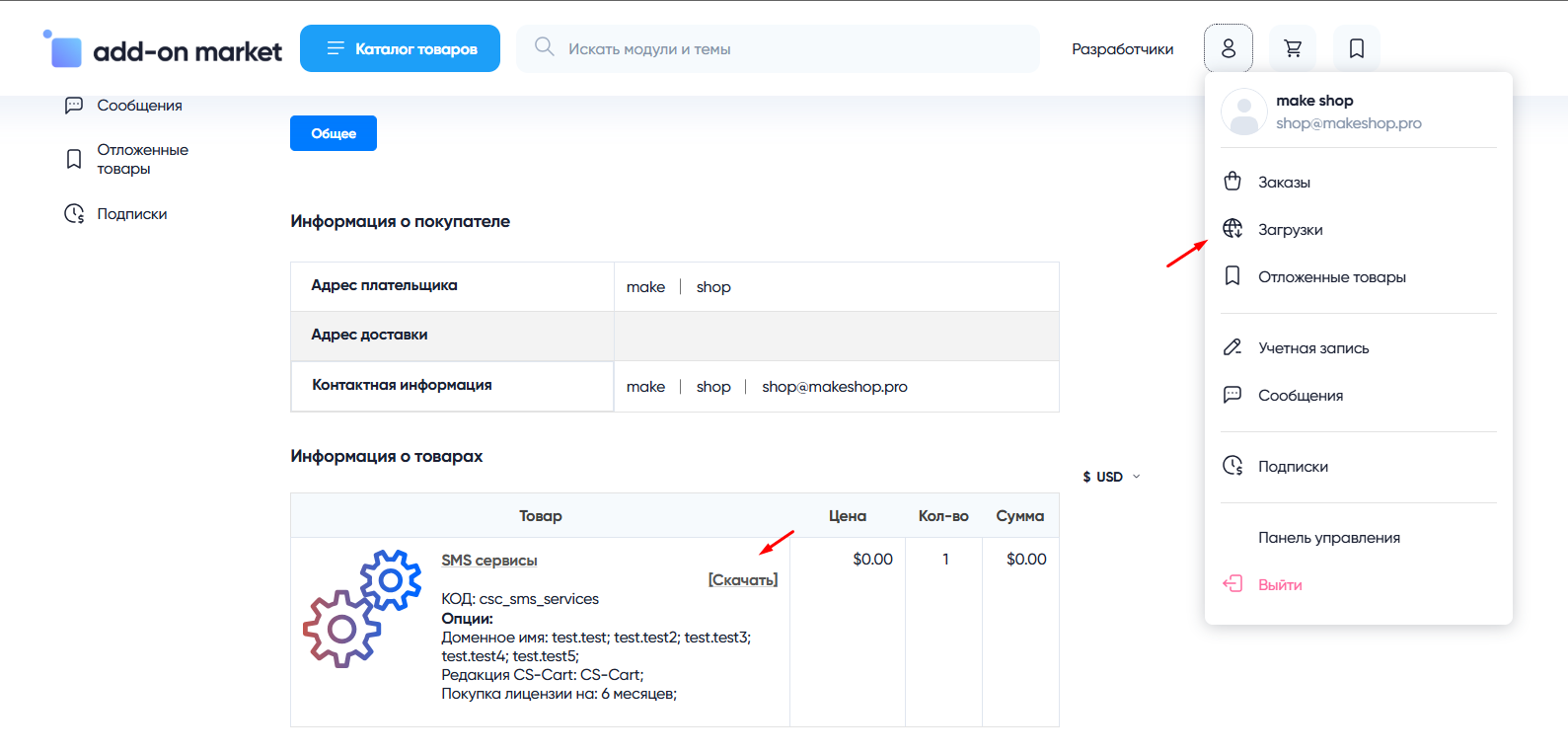
В дальнейшем, для получения новых модулей по подписке рекомендуем пользоваться нашим сайтом.
Всё что вам будет нужно сделать это на интересующем вас модуле (после авторизации) нажать кнопку “Запросить модуль по подписке“ и после одобрения скачать его в разделе загрузки.
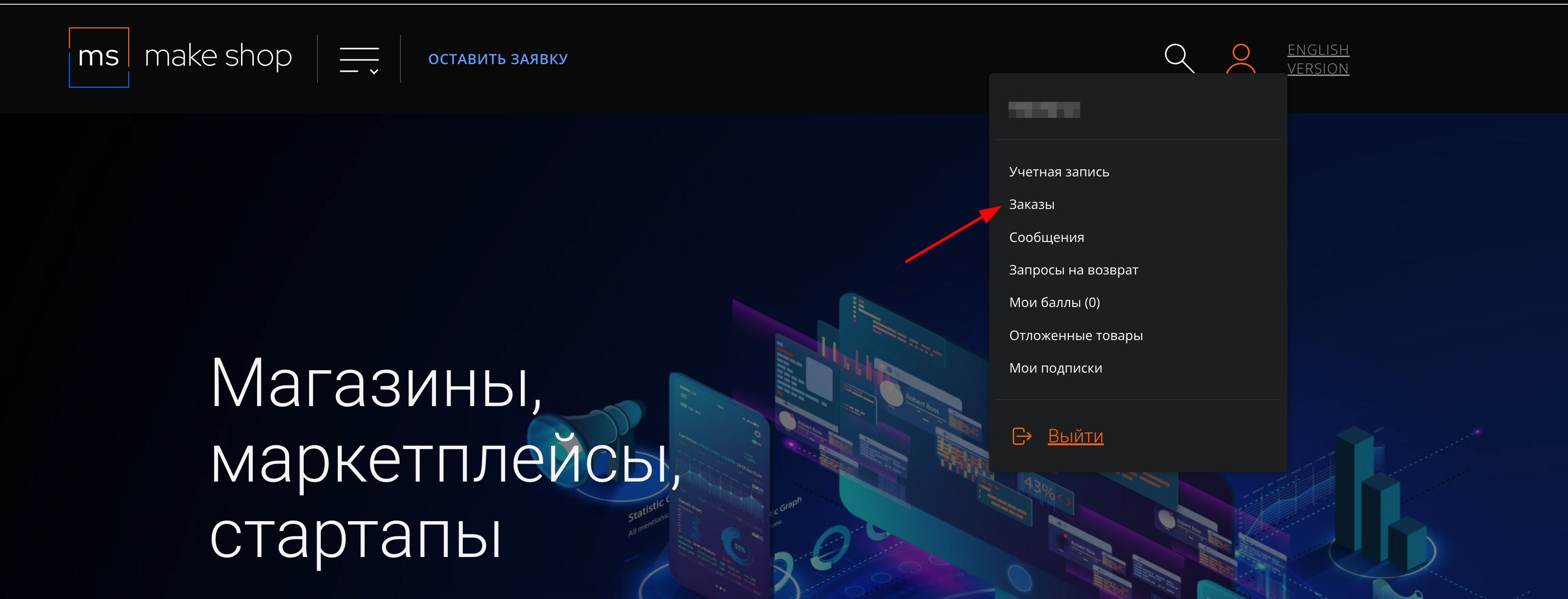
Если что-то пойдет не так - проверьте выписалась ли лицензия
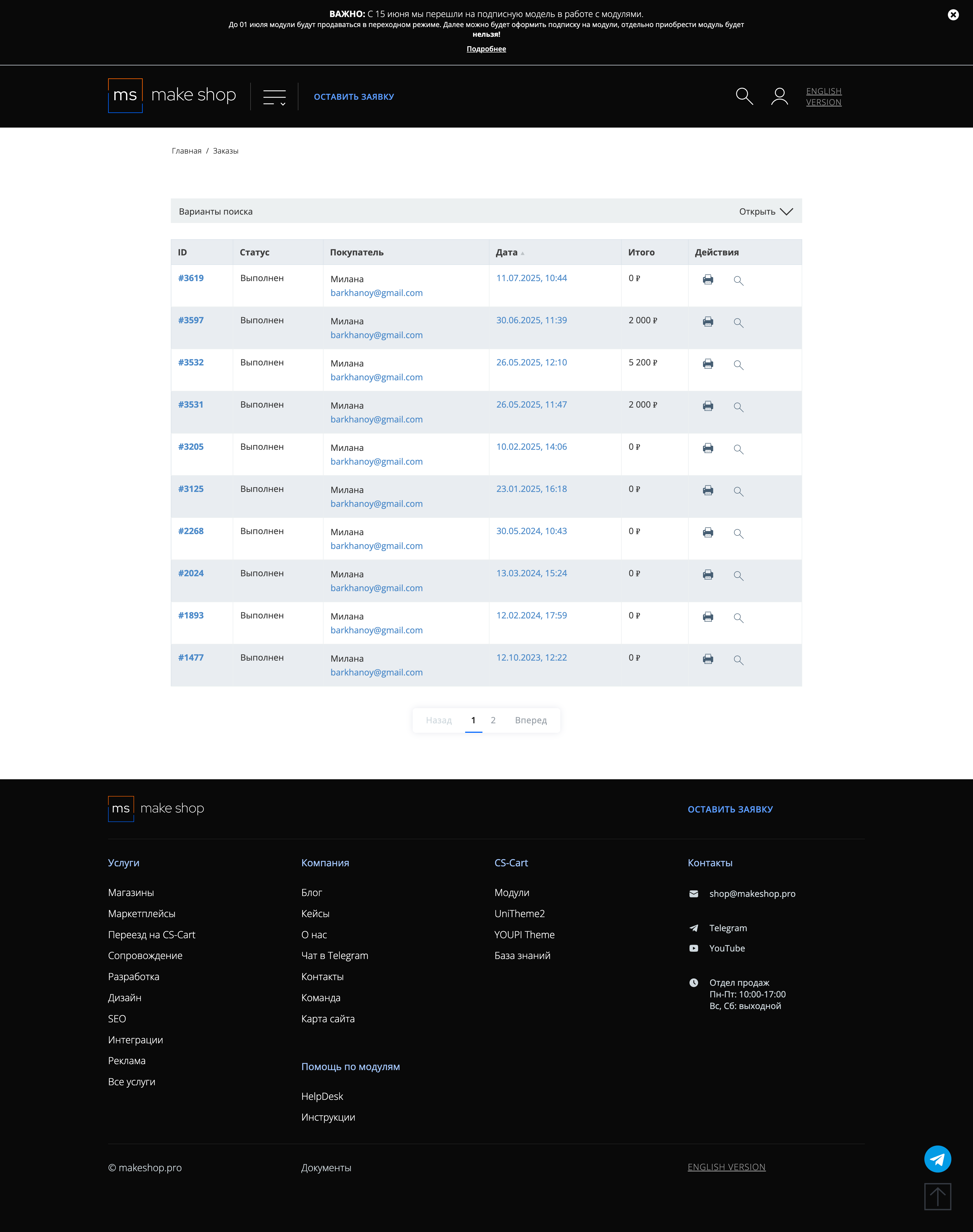
Найдите заказ с датой оформления подписки
Убедитесь что у вас прописался URL сайта в заказ
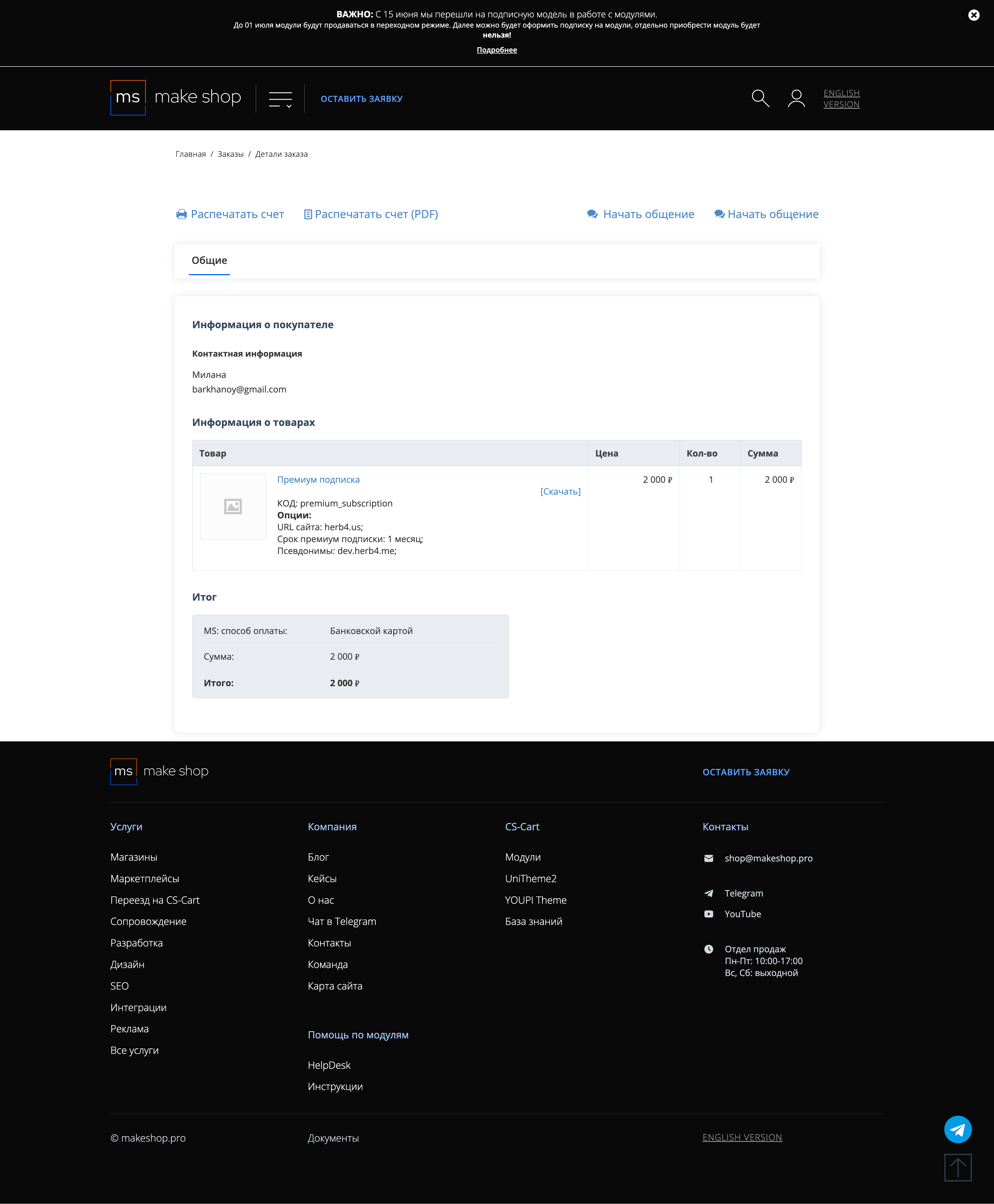
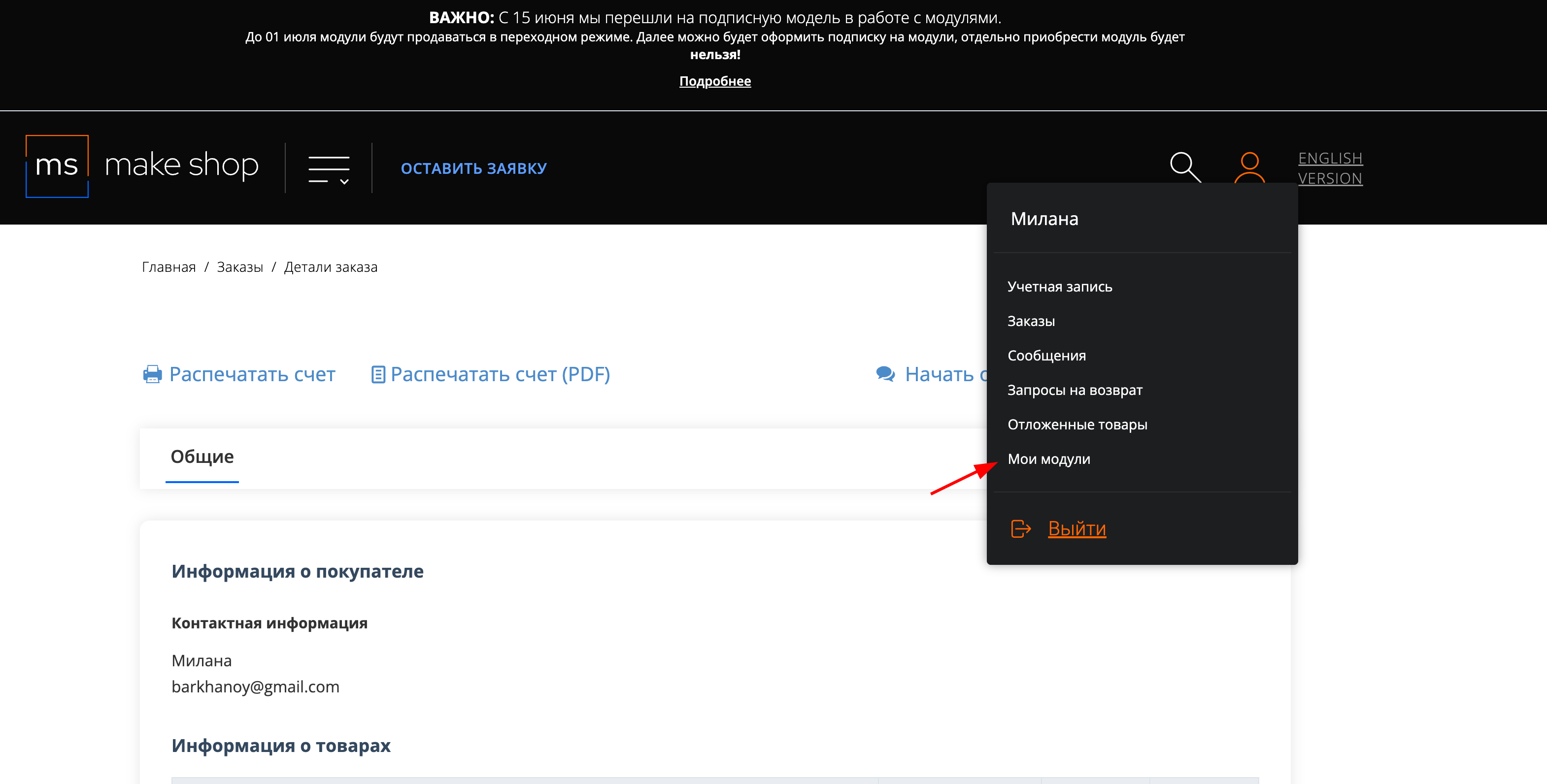
Если URL сайта неправильный и вам нужно обновить его: переходите в пункт меню “Мои модули”
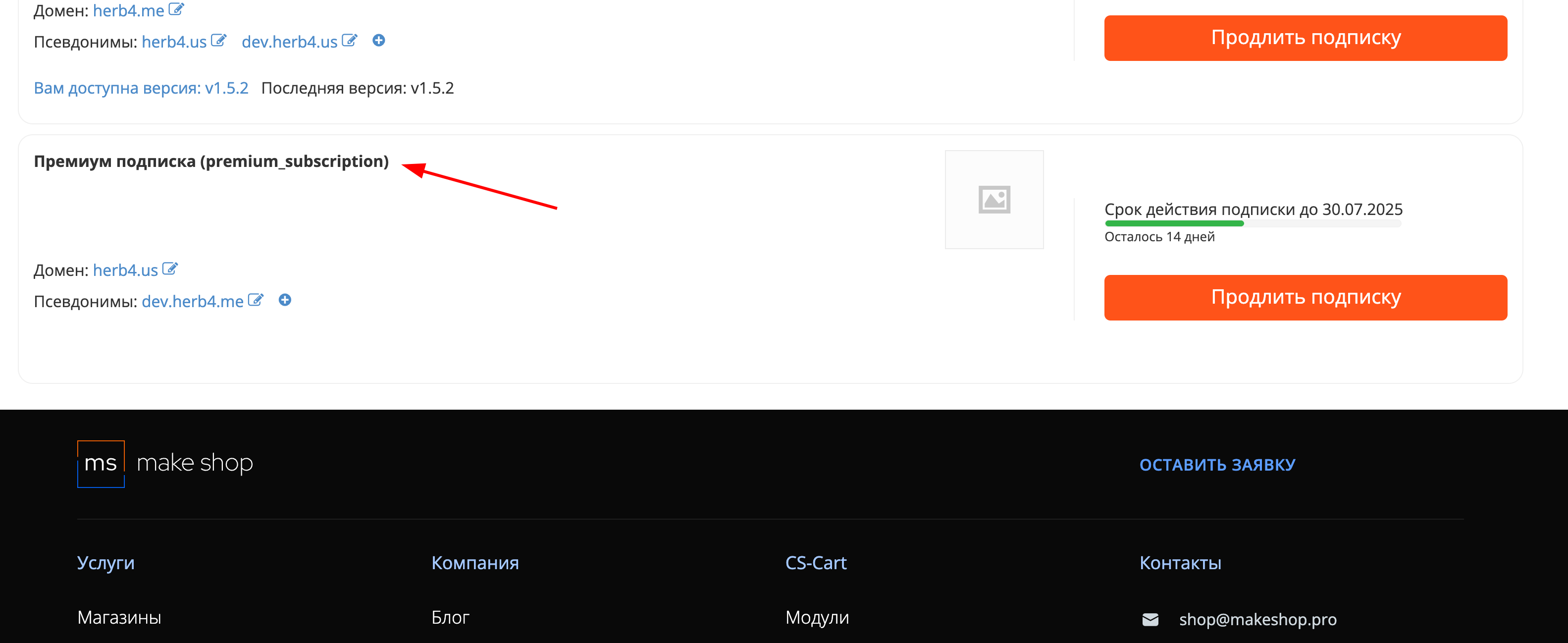
Ищите модуль и проверьте URL магазина для которого выписана подписка
Installation
Install the add-on in the admin panel: Add-ons → Manage add-ons.
Add-on settings
Open the add-on settings and enable “Replace the default profile menu” if needed. In this mode, when a customer clicks the profile icon in the storefront, they will be redirected to the profile page instead of seeing the standard dropdown menu.
Configure the personal account menu
- Go to Design → MS: Displaying the personal account menu on a single screen.
- Create menu groups (Groups section).
- Add menu items and assign them to groups (Menu Elements section).
You can use ready-made item presets to speed up configuration (if available in the interface).
Place the block in a layout
- Go to Design → Layouts.
- Select the layout/container for the personal account page.
- Add the “MS: Displaying the personal account menu on a single screen” block.
Check the result
- Open the storefront and go to the personal account (as a logged-in customer).
- Make sure the configured groups and menu items are displayed.
v1.3.0
от 30.03.2026
Changed:
- [*] Updated the add-on template
v1.2.0
от 01.10.2025
New features and improvements:
- [+] Ability to select the “My organizations” preset from the “Invoicing” add-on (ms_invoicing)
- [+] Added an authorization popup for guest users
v1.1.0
от 20.09.2024
New features and improvements:
- [+] Added a log out button in the account
Bug fixes:
- [!] Fixed errors when editing groups and the menu
v1.0.0
от 28.08.2024
New features and improvements:
- [+] Initial release
Legend:
[+] Added | [-] Removed | [*] Changed | [!] Bug fix
Вывод меню ЛК на единый экран
Разработка нового модуля, стандартные пункты ЛК CS-Cart на едином экране
Ваш запрос отправлен!
Ваш запрос на доработку модуля отправлен в техническую поддержку. Мы изучим ваши пожелания и дадим обратную свзязь.
Вам придет уведомление на указанный Email.
Here you can share your opinion and evaluate our work.
Your feedback helps us become better and offer you even better service.