




This add-on is part of our Subscription plan.
Subscribe once — enjoy all add-ons without limits.
Yandex Pay and Split payments
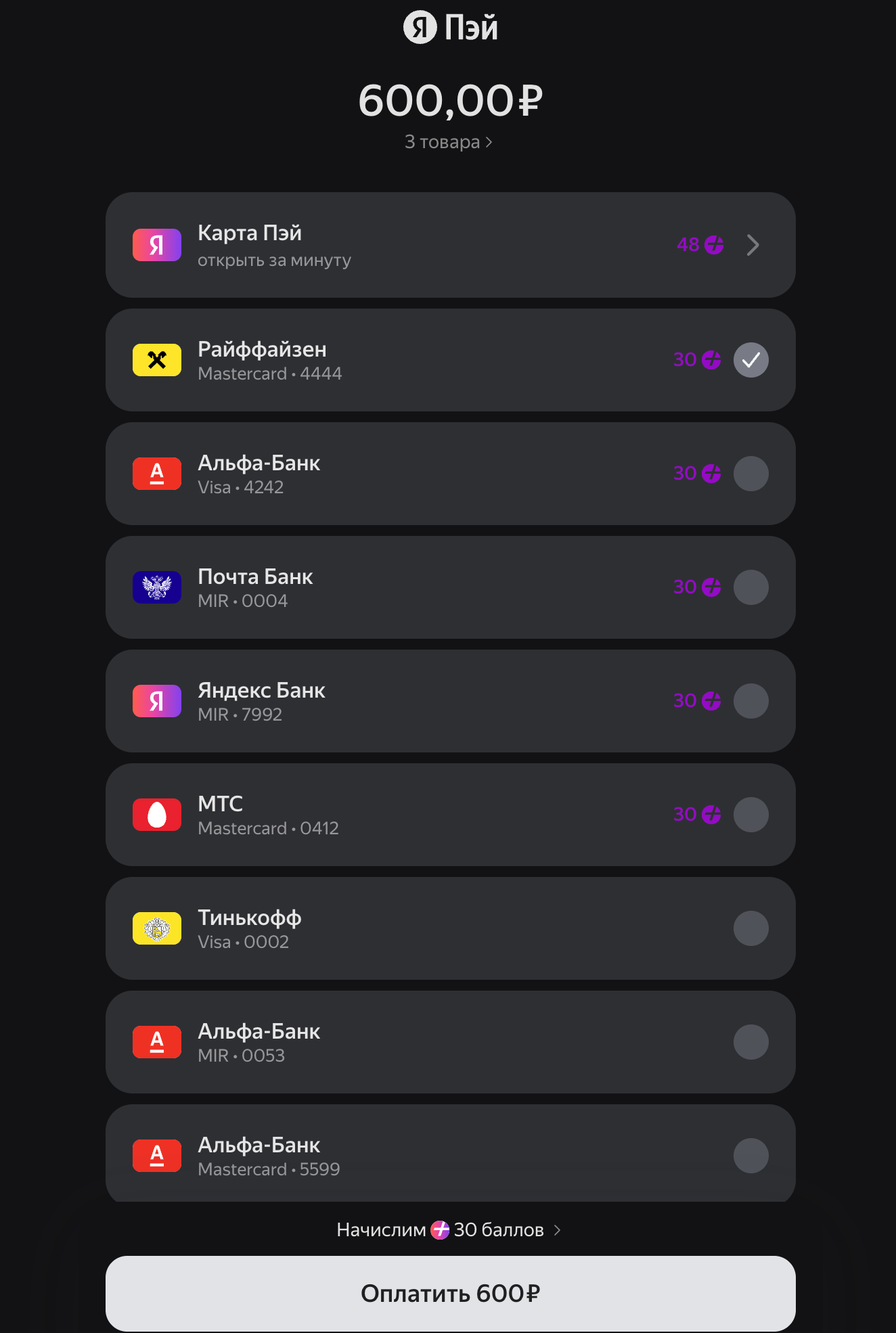
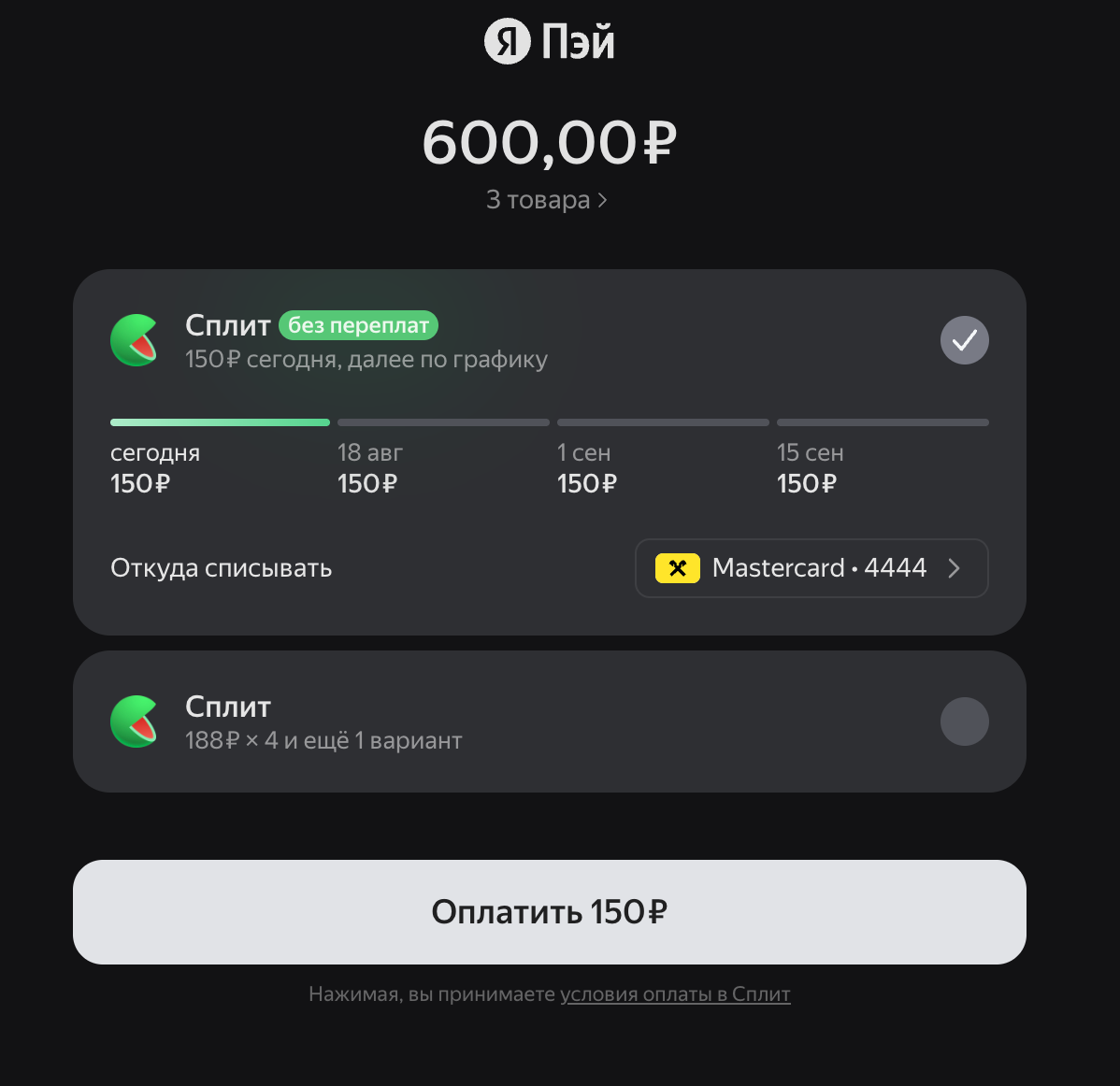
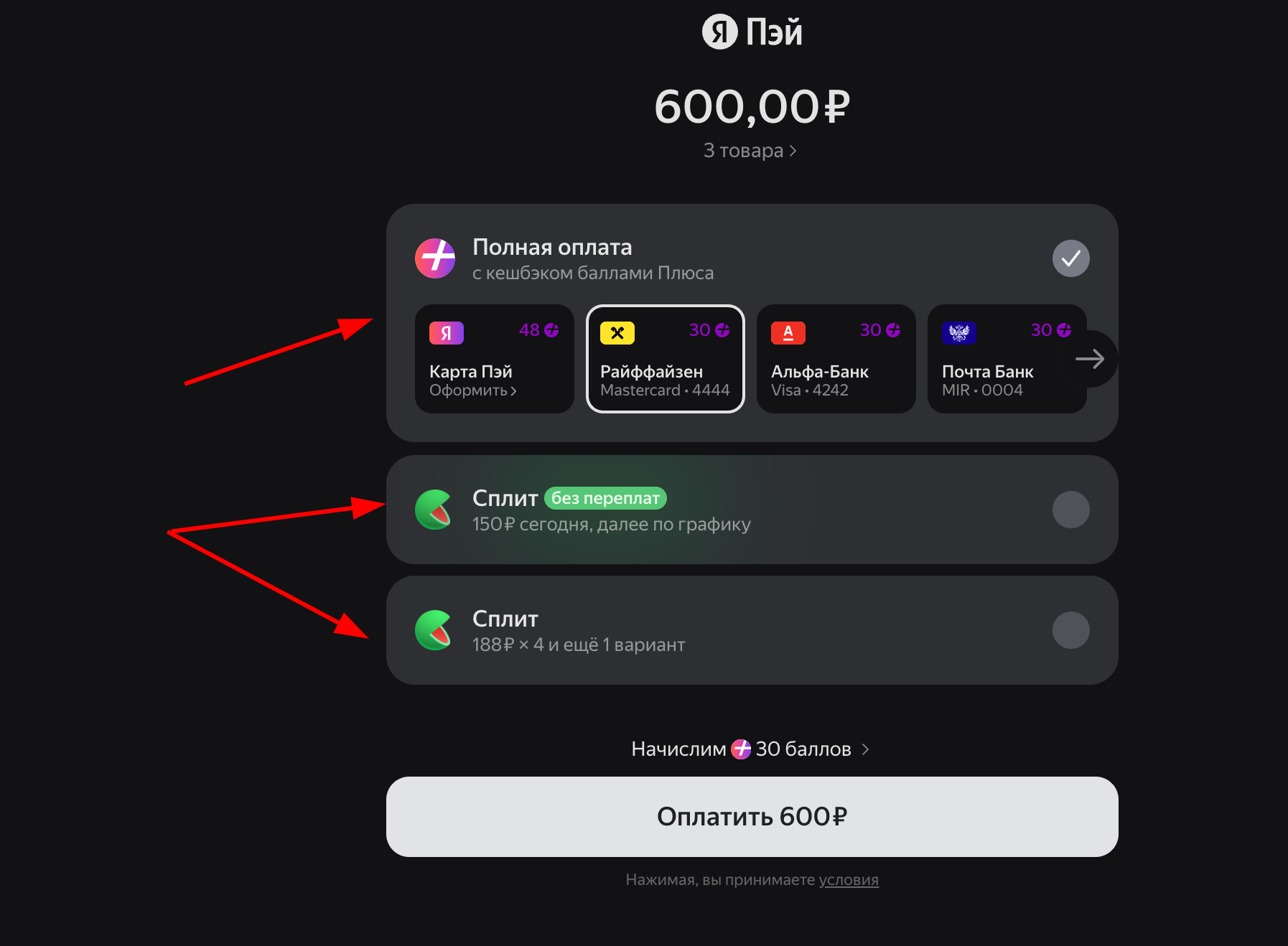
The add-on connects card payments through Yandex Pay and instalment payments through Yandex Split to a CS-Cart store. Customers select an available option at checkout, proceed to the Yandex payment page, and the store receives a verified payment result with the corresponding order status.
What it is for
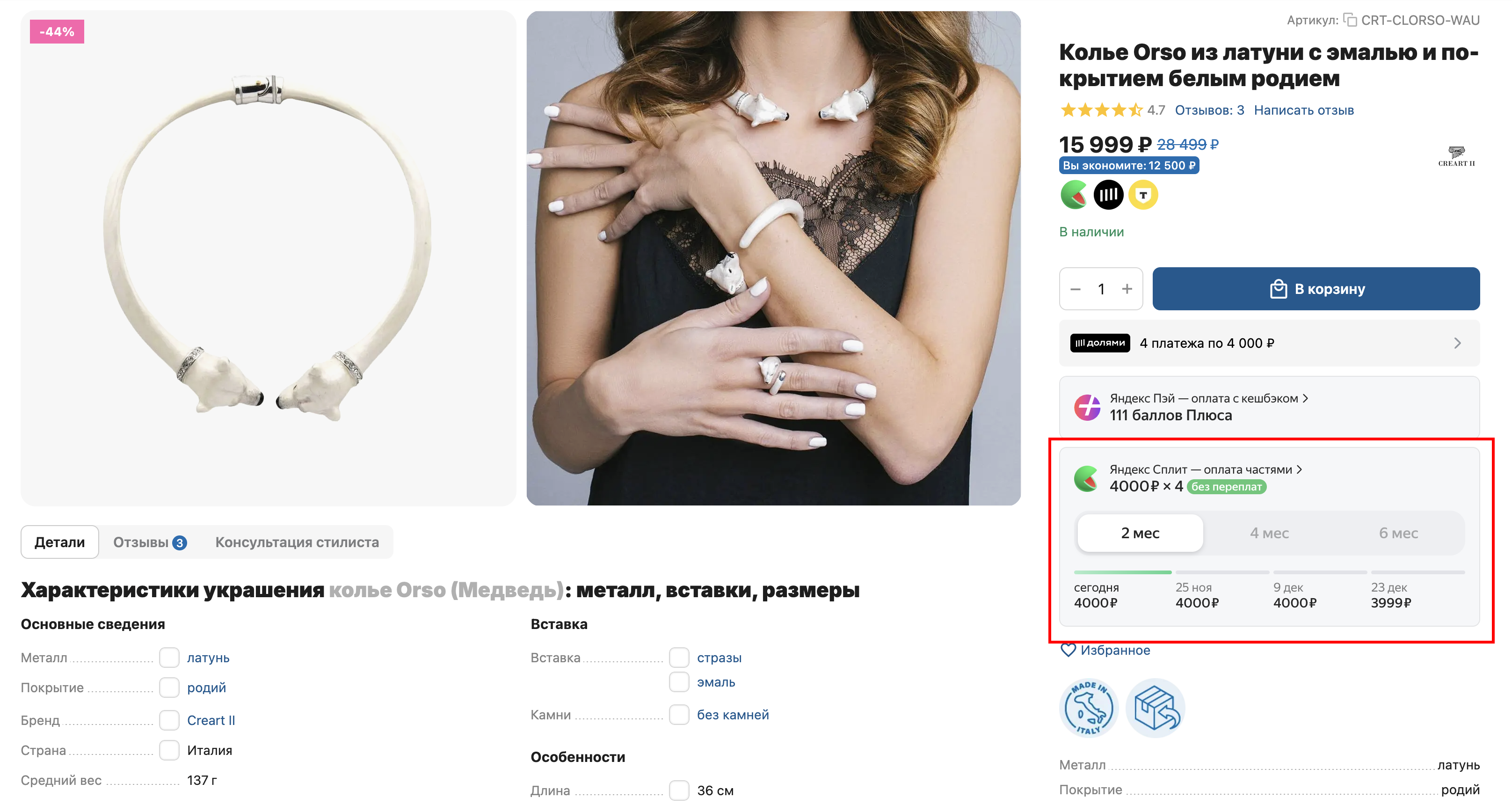
The add-on helps stores offer Yandex Pay and Split in the standard CS-Cart checkout flow and present payment options on the storefront in advance with Yandex widgets and badges.
Key features
- Yandex Pay, Yandex Split, or both payment options.
- Production and test connections to the Yandex Pay API.
- Widget display on product pages and checkout.
- One or two configurable badges in product lists and storefront blocks.
- Configurable checkout widget position and display type.
- Separate order lines for products, shipping, and purchased gift certificates.
- Customer e-mail, or phone when e-mail is unavailable, sent as the fiscal contact.
- Mapping successful and failed payments to CS-Cart order statuses.
- Support for Responsive, UniTheme2, and Nova storefronts.
How it works
The administrator enters the Merchant ID, API key, and available payment options in the payment method settings, then configures storefront widgets, badges, and order statuses. When an order is placed, the add-on creates an order through the Yandex Pay API and redirects the customer to the returned payment URL.
After the customer returns, the add-on requests the order from Yandex and verifies the order ID, merchant, currency, and amount. CS-Cart updates the order only for a confirmed terminal payment result; if confirmation is not available yet, the payment status remains unconfirmed.
Have questions about the add-on?
- Store Builder
- Store Builder Ultimate
- Multi-Vendor
- Multi-Vendor Plus
- Multi-Vendor Ultimate
- Buyers
- Owners
- Vendors
- English
- Русский
- 4.21.X
- 4.20
- 4.19.X
- 4.18.X
- 4.17.X
Instructions for Yandex Pay and Split payments
What the add-on does
The add-on adds the MS: Yandex Pay payment processor, creates orders through the Yandex Pay API, redirects customers to payment, and verifies the result after they return. It can also display Yandex Pay and Split widgets and badges on the storefront.
Where to find the add-on
- Add-on settings: Add-ons → Downloaded add-ons → Yandex Pay and Split payments.
- Payment settings: the CS-Cart payment methods section, processor MS: Yandex Pay.
Preparing Yandex credentials
Obtain the seller Merchant ID and API key in the Yandex Pay dashboard. The add-on has no separate Client ID field.
- Production mode uses the API key for authorization.
- Test mode connects to the sandbox API and uses Merchant ID as the authorization key.
Configuring the add-on
General settings
- Enter the Merchant ID used by storefront widgets.
- Map Success and Failed results to CS-Cart order statuses. If no value is selected, Open and Failed are used.
- In a multi-storefront store, select the required storefront before saving settings.
Widget
- Select the extended or compact product-page widget, or disable it.
- Select displayed methods: card, Split, or card and Split.
- If needed, enter Yandex Pay Web SDK parameters in the configuration field.
- Select the checkout position: hidden, under the order total, or above products.
- Select the checkout block type: collapsed, expanded, or simple.
Badges
- Enable catalog badges and, if required, the second badge.
- Select the position: under the price or under the complete product block.
- Enter primary and secondary badge configuration. The add-on supplies
merchant-id,amount, andsku-idautomatically and removes them from saved configuration.
Creating a payment method
- Create a payment method and select the MS: Yandex Pay processor.
- Enable test mode for sandbox verification or leave it disabled for the production API.
- Enter Merchant ID and the API key.
- Select available methods: Yandex Pay and Yandex Split, Yandex Pay only, or Yandex Split only.
- If required, enable the widget inside the payment method at checkout.
- Save the payment method and verify its availability for the required storefront and shipping methods.
Payment flow
- The add-on sends the amount, currency, products, shipping, purchased gift certificates, and allowed payment methods to Yandex.
- A valid e-mail is sent as the fiscal contact; when e-mail is unavailable, a normalized phone number is used. The field is omitted if neither contact is available.
- The customer follows the returned
paymentUrlto the payment page. - After the customer returns, the add-on requests the order from Yandex and verifies the order ID, Merchant ID, currency, and amount.
- Only
CAPTUREDis treated as successful;FAILEDandVOIDEDare treated as failed. Intermediate or unconfirmed results do not change the order status.
Current version limitations
- There is no separate server-to-server webhook URL setting; the add-on uses CS-Cart return URLs.
- There is no dedicated hold/capture or refund interface.
- The add-on sends a fiscal contact but has no own DigitalKassa, VAT rate, or receipt generation settings.
How to verify operation
- Enable test mode and complete the payment method settings.
- Open a product page and product list; verify the widget, badge position, and optional second badge.
- Add a product to cart and verify the checkout widget position and display type.
- Select the payment method and confirm that Pay, Split, or both options match the settings.
- Place a test order and verify the redirect to the Yandex payment page.
- After returning, check the Yandex payment status and final CS-Cart order status in the administration panel.
- To verify fiscal contact selection, place one order with e-mail and another without e-mail but with a phone number.
Changelog
v1.6.7 from 28.09.2026
[*] Updated the add-on code, templates, and integration files.
[*] Updated the add-on description, instructions, and changelog.
v1.6.6 from 2026-09-14
[!] Fixed:.
[*] Development test files are excluded from update packages and no longer trigger the CS-Cart core file upgrade error.
v1.6.5 from 2026-09-11
[!] Fixed:.
[*] Purchased gift certificates are sent as separate items, including orders without regular products.
[!] Fixed reconciliation of products, certificates, and shipping when an order discount is applied.
[*] Items with fractional kopecks after discount allocation are split into lines while preserving quantity and total.
[-] Removed duplicate badges from the Nova product grid while respecting placement and the second badge setting.
[*] Different options of the same product are sent with unique item identifiers.
[+] Before changing the order status, the add-on verifies payment through the Yandex Pay API and matches the order, merchant, currency, and amount.
[!] Fixed company and storefront setting selection, unchecked option saving, and badge and widget configuration handling.
[!] Fixed widget placement and reinitialization after cart recalculation and opening a hidden block.
[*] Updated the add-on from the current template, including the built-in changelog, version fallback, and translations.
[*] Included Russian and English descriptions and instructions while preserving release history.
v1.6.1 from 2026-06-19
[!] Fixed:.
[!] Fixed widget behavior after AJAX quantity changes.
[*] The widget below the order total no longer moves after cart recalculation.
[!] Fixed widget reinitialization in a collapsed hidden block.
[*] Reinitialization on block opening now runs only for an empty container.
[*] Clarified status updates through CS-Cart return URLs without a separate server-to-server webhook.
v1.6.0 from 2026-04-30
[+] Added:.
[*] Customer contact transfer for fiscalization when a payment is created.
[*] The customer phone number is used for fiscalization when the order has no e-mail.
[*] Updated the built-in add-on description.
[!] Fixed:.
[*] Refined customer contact selection from order data.
v1.5.1 from 2026-03-17
[+] Add-on settings are detected more reliably on multi-storefront storefronts.
[!] Fixed:.
[!] Fixed payment status mapping saving.
[*] Payment result processing now selects settings by the order company.
v1.5.0 from 2026-03-04
[+] Added:.
[*] Checkout widget display setting.
[*] Collapsed, expanded, and simple checkout block types.
[*] Collapsible widget block with a title and animation.
[*] Badge display on pages, blog posts, and promotions.
[*] Updated the add-on to the current project template.
[*] Moved checkout widget output to a separate block.
[*] Moved documentation to HTML files in the info directory.
v1.4.0 from 2026-01-19
[+] Added:.
[*] Label display in AB smart recommendation blocks.
[!] Fixed:.
[!] Fixed payment method block behavior at checkout.
v1.3.1 from 2025-12-12
[!] Fixed:.
[!] Fixed order creation from the administration panel.
v1.3.0 from 2025-12-09
[+] Added:.
[*] Configurable widget and badge appearance.
[*] Badge position selection.
[*] CS-Cart Nova theme support.
[+] Brought the add-on in line with project standards.
[*] Updated widget appearance with an option to use the previous variant.
[*] Optimized widget output at checkout.
[!] Fixed:.
[!] Fixed settings in the dark theme and badge alignment.
v1.2.2 from 2025-11-10
[*] Updated widget styles.
[*] Switched the payment session to production mode.
[!] Fixed:.
[-] Removed duplicate widgets when product tabs contain products.
v1.2.1 from 2025-11-03
[+] Added:.
[*] An option to hide the widget at checkout.
[*] Changed widget position, dimensions, and bottom spacing.
[-] Removed an extra checkout button from the cart page.
[!] Fixed:.
[!] Fixed duplicate widgets in the popup.
[!] Fixed widget output when changing the payment method.
[!] Fixed Split widget output when Yandex card payment is selected.
v1.2.0 from 2025-10-30
[+] Added:.
[*] Widget selection on the product page.
[*] Widget display at checkout.
v1.1.1 from 2025-07-30
[+] Brought the add-on in line with project standards.
v1.1.0 from 2023-11-06
[+] Added:.
[*] Yandex Split widget output.
v1.0.2 from 2023-10-28
[!] Fixed:.
[!] Fixed production API key detection.
v1.0.1 from 2023-10-28
[+] Added:.
[*] English translations.
[!] Fixed:.
[!] Fixed API URL detection.
v1.0.0 from 2023-10-16
[+] Added:.
[+] Initial add-on release.
Legend:
[+] Added
[-] Removed
[*] Changed
[!] Bug fixed
Here you can share your opinion and evaluate our work.
Your feedback helps us become better and offer you even better service.