

This add-on is part of our Subscription plan.
Subscribe once and use all add-ons without limits.
Referral Program
The add-on helps you build a standalone referral program for CS-Cart and Multi-Vendor. It links a buyer to a program participant, stores the referral source, and calculates referral points for orders.
What it is for
The add-on is useful when you want to attract customers through referral links, track invitations, and automatically reward confirmed orders. It works for both a simple single-level scheme and a multi-level structure with rewards distributed up the participant tree.
It also gives participants a personal portal with links, orders, accruals, team data, and program terms. That keeps the referral flow transparent and easy to manage without manual checks.
Main features
- one referral link with a configurable lifetime;
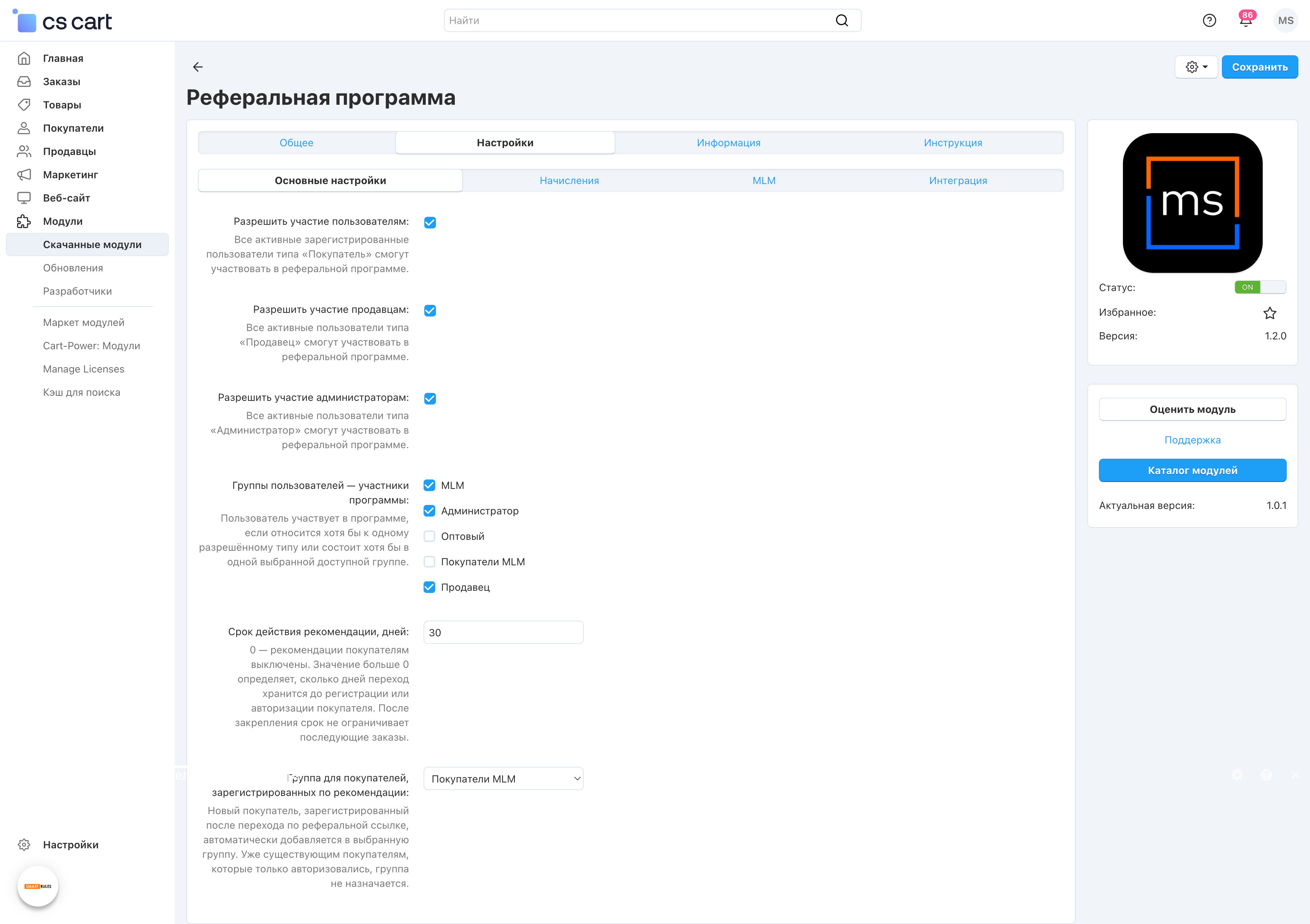
- participant selection by CS-Cart user types and user groups;
- buyer binding after successful registration or sign-in;
- automatic assignment of a selected buyer group for referral traffic;
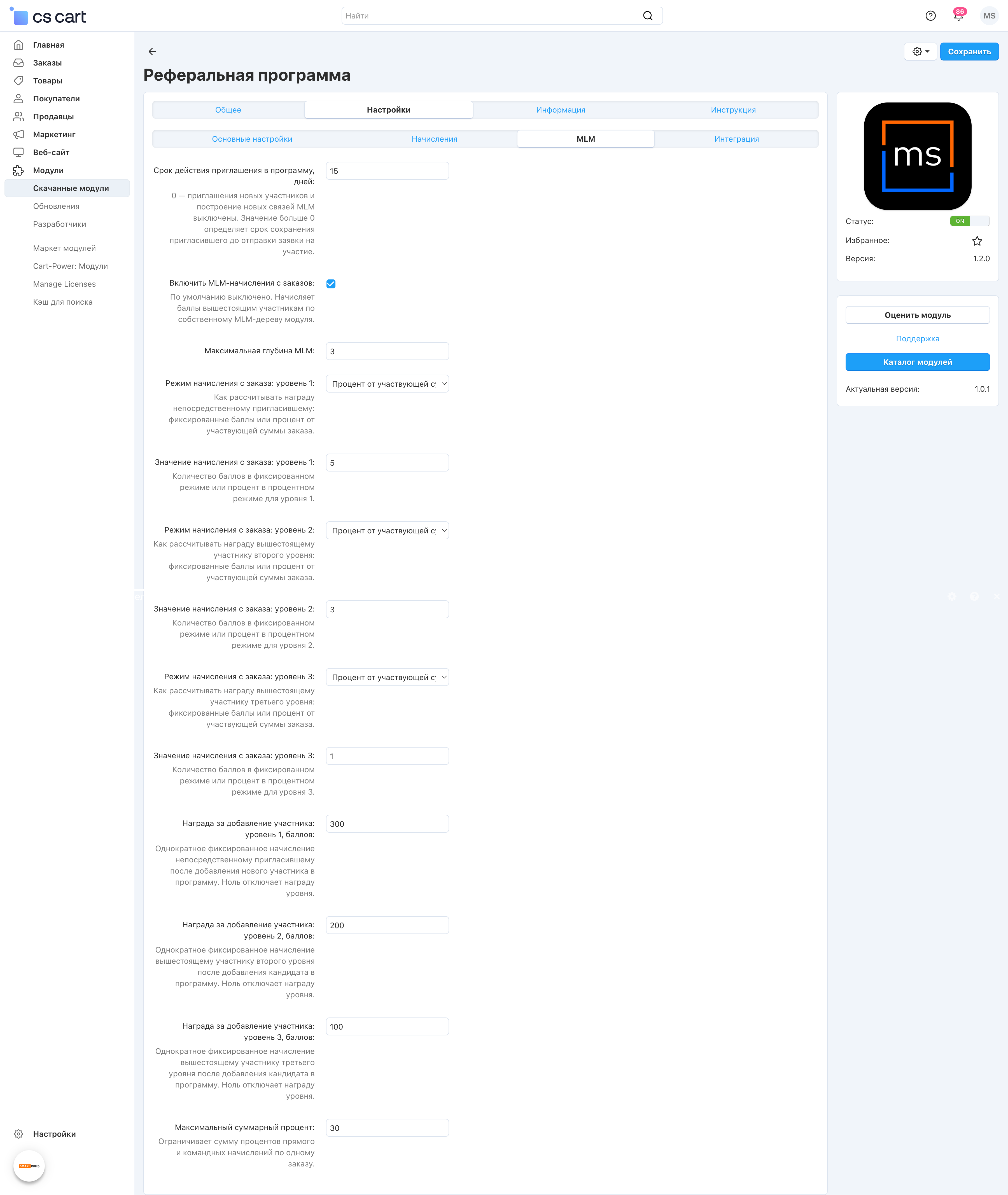
- program depth from 1 to 50 levels;
- fixed points or percentage rewards for each level;
- transfer of confirmed rewards to the standard reward points balance;
- a fixed parent-participant bonus for adding a new participant;
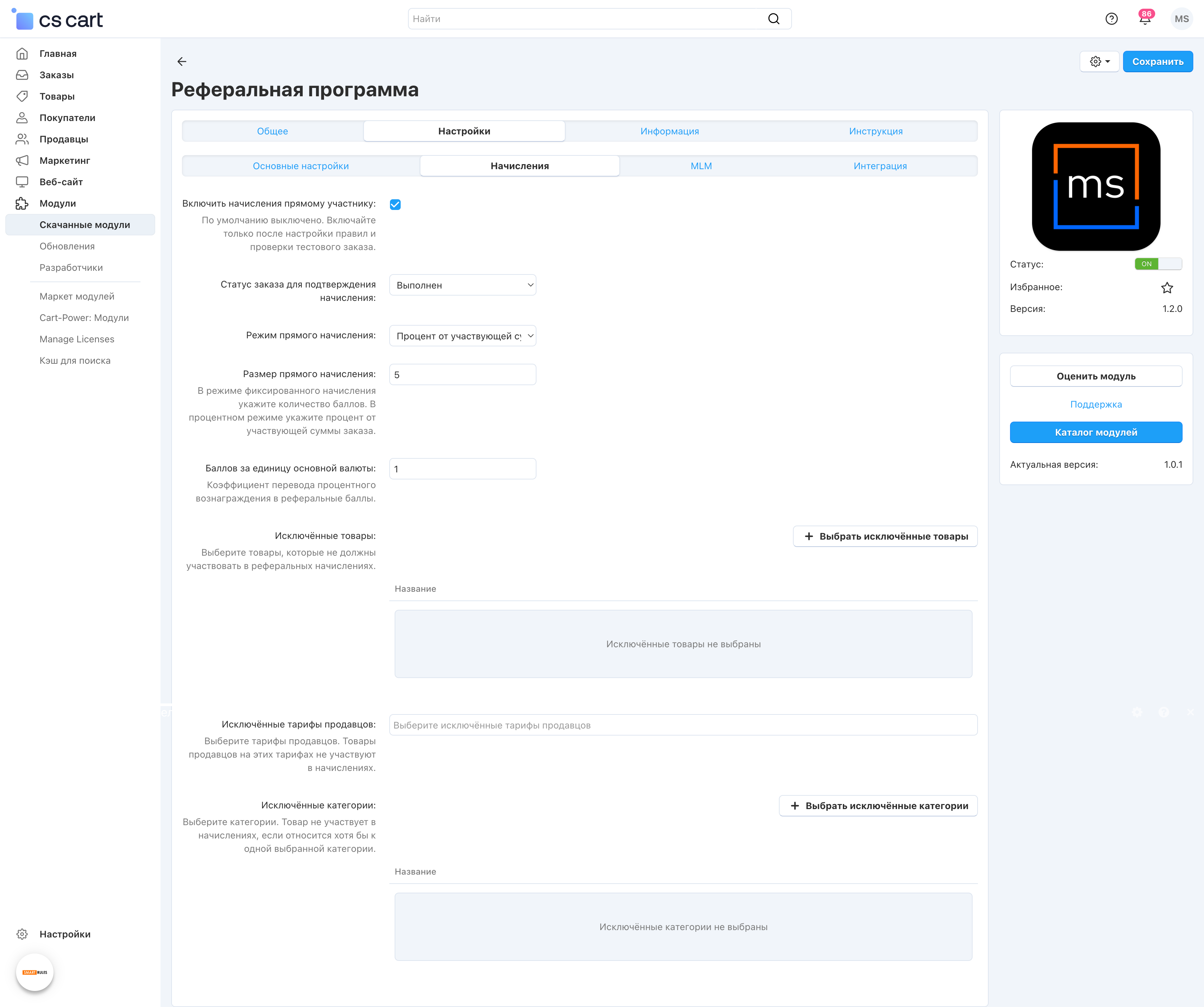
- native selectors for excluded products, categories, and vendor plans;
- a participant portal with Overview, Orders, Accruals, Team, and Terms;
- a protected API for external portals and custom authentication;
- idempotent handling of rewards, cancellations, and returns.
How it works
An administrator selects the audience, link lifetime, confirming order status, and level rules. A participant shares one link to an allowed store page. After successful registration or sign-in, the buyer is bound to the participant and becomes a level-one participant in that participant's team.
When an order reaches the configured confirming status, the add-on transfers the calculated reward to the standard reward points balance once. Reprocessing does not create duplicates, and a return subtracts the amount that was previously transferred.
Participants do not get access to another customer's phone number, email, address, or order contents.
Have questions about the add-on?
- Store Builder
- Store Builder Ultimate
- Multi-Vendor
- Multi-Vendor Plus
- Multi-Vendor Ultimate
- Buyers
- English
- Русский
- 4.21.X
- 4.20
- 4.19.X
- 4.18.X
Instructions for the referral program module
The add-on is managed through the add-on card and the Marketing section. It does not need a separate internal settings page, but the program rules must be configured and verified before rewards are enabled.
What the add-on does
- binds a buyer to a referral program participant;
- adds rewards for confirmed orders;
- shows participants a personal portal with their link, orders, accruals, and team;
- supports a multi-level structure and external integration through a protected API.
Where the module is located
- Administration → Add-ons → Manage add-ons → Referral Program — the add-on card with the "Instructions", "Full description", and "Changes" tabs.
- Administration → Marketing → Referral Program — the main working area of the module: overview, settings, participants, structure, and the reward ledger.
After installation, rewards stay disabled until setup and verification are complete. The standard CS-Cart "Reward points" add-on is required.
How to check the add-on
- Open Marketing → Referral Program → Settings and configure the audience, link lifetime, confirming order status, and level rules.
- Create or open a test participant and copy the referral link from the Overview section.
- Follow the link, register or sign in, and check that the buyer is bound to the participant.
- Create a test order and move it to the confirming status. Make sure the reward appears only once.
- Test cancellations and returns: previously transferred points must be reduced correctly.
- Open Participants, Structure, and Accruals and verify that the data is shown consistently.
Changelog
v1.4.2 from 2026-08-25
[!] Fixed:.
[+] New add-on language variables are now added through the native CS-Cart importer during upgrades without overwriting existing translations.
[!] The referral reward reason in the standard reward points log was fixed; previously stored technical keys are repaired automatically.
[*] The instructions were expanded with referral-visit lifetime renewal rules and a detailed explanation of the maximum combined percentage.
v1.4.1 from 2026-08-25
[+] Added:.
[+] An interface setting was added to safely enable full first and last names for team members.
[*] Names remain masked by default; the selected mode applies to the participant portal and team API.
v1.4.0 from 2026-08-18
[+] Added:.
[+] Confirmed referral rewards are now added to the standard CS-Cart reward points balance after an order reaches the configured status.
[+] Idempotent synchronization was added to prevent duplicate points during repeated event processing.
[+] Partial and full refunds subtract the corresponding part previously added by this add-on.
[*] Existing confirmed rewards are safely transferred to the standard balance during upgrade.
v1.3.3 from 2026-08-18
[!] Fixed:.
[+] A customer registered through a referral link is now added to the inviter's team as a level-one participant.
[+] The new-participant bonus is created without a separate application and remains idempotent.
[+] Saving reward settings now automatically publishes a new immutable rule snapshot.
[*] Existing active customer bindings are backfilled into the referral tree during upgrade.
v1.3.2 from 2026-08-18
[!] Fixed:.
[!] The display and saving of order reward values and approval bonuses in level rules were fixed.
[*] Level rules are now loaded in the context of the selected storefront.
[-] The false unsaved-changes warning shown immediately after opening the level editor was removed.
v1.3.1 from 2026-08-18
[+] Added and fixed:.
[+] A setting was added to show or hide the nested Overview, Orders, Accruals, Team, and Terms links in the account menu.
[*] The main Referral program link and all portal tabs remain available regardless of the nested-menu setting.
[+] Referral attribution for new CS-Cart orders was fixed and safe recovery of a missing order snapshot was added.
v1.3.0 from 2026-08-18
[*] Added and changed:.
[*] Buyer referrals and participant invitations were unified under one referral link with a single lifetime.
[+] Configurable program depth up to 50 levels, per-level reward rules, and safe migration of previous settings were added.
[*] The participant portal, admin sections, API, and documentation were updated for the unified referral model.
v1.2.0 from 2026-08-12
[*] Added and changed:.
[+] A participant portal was added with Overview, links, orders, rewards, team, and terms.
[+] One Referral program account menu item was added for eligible participants.
[!] The fixed and percentage direct reward fields were merged into one value controlled by the selected mode.
[*] Manual vendor plan IDs were replaced with native search and multi-select by plan name.
[*] Translations, description, instructions, API documentation, and the test checklist were updated.
v1.1.1 from 2026-08-12
[*] Fixed and changed:.
[+] Automatic assignment of a selected group to a new buyer registered through a referral link was added.
[!] Participant group options were fixed: available A and H groups are now shown, including the built-in Wholesale group with ID 3.
[*] Manual excluded product IDs were replaced with the native product search and multi-select dialog.
[*] Manual excluded category IDs were replaced with the native multi-select category tree.
[*] Translations, description, instructions, and the test checklist were updated.
v1.1.0 from 2026-08-12
[*] Added and changed:.
[+] Participant selection by user type was added: registered users, vendors, and administrators.
[+] Selected CS-Cart user groups were added; type and group conditions use OR logic.
[+] The duplicate internal master switch was removed. The standard CS-Cart add-on status now controls the program.
[*] Buyer recommendations and program invitations now have independent lifetimes. Zero disables the corresponding flow.
[*] Invitations, tree depth, and all team rewards were moved to a dedicated MLM tab.
[*] Direct and MLM order rewards can now be enabled independently.
[*] Binding now completes after any successful standard CS-Cart registration or sign-in, without a mandatory SMS authentication dependency.
[*] Profile, link, summary, order, ledger, team, and rule APIs are available to every allowed participant type.
[*] The interface, translations, description, and instructions were updated.
v1.0.1 from 2026-08-12
[*] The standard MakeShop license, update checks, and branded add-on details were added.
[*] The name and description were updated for general use.
v1.0.0 from 2026-08-11
[+] Added:.
[+] Protected attribution, permanent buyer binding, order snapshots, and a reward ledger were added.
[+] Personal links, an MLM tree, fixed and percentage rewards, cancellations, and returns were added.
[+] Immutable rule versions and a protected API for external portals were added.
Legend:
[+] Added
[-] Removed
[*] Changed
[!] Bug fixed
Here you can share your opinion and evaluate our work.
Your feedback helps us become better and offer you even better service.