


This add-on is part of our Subscription plan.
Subscribe once — enjoy all add-ons without limits.
Vendor Feedback
The add-on adds a vendor review system to a Multi-Vendor store. Customers can rate a seller after an order, leave a comment, and, if needed, report the vendor response. Vendors can reply to reviews, while the administrator can manage disputed cases.
What it is for
The add-on is useful when you need to show vendor reputation and collect feedback based on real orders.
- Collect vendor reviews after a purchase: feedback appears only after a real order.
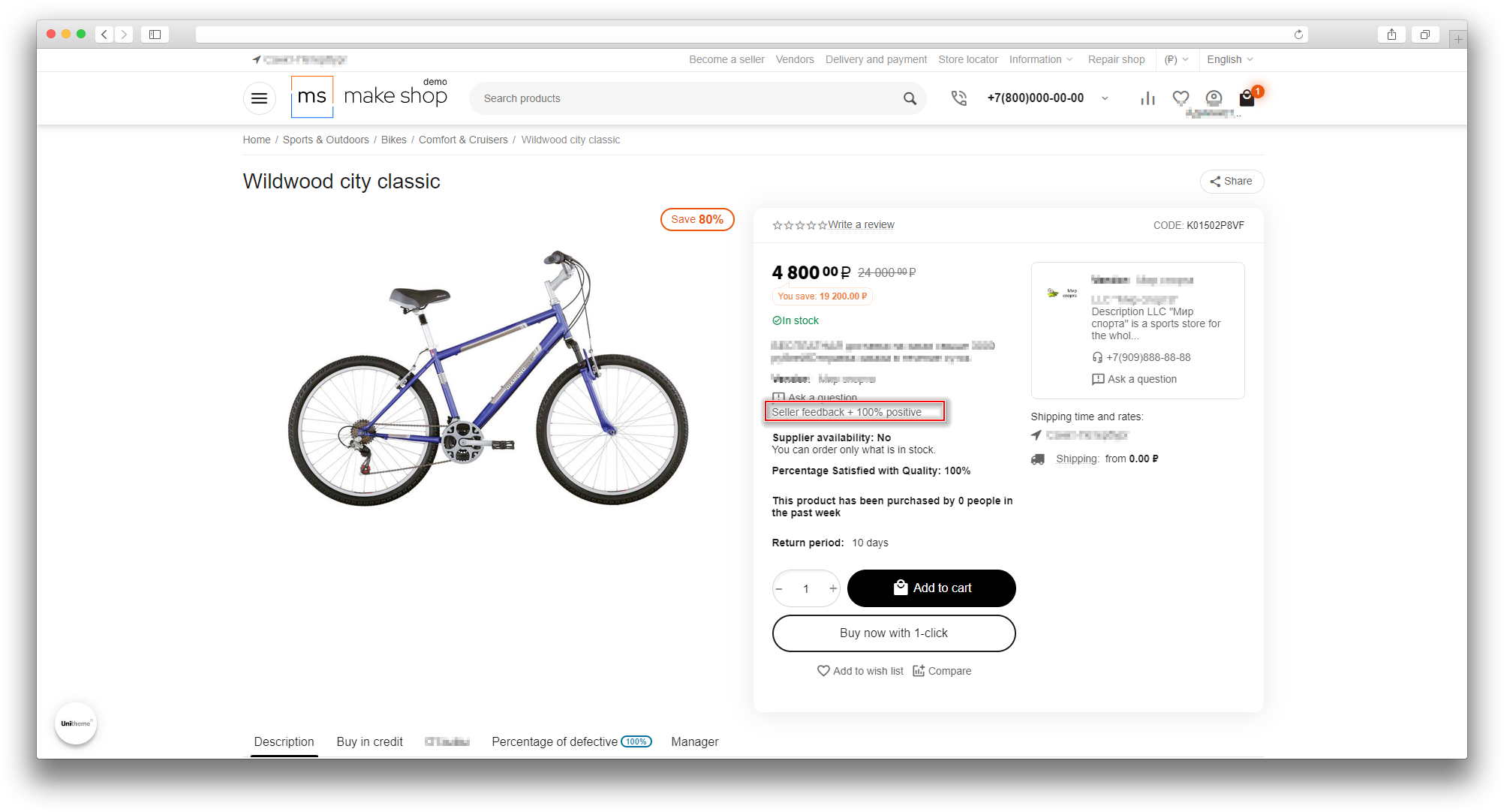
- Show seller reputation on the storefront: customers can see the vendor rating before future purchases.
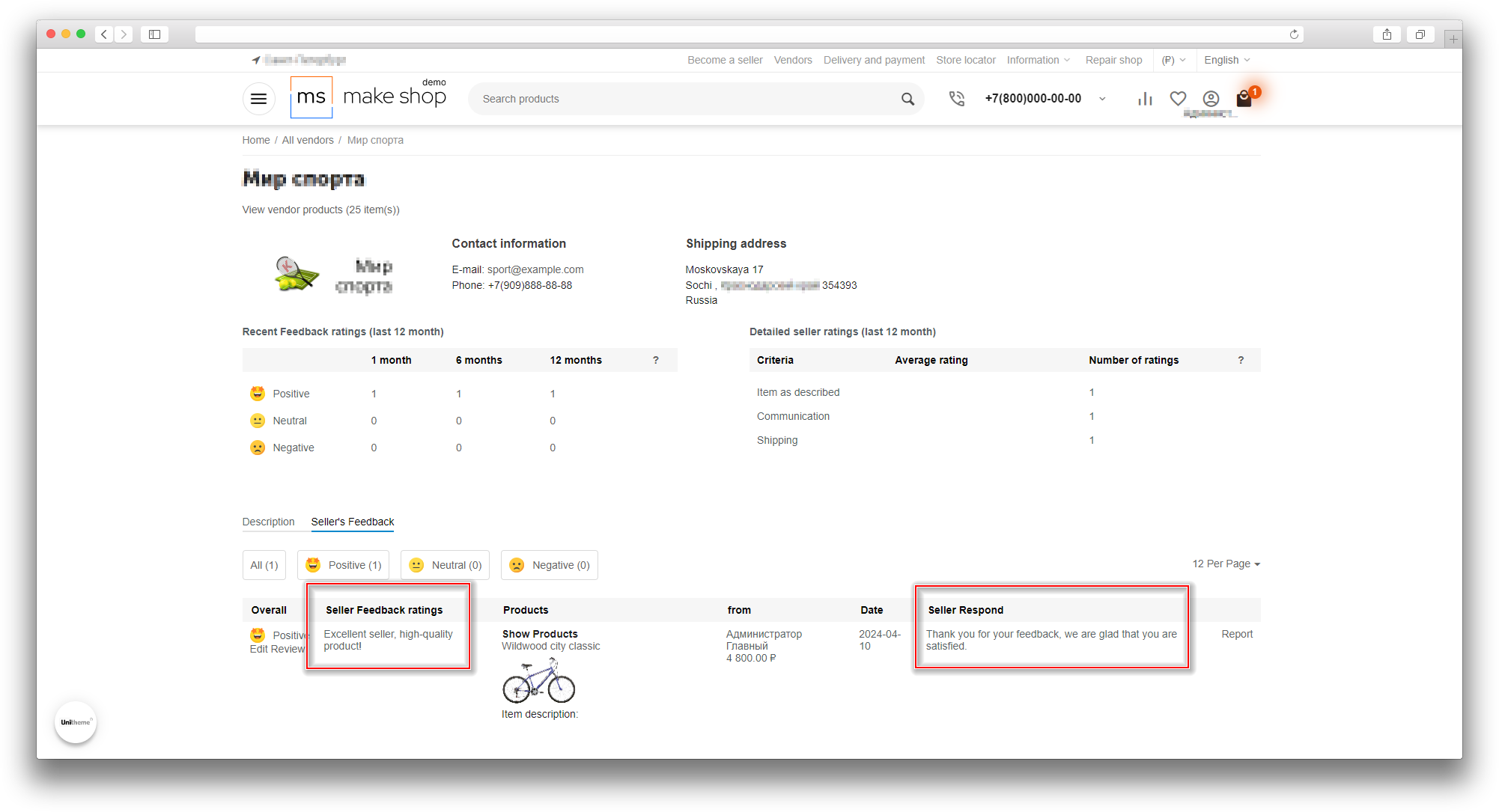
- Let vendors respond to reviews: the seller can publicly handle customer comments.
- Accept complaints about reviews and responses: the add-on includes a moderation mechanism for disputed content.
- Limit feedback by order statuses: the administrator decides when feedback becomes available.
Key features
- Vendor rating by several criteria.
- Text comment for the review.
- Vendor response to customer feedback.
- Complaints about reviews or responses with separate moderation.
- Configurable order statuses that allow customers to leave feedback.
- Customer review editing option.
- Email notifications for process participants.
How it works
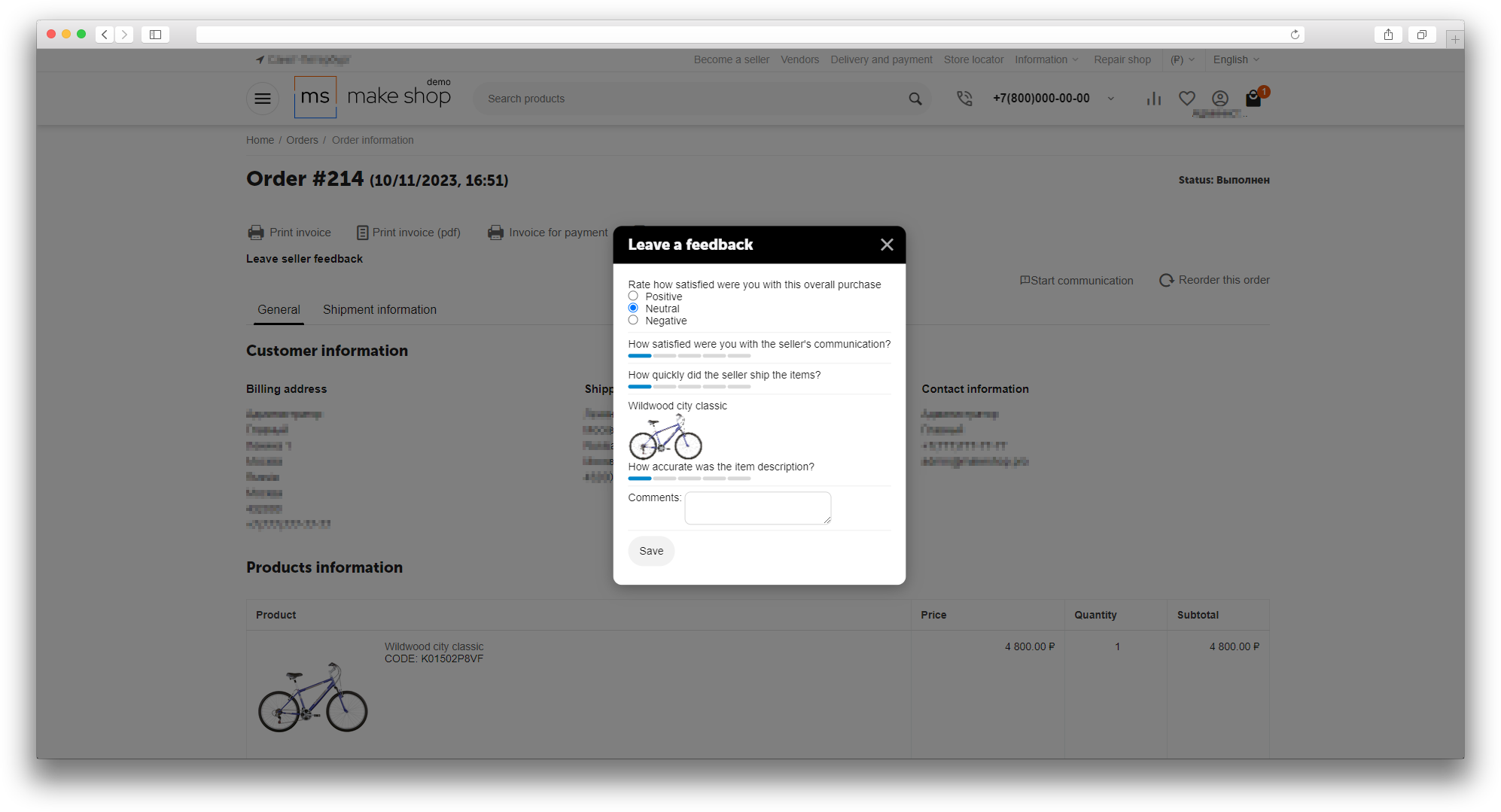
When an order reaches an allowed status, the customer sees the review form on the order page. The review can include overall impression, communication, shipping, and product description. Saved reviews are used when calculating the vendor rating and are shown as part of the seller reputation on the storefront.
If the review or the response needs checking, a complaint can be submitted for moderation. This helps you handle disputed content separately and keep the service quality under control.
Have questions about the add-on?
- Multi-Vendor
- Multi-Vendor Plus
- Multi-Vendor Ultimate
- Buyers
- Owners
- Vendors
- English
- Русский
- 4.19.X
- 4.18.X
- 4.17.X
- 4.16.X
- 4.15.X
- 4.14.X
- 4.13.X
- 4.12.X
Instructions for Vendor Feedback
What the add-on does
The add-on adds a vendor review system to a Multi-Vendor store. A customer leaves feedback for an order, rates the vendor by several criteria, and writes a comment. The vendor can reply to reviews and, if needed, report a customer review, while the customer can report an inappropriate vendor response to the administrator.
Reviews are available only for orders that are in the allowed statuses. This keeps feedback tied to real completed purchases instead of unfinished orders.
Where to find the add-on
- Add-ons → Vendor Feedback → Settings — the main add-on settings.
- Website → Vendor feedback — the full list of feedback records, where the administrator views records, edits customer comments and vendor replies, and deletes them.
- Website → Feedback reports — a separate section for vendor reports about customer reviews and customer reports about vendor responses.
- Vendor area — pages for reviews and complaints from the vendor side, if access is granted.
- Order page — the place where the customer leaves a review and, if allowed, edits it later.
Settings:
- Allow customer to leave a feedback for the following order statuses — choose the statuses when the customer will see the review form. Usually these are the statuses that mean the order is already completed and can be rated.
- Allow customer to edit a review — if enabled, the customer can edit an already submitted review. If disabled, the review is submitted once and cannot be changed later.
How feedback works:
- The customer places an order with a vendor.
- The order is moved to one of the allowed statuses.
- After that, the review form becomes available on the order page.
- The customer fills in overall impression, communication, shipping, and product description.
- The saved reviews are used when calculating the vendor rating and are shown as part of the seller reputation on the storefront.
- The vendor can leave a reply to the review.
- If the vendor reply seems inappropriate, the customer can report it to the administrator.
If customer notifications are enabled for the status change, the customer also receives an email invitation to leave feedback.
How to verify the result
- Create a test order for a vendor.
- Move the order to a status that is allowed for feedback in the add-on settings.
- Open the order page as the customer and check that the feedback form is available.
- Submit a review and make sure it appears in Website → Vendor feedback.
- Log in as the vendor and verify that the review is visible and a reply can be added.
- Test editing the review, if that option is enabled in the settings.
- Test reporting the vendor reply.
- Make sure the report appears in Website → Feedback reports.
- Check that email notifications reach the participants when they are enabled for the status-change flow.
Important notes:
- If the order is not in an allowed status, the review form will not appear.
- If editing is disabled, the customer cannot change an already submitted review.
- Reports help you handle disputed customer reviews and vendor responses separately.
- Vendor rating is based on saved reviews and is used on the storefront.
Changelog
v1.2.1 from 28.09.2026
[*] Updated the add-on code, templates, and integration files.
[*] Updated the add-on description, instructions, changelog, and logo.
v1.2.0 from 2026-09-23
[+] Added:.
[+] Added support for the vendor feedback block in the UniTheme2 theme.
[+] Completed the mail template set for add-on notifications.
[*] Updated the add-on structure and service files, administration templates, and localizations.
[*] Updated the description, instructions, and changelog to the current HTML format.
[!] Fixed:.
[!] Fixed service checks, language variables, and safe request parameter handling.
[!] Fixed feedback availability checks for selected order statuses.
[*] Blocked server-side feedback editing when the corresponding setting is disabled.
[!] Fixed product rating saving when feedback is edited again.
[!] Fixed the vendor feedback block output on the vendor page in the UniTheme2 theme.
[-] Removed obsolete Markdown documentation files.
v1.1.0 from 2026-04-01
[+] Added:.
[+] Added the description, instructions, and changelog in HTML format for the add-on page and solution catalog.
[*] Moved database table creation from addon.xml to Phinx migrations.
v1.0.3 from 2024-09-23
[*] Moved hooks to a separate file.
[!] Fixed:.
[+] Fixed the add-on menu items in the vendor panel.
[-] Removed the Report button from the vendor panel.
v1.0.2 from 2024-06-06
[+] Standardized the add-on.
[*] Replaced short PHP tags with standard tags.
[*] Updated the interface design.
[!] Fixed:.
[+] Fixed removal of the add-on tables and data during uninstallation.
v1.0.1 from 2023-05-12
[*] Updated licensing.
Legend:
[+] Added
[-] Removed
[*] Changed
[!] Bug fixed
Here you can share your opinion and evaluate our work.
Your feedback helps us become better and offer you even better service.