



Yandex Market Reviews
This add-on is part of our Subscription plan.
Subscribe once — enjoy all add-ons without limits.
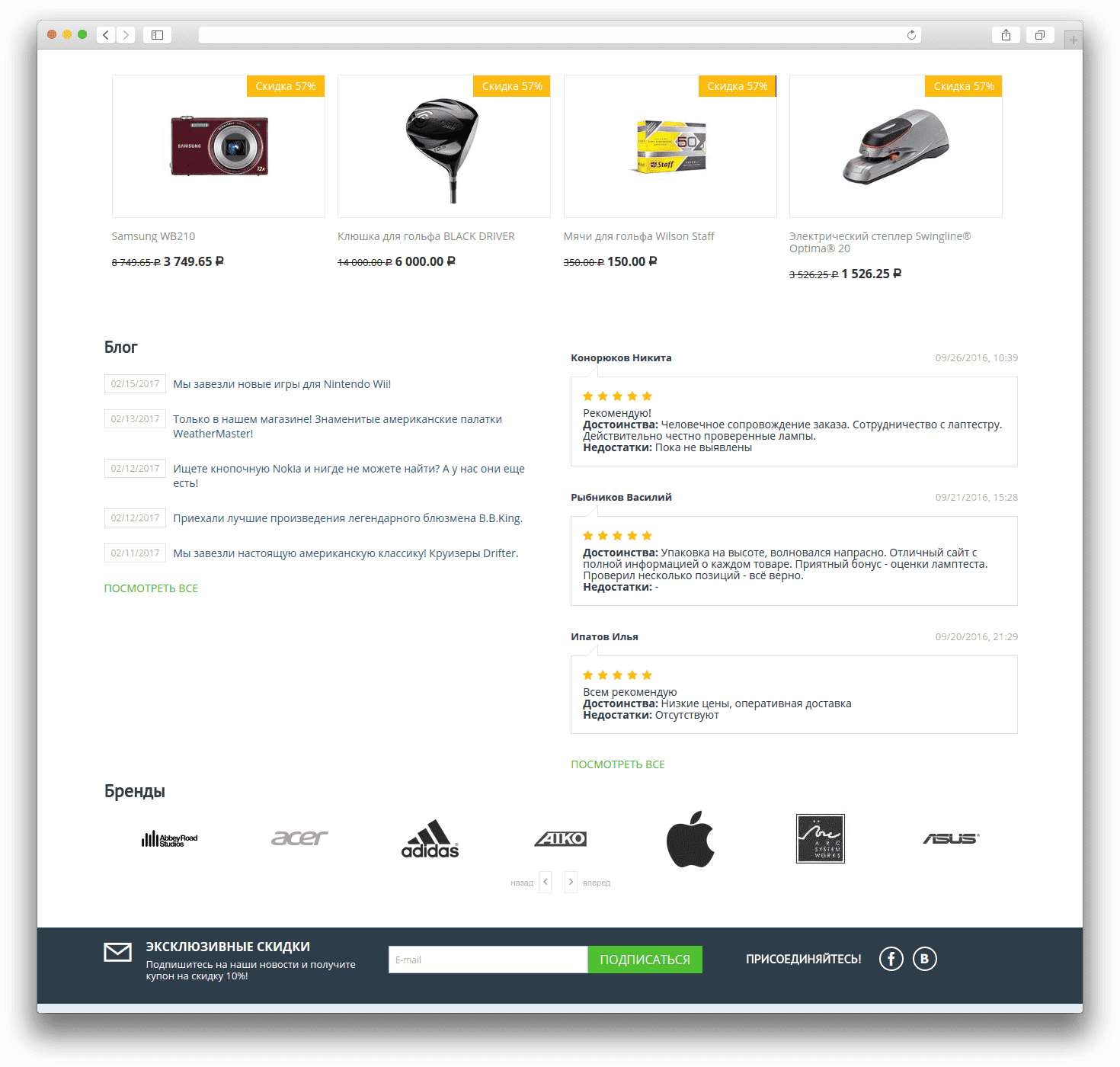
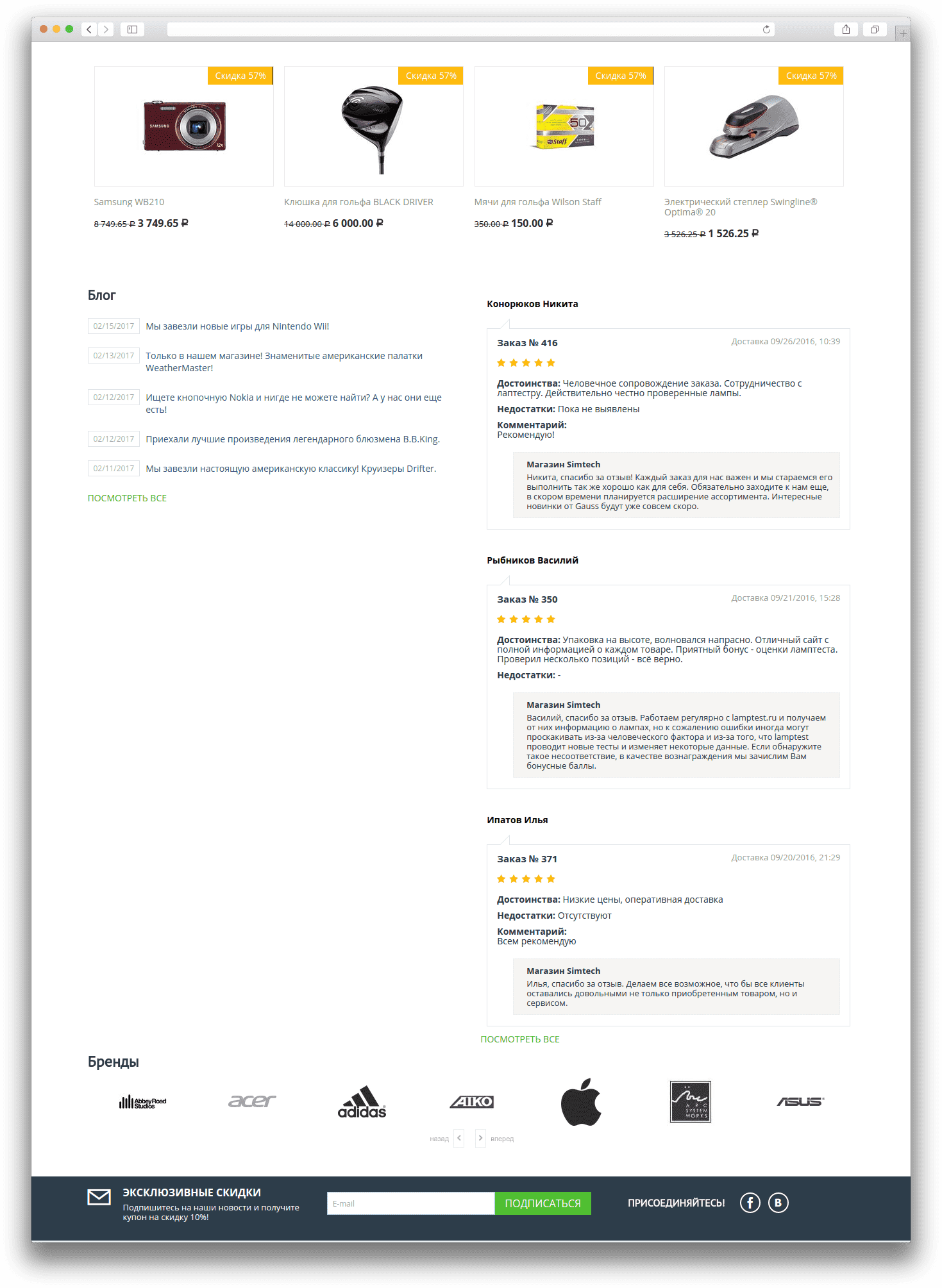
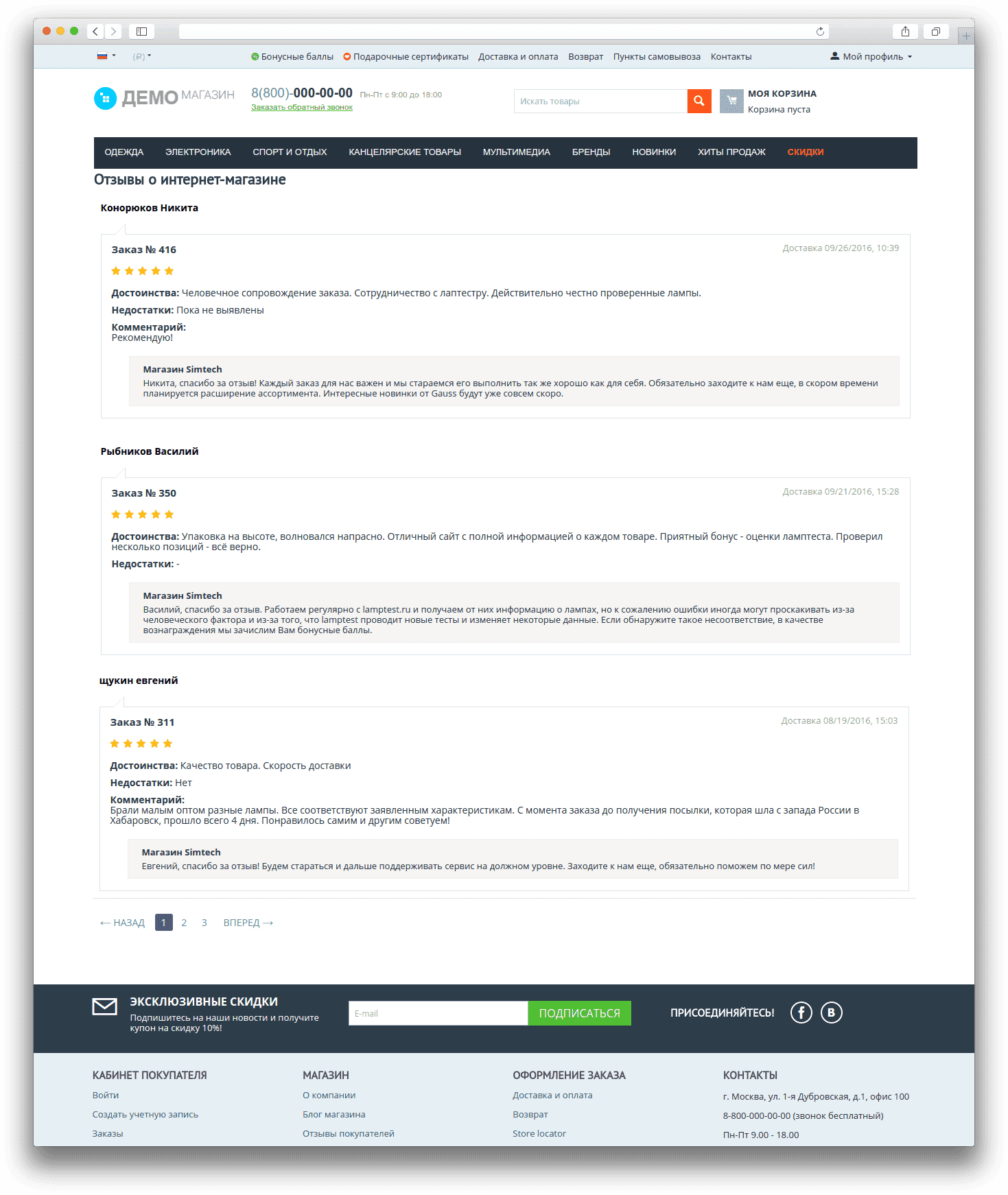
The add-on displays shop reviews from Yandex Market on the storefront. It helps bring real customer feedback into blocks or onto a separate page and makes the store more convincing for new visitors.
What it is for
- to show real reviews about the shop to customers;
- to build trust with an external review source;
- to display reviews in a block or on a separate page;
- to filter reviews by rating, date, or usefulness;
- to limit the number of reviews and comments shown;
- to quickly check the layout with sample data.
Key features
- requests reviews from Yandex Market via API;
- stores responses in cache so data does not need to be fetched every time;
- displays reviews in two layout variants;
- provides a separate reviews list page with pagination;
- supports rating filters;
- supports sorting by rating, date, and usefulness;
- lets you set the number of reviews and comments;
- can work with sample data without contacting the external API.
How it works
After setup, the add-on requests shop reviews from Yandex Market and places them in the selected block or on the reviews list page. Review cards can show the author, date, rating, pros, cons, comment, and shop replies if they are available. Built-in settings help control the number of reviews, filtering, and sorting, and sample data mode lets you verify the display even without API access.
Have questions about the add-on?
- Store Builder
- Store Builder Ultimate
- Multi-Vendor
- Multi-Vendor Plus
- Multi-Vendor Ultimate
- Buyers
- English
- Русский
- 4.20
- 4.19.X
- 4.18.X
- 4.17.X
- 4.16.X
- 4.15.X
- 4.14.X
- 4.13.X
- 4.12.X
- 4.11.X
- 4.10.X
- 4.9.X
Instructions for Yandex Market Reviews
The add-on displays shop reviews from Yandex Market on the CS-Cart storefront. It can show reviews in storefront blocks with two layout variants and on a separate reviews list page.
What it does
- requests reviews from the Yandex Market API;
- caches responses to reduce external requests;
- displays reviews in the
opinions_nativeoropinions_discussionblock template; - provides a separate
dispatch=opinions.listpage with pagination; - supports rating filters, sorting, and comment limits;
- can work in sample data mode without contacting the API.
Where to find the add-on
The main settings are available on the Yandex Market Reviews add-on card in Modules → Manage modules.
On the storefront, the add-on is used in the Yandex reviews for shop block, and the full list is available at dispatch=opinions.list.
The discussion add-on is required for this add-on to work.
How to configure it
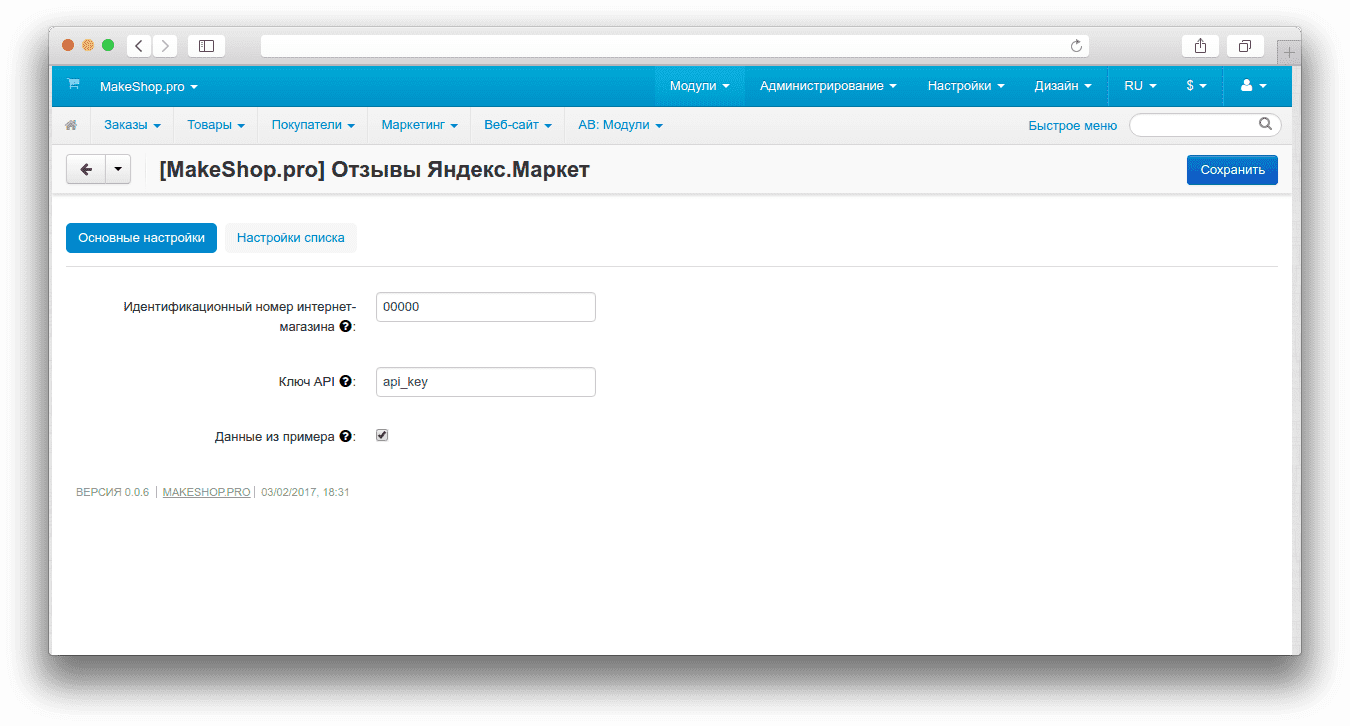
Addon settings
- shop_id — the shop identifier in Yandex Market.
- API key — the key used to access the Yandex Market API.
- sample_data — turns on demo data so you can check the layout without live API requests.
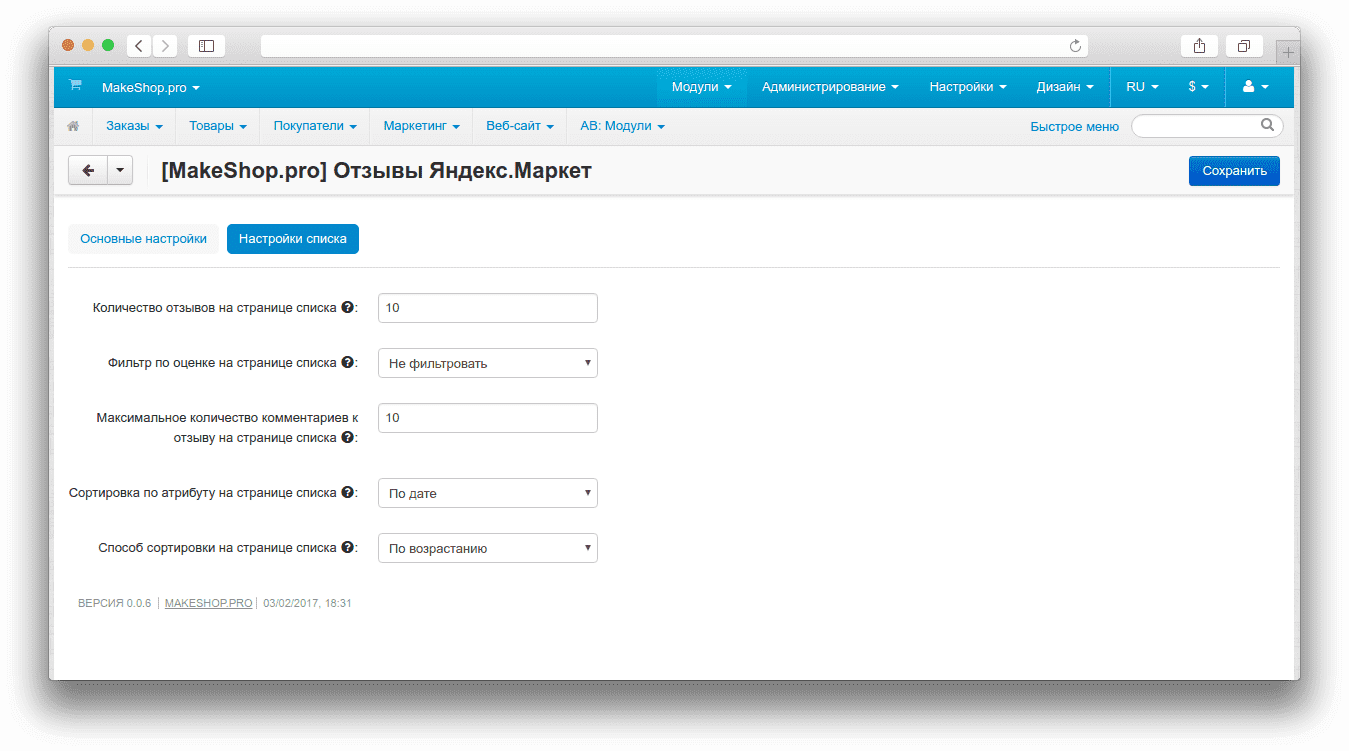
- count — the number of reviews on the list page.
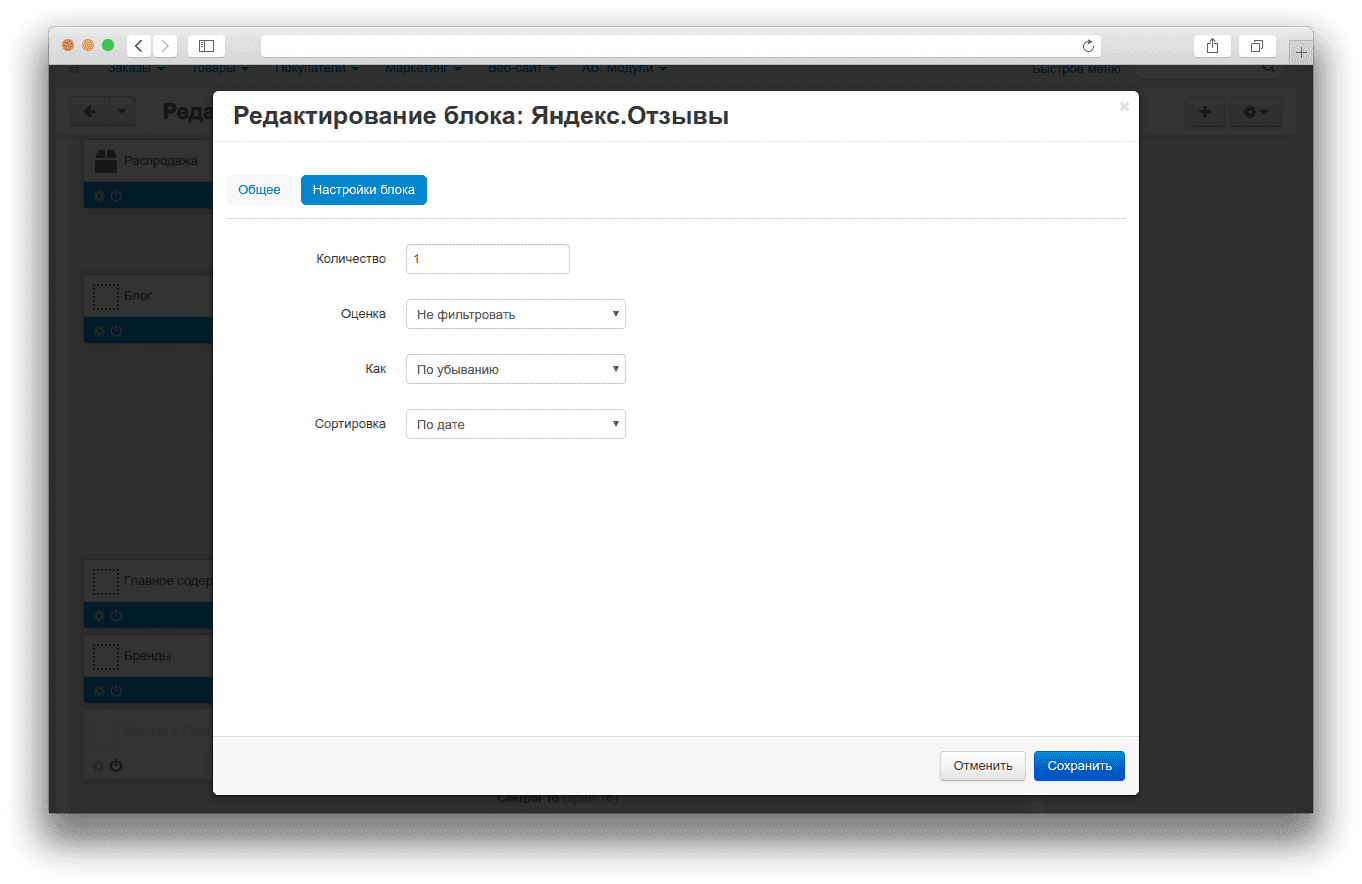
- grade — rating filter. You can leave it unfiltered or choose one of the rating values.
- max_comments — the maximum number of comments shown for a single review.
- sort — the sort field: rating, date, or usefulness.
- how — the sort order: ascending or descending.
Storefront blocks
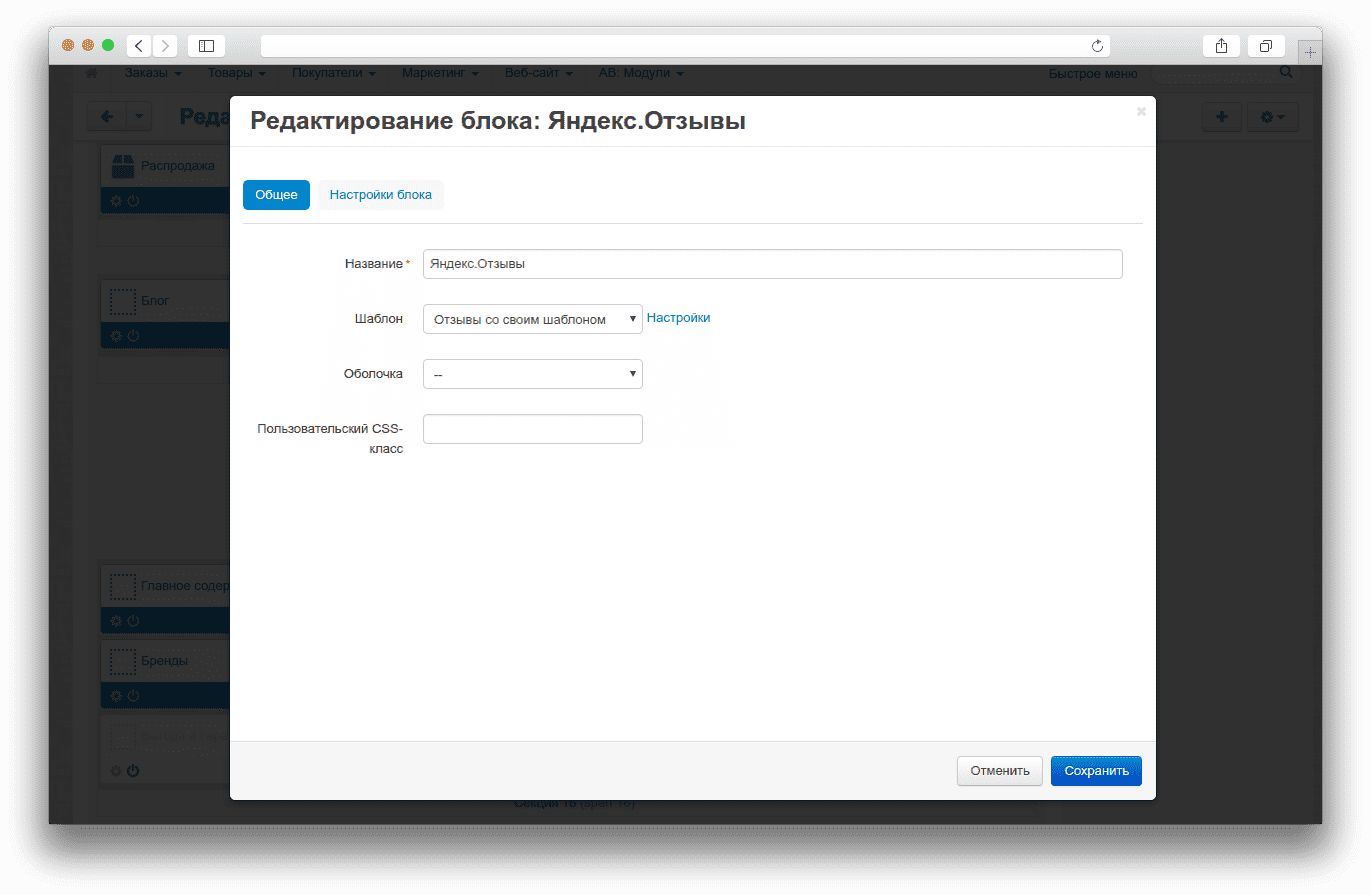
- Reviews with discussion template — displays reviews in a layout similar to the standard CS-Cart discussion area.
- Reviews with native template — shows a more detailed review card with the author, date, rating, pros, cons, and shop replies.
- The block settings let you set the review count and the number of comments separately.
How to check it works
- Open the add-on settings and enter valid
shop_idandAPI key. - If needed, enable
sample_datato verify the output without API access. - Add the Yandex reviews for shop block to the storefront and choose the required template.
- Make sure the block shows ratings, authors, and review text.
- Open
dispatch=opinions.listand confirm that the review list opens and pagination and sorting work. - If needed, change
grade,sort,how, andmax_comments, then refresh the page and verify the new result.
Change history
v1.2.0 from 2026-03-16
[*] Updated module template.
[*] Updated addon documentation and language files.
[*] Synchronized the var/themes_repository mirror.
v0.1.0 from 2026-02-25
[+] Replaced create_function with anonymous functions (PHP 8 compatibility).
[+] Fixed the undefined $data variable in the catch block.
[+] Increased cURL timeout to 15 seconds.
[*] Removed debug and commented code.
[*] Fixed typos in addon.xml (Opinios → Opinions, ms_yandex_opinionsn → ms_yandex_opinions).
[*] Removed style duplication, left only styles.css.
[*] Fixed comment encoding in styles.css.
v0.0.7 from 2026-01-01
[*] Standardized the addon.
v0.0.6 from 2026-01-01
[!] Related task: #7794.
Legend:
[+] Added
[-] Removed
[*] Changed
[!] Bug fix
Here you can share your opinion and evaluate our work.
Your feedback helps us become better and offer you even better service.