



This add-on is part of our Subscription plan.
Subscribe once — enjoy all add-ons without limits.
Separate robots.txt for multiple storefronts
What it is for
The add-on lets you define separate indexing rules for each CS-Cart storefront. It is useful when storefronts use different domains or sitemaps, or when their sections must be exposed to search engines differently.
Key features
- Separate robots.txt content for each storefront.
- Rule editing in the administration panel without manual server file management.
- Storefront switching with tabs.
- Restoration of the base robots.txt content.
- Write-access checks before saving.
- Storefront-specific content at the public
/robots.txtURL.
How it works
The add-on creates a separate indexing rules file for each storefront. The administrator selects a storefront, enables editing, updates the directives, and saves the result. When /robots.txt is requested, the add-on returns the file associated with the current storefront.
On first use, the original robots.txt file is retained as a backup and can be used as the base content for storefronts.
Have questions about the add-on?
- Store Builder
- Store Builder Ultimate
- Multi-Vendor
- Multi-Vendor Plus
- Multi-Vendor Ultimate
- Owners
- English
- Русский
- 4.21.X
- 4.20
- 4.19.X
- 4.18.X
- 4.17.X
- 4.16.X
- 4.15.X
- 4.14.X
- 4.13.X
- 4.12.X
- 4.11.X
- 4.10.X
- 4.9.X
Instructions for “Separate robots.txt for multiple storefronts”
What the add-on does
The add-on stores a separate robots.txt file for each CS-Cart storefront and returns its content at the /robots.txt URL of the corresponding domain.
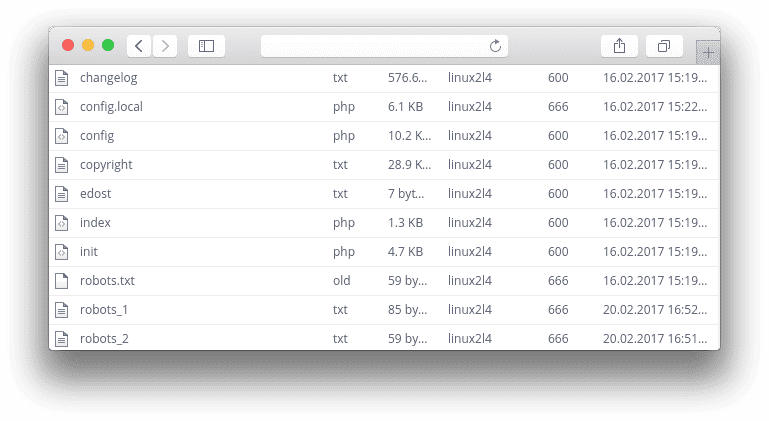
On first use, the original robots.txt file is renamed to robots.txt.old. It is used as the source of base content when storefront files are created.
Where to find the add-on
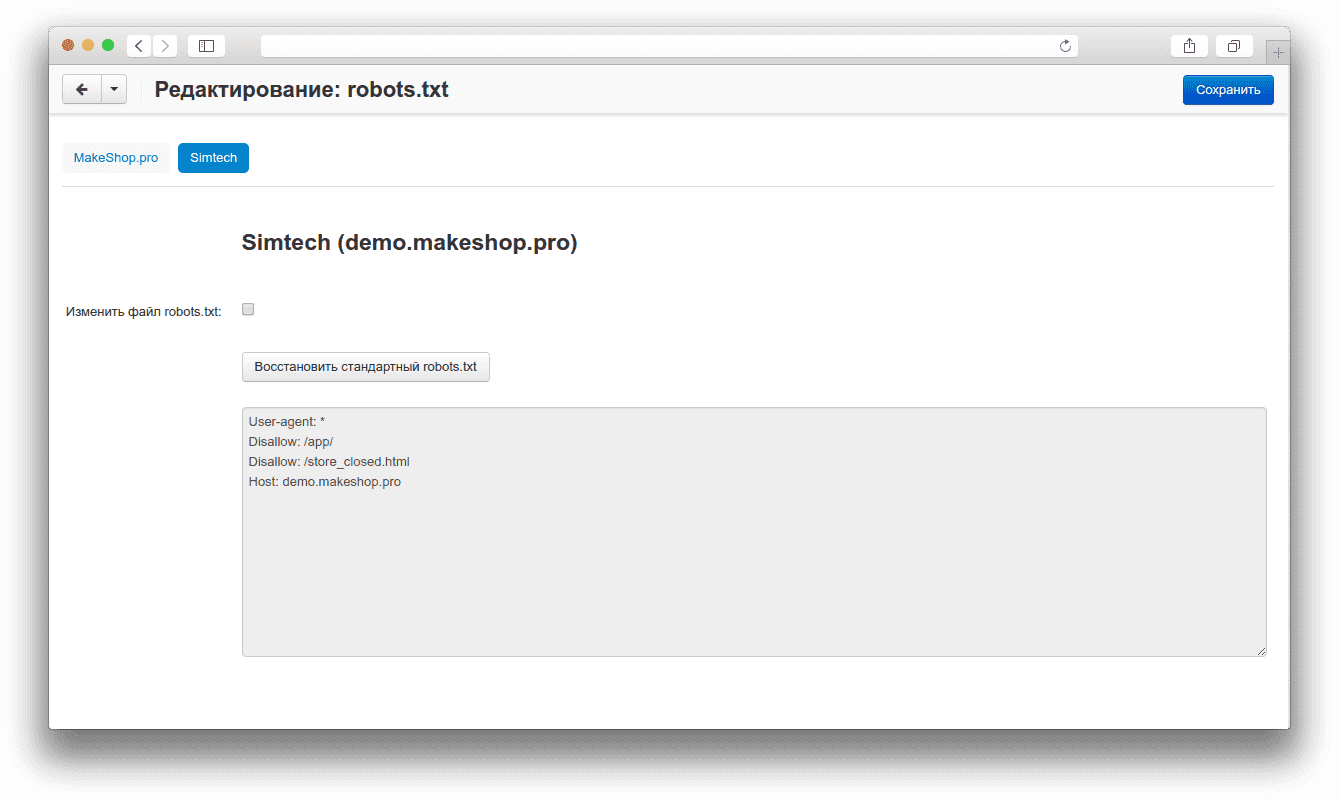
The management page is available in the administration panel under Website → SEO → Robots.txt. Each storefront is represented by a separate tab.
How to configure robots.txt for a storefront
- Open Website → SEO → Robots.txt.
- Select the required storefront tab and verify its name and domain.
- Select Edit robots.txt.
- Update the directives in the text area. Add
User-agent,Disallow,Allow, andSitemapwhen required. - Click Save.
If the file is not writable, the add-on displays an error notification. Check the web server permissions for the robots_<storefront ID>.txt files in the CS-Cart root directory.
How to restore the base content
Select the storefront tab and click the robots.txt restore button. The add-on places the base content into the form. Review the text and save it for the selected storefront.
How to check the result
- Open
/robots.txton the configured storefront domain. - Make sure it displays the text saved for that storefront.
- Repeat the check for the other storefronts: each one must return its own rules.
- Verify the
Sitemapdirective and the availability of the required sections to search engines.
Changelog
v1.2.1 from 28.09.2026
[*] Updated the add-on code, templates, and integration files.
[*] Updated the add-on description, instructions, changelog, and logo.
v1.2.0 from 2026-02-20
[*] Updated the add-on template.
[+] Added the full description, instructions, and changelog to the add-on details page.
[*] Updated the licensing and Upgrade Center service files.
v1.1.1 from 2023-08-07
[+] Standardized the add-on structure.
[*] Updated the add-on service files and icon.
[*] v1.1.
[*] 28.01.2020.
[+] Added.
[*] Separate robots.txt files for storefronts.
[*] A robots.txt management page in the administration panel.
[*] Public storefront output for robots.txt content.
[+] Moved the add-on development history to Git.
Legend:
[+] Added
[-] Removed
[*] Changed
[!] Bug fixed