
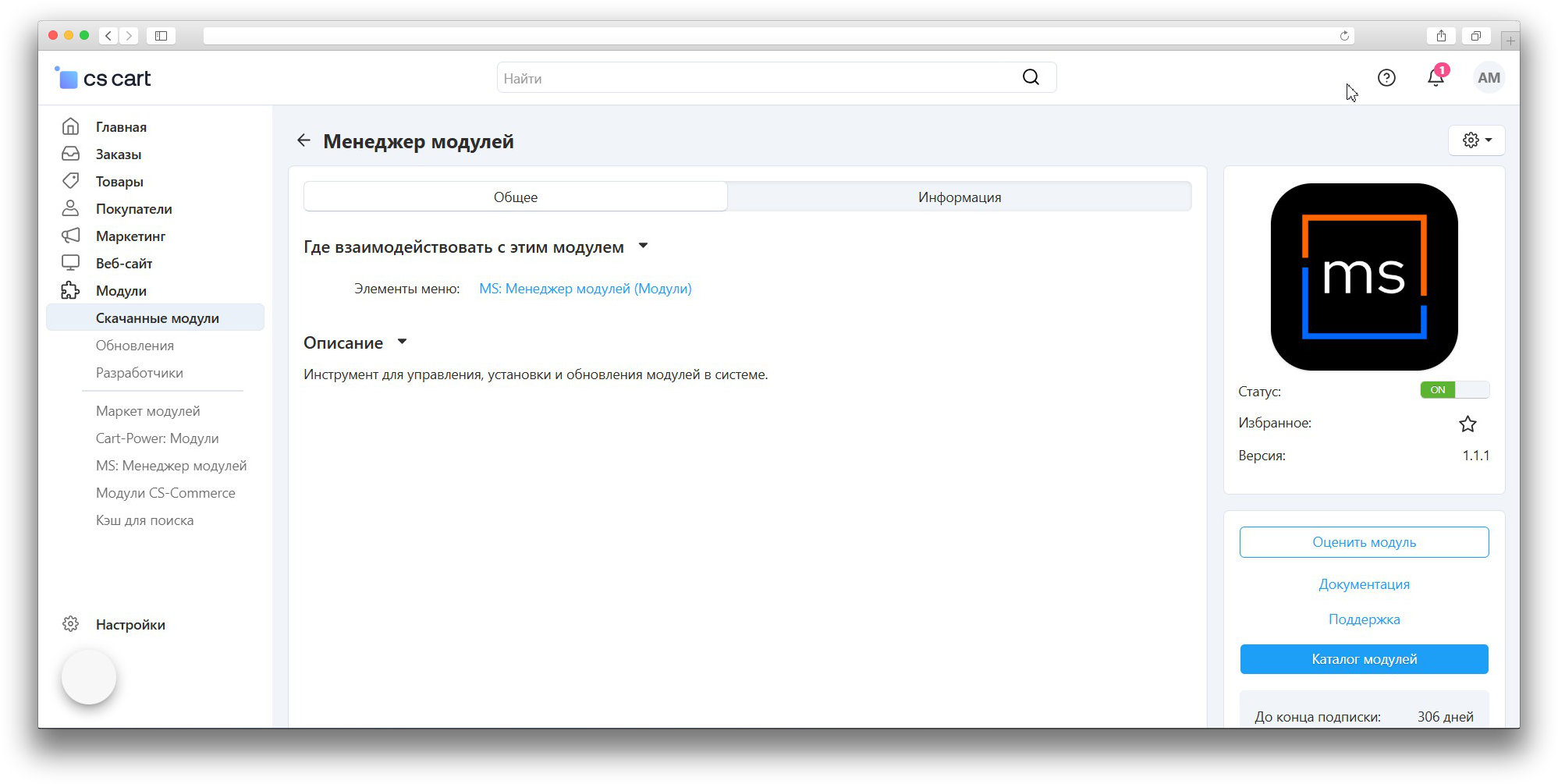


Module Manager
This add-on is part of our Subscription plan.
Subscribe once — enjoy all add-ons without limits.
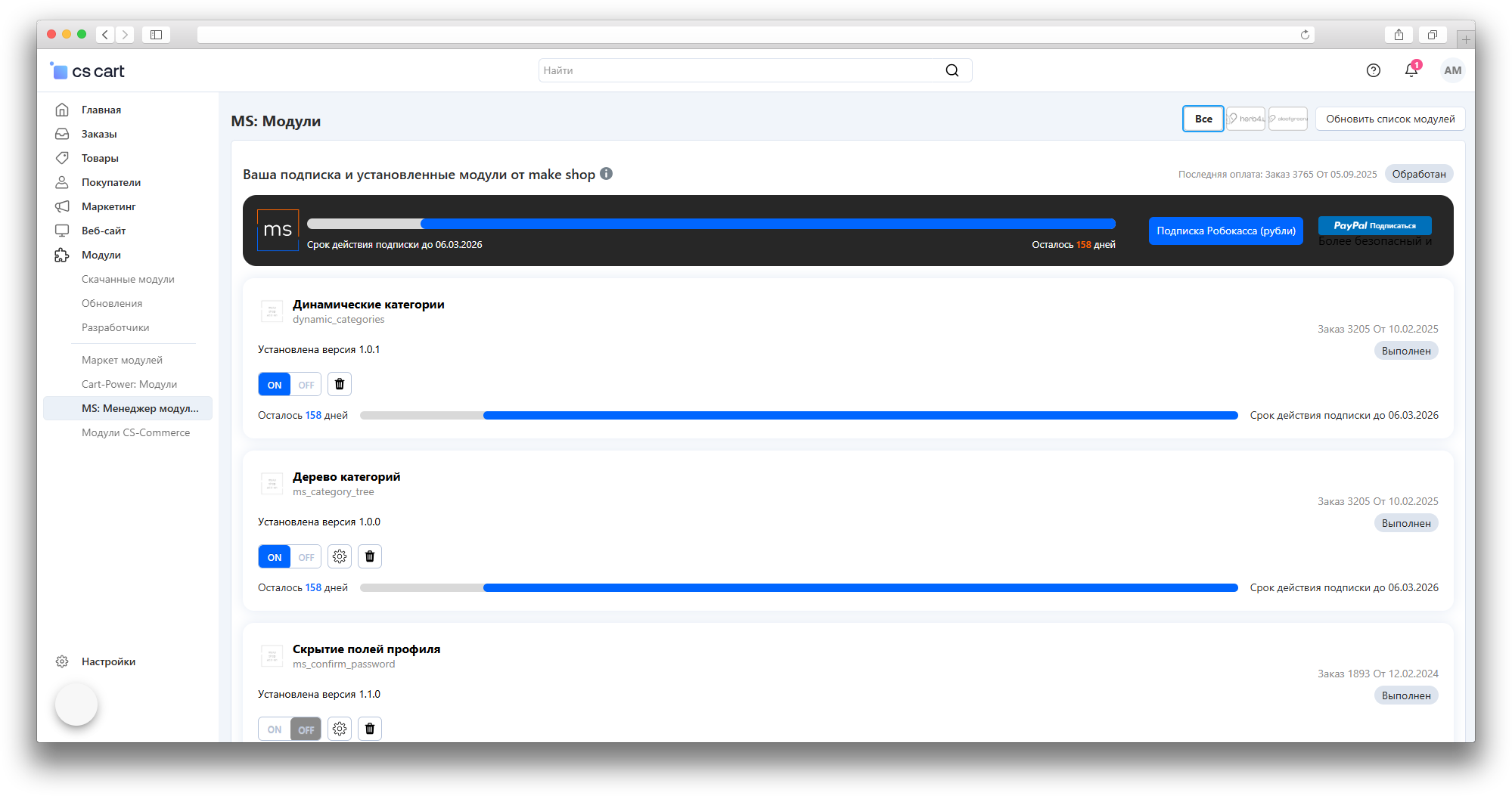
Module Manager helps a store administrator manage make shop add-ons from a single CS-Cart section: it shows the available catalog, subscription status, purchased add-ons, installed versions, and available updates.
What it is for
The add-on removes the need to check every add-on manually. In one place, the administrator sees which tools can be installed, which already run in the store, what was purchased earlier, and which updates are available with an active subscription.
It is especially useful for stores with several add-ons, where it matters to see at a glance what has been purchased, what requires a subscription, and what can be updated without searching the catalog by hand.
Key features
- the make shop add-on catalog inside the CS-Cart admin panel;
- the current subscription with its expiration date and remaining days;
- order number, order status, and purchase date when this data is available;
- the installed and the available version of each add-on;
- installation of an available add-on directly from its card;
- updating an installed add-on when the update is available with a subscription;
- a warning when a newer version is available only with an active subscription;
- catalog search and category filters;
- enabling, disabling, and removing installed add-ons when the administrator has the required permissions;
- links to the add-on page, documentation, and support;
- a log of installation, list update, and data check operations.
How it works
The administrator opens the manager section under “Add-ons → Module Manager” and sees a single list: installed add-ons, those available for installation, those purchased earlier, and those available by subscription. Each card shows the name, short description, version, installation status, order details, and subscription period when this data exists.
If an add-on is not installed yet and is available by subscription, it can be installed directly from its card. If an add-on already runs and a newer version exists, the manager shows the update button. Without an active subscription the newer version stays unavailable, while the previously purchased version keeps working on the purchase terms.
The add-on and subscription list can be refreshed manually with the “Update module list” button, which helps load fresh data after payment, subscription renewal, or changes in available versions. Installation and updates depend on an active subscription, administrator permissions, and the availability of the make shop server.
Have questions about the add-on?
- Store Builder
- Store Builder Ultimate
- Multi-Vendor
- Multi-Vendor Plus
- Multi-Vendor Ultimate
- Owners
- English
- Русский
- 4.21.X
- 4.20
- 4.19.X
- 4.18.X
- 4.17.X
Instructions for the “Module Manager” add-on
What the add-on does
Module Manager brings the management of make shop add-ons into a single CS-Cart admin section. It shows the catalog of available add-ons, the subscription status, purchased and installed add-ons, and available updates, and lets the administrator install, update, and configure add-ons directly from their cards.
Where to find the add-on
The section is available in the administration panel under Add-ons → Module Manager. The standard list of installed add-ons remains under “Add-ons → Downloaded add-ons”.
Access rights
The section is visible only to users who are allowed to manage add-ons. If an administrator does not see “Module Manager”, check the user group permissions for viewing and managing add-ons.
Updating the module list
- Open Add-ons → Module Manager.
- Use the Update module list button.
- Wait for the page to refresh and check that add-on cards, subscription data, and available versions are shown.
Search and filters
- Use the search field to find an add-on by name or code.
- Select the required values in the filters above the list.
- To clear the filters and the search field, use the Reset all button.
Add-on card
The card shows the name, code, short description, enabled status, order number and status, installed version, installation date, and the available version. If the add-on has a subscription period, the card also shows progress and the subscription expiration date.
Installing an add-on from the manager
- Find the required add-on in the list.
- If the add-on is available, use the Install button.
- After installation, check that the installed version and the available management actions appear.
- If the installation button is missing, check the subscription period and whether the add-on is available for the current store.
Updating an installed add-on
- Find an installed add-on whose available version is newer than the installed one.
- If the subscription is active, use the Update module button.
- After the update, check the installed version in the add-on card.
If the subscription is not active, the manager shows a warning that the update is available only with a subscription; the previously purchased version keeps working.
Managing installed add-ons
Cards of installed add-ons may include an enable switch, a settings button, a link to the add-on page, and removal. The available actions depend on the current administrator permissions and on whether the add-on has its own settings.
Subscription and payment
The top block of the page shows the current subscription: the last payment, the expiration date, and the remaining days. The Subscription button opens the available payment methods. After payment or renewal, use the Update module list button to load fresh data.
Documentation and support
Add-on cards include a link to the add-on page, and the detailed view offers the Documentation and Ask a question buttons. Use them to open the add-on description on the website or contact support.
Event log
Manager operations are written to the CS-Cart event log. To review them, open Administration → Event log and check the records about installation, module list updates, package downloads, and license checks.
How to check the result
- Open Module Manager and make sure the add-on list loads.
- Check that search and filters work.
- Make sure purchased add-ons show the order number and status.
- Make sure an installed add-on shows both the installed and the available version.
- If there is an active subscription and a newer version is available, make sure the Update module button is shown.
Troubleshooting
- If the add-on list does not update, check the store server internet access and refresh the list again.
- If the order number or status is missing, update the module list and check that the order is linked to the current store domain or its alias.
- If there is no update button, check the subscription period and compare the installed version with the available one.
- If an add-on cannot be installed, check administrator permissions, the event log, and server file write access.
Changelog
v1.4.2 07.10.2026
[*] Extended license and subscription checks for MakeShop add-ons with different prefixes and without a prefix.
[*] Improved the display of orders, subscription periods, and update availability in the module manager.
[*] Updated the add-on service elements according to the current MakeShop template.
[*] Updated the add-on template.
v1.4.1 from 2026-03-10
[+] Added a search field for add-ons on the manager page.
[*] Improved the visual presentation of the page.
[*] Refined the access check for the menu item and the module manager page.
v1.3.1 from 2026-02-27
[*] Added support for the dark admin theme.
v1.3.0 from 2026-02-20
[*] Improved migration compatibility with older CS-Cart versions.
[*] Updated the add-on template files.
[!] Fixed notifications during string processing.
[!] Fixed the display of the subscription expiration date and the remaining days.
v1.2.0 from 2025-12-03
[+] Added the ability to install add-ons.
[+] Added a filter block.
[+] Added a detailed view.
v1.1.1 from 2025-09-29
[*] Made minor interface fixes.
[*] Standardized the add-on.
[!] Fixed data retrieval depending on the CS-Cart version.
[!] Fixed the display of the add-on order status.
v1.1.0 from 2025-06-05
[+] Added a subscription block.
[*] Improved the layout.
v1.0.0 from 2025-05-26
[+] First release.
Legend:
[+] Added
[-] Removed
[*] Changed
[!] Bug fixed
Here you can share your opinion and evaluate our work.
Your feedback helps us become better and offer you even better service.