
Save 60%


Import and Export Product Tags
This add-on is part of our Subscription plan.
Subscribe once — enjoy all add-ons without limits.
Import and Export Product Tags adds dedicated tag data exchange operations to CS-Cart. It lets an administrator export current tag links for products and pages, edit them in an external file, and import the result back into the store.
What it is for
The add-on is useful when tags are used for navigation, filtering, SEO, or internal catalog labeling and manual maintenance becomes inconvenient. It brings tag management into the standard CS-Cart import and export workflow, so bulk changes can be handled through a familiar CSV process.
Key features
[+] Export tag links for store objects to a separate file.
[+] Import tags and their object links back into CS-Cart.
[+] Multi-Vendor company support through the Company field.
[+] Option to skip creating new tags during import when only existing values should be used.
[+] Separate SEO tag data schema when a compatible SEO for tags add-on is installed.
How it works
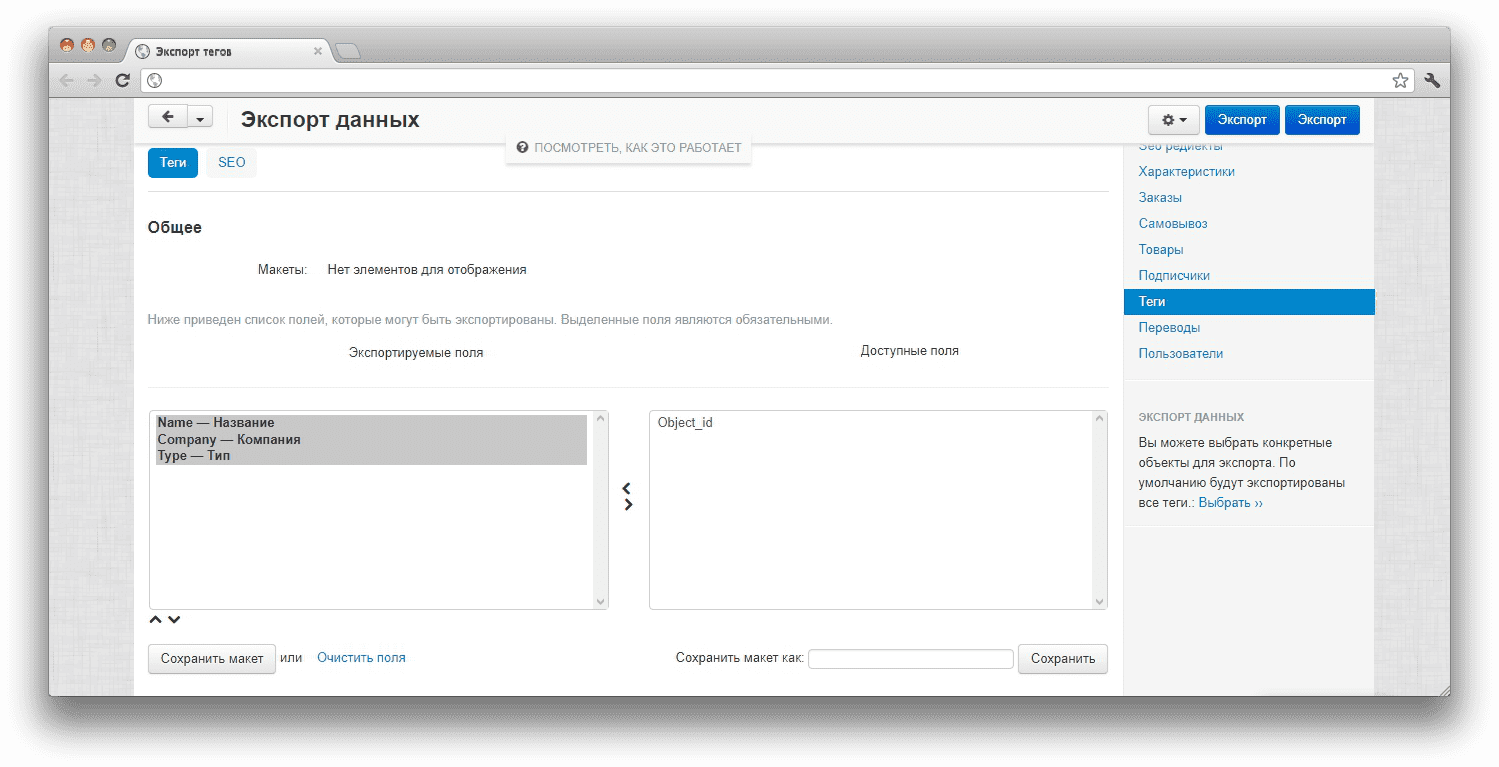
After installation, a Tags section appears in the import and export menus. During export, CS-Cart creates a file with the tag name, company, object ID, and object type. During import, the add-on matches file rows with existing tags, creates missing tags when the option allows it, and updates tag links for store objects.
SEO data is handled through a separate schema: when a compatible SEO for tags add-on is active, the exchange can include H1, description, title, meta description, meta keywords, and language fields.
Have questions about the add-on?
