Anonymous



This add-on is part of our Subscription plan.
Subscribe once — enjoy all add-ons without limits.
Automatic Image Conversion to WebP
The add-on creates WebP versions when new images are uploaded and helps convert images already stored in the shop. When a WebP copy exists and the browser supports the format, the storefront uses it for source images and thumbnails.
What it is for
- Reduce image weight on the storefront and improve loading speed.
- Create WebP copies for new images without manual preparation.
- Process the shop’s existing images in one bulk operation.
Key features
- Automatic conversion when images are uploaded.
- Selectable WebP quality from 10 to 100.
- Bulk conversion of source images and thumbnails from the admin panel.
- Use of WebP copies on the storefront when the browser supports the format.
- Support for uploading WebP files through the standard CS-Cart image flow.
How it works
- With automatic conversion enabled, the add-on creates a WebP copy after an image is saved.
- WebP copies are also created for thumbnails.
- A separate bulk operation is available for previously uploaded images; logos are not processed by it.
- When the storefront is opened, the add-on uses an existing WebP copy if the browser reports WebP support.
Have questions about the add-on?
Product:
- Store Builder
- Store Builder Ultimate
- Multi-Vendor
- Multi-Vendor Plus
- Multi-Vendor Ultimate
Recipient:
- Owners
- Vendors
Localization:
- English
- Русский
Compatible versions:
- 4.20
- 4.19.X
- 4.18.X
- 4.17.X
- 4.16.X
- 4.15.X
- 4.14.X
- 4.13.X
- 4.12.X
Instructions for Automatic Image Conversion to WebP
What the add-on does
The add-on creates WebP copies of new images and thumbnails when conversion on upload is enabled. It can also process images already stored in the shop in bulk. When a WebP copy exists, the storefront serves it to browsers that support the format.
Where to find the add-on
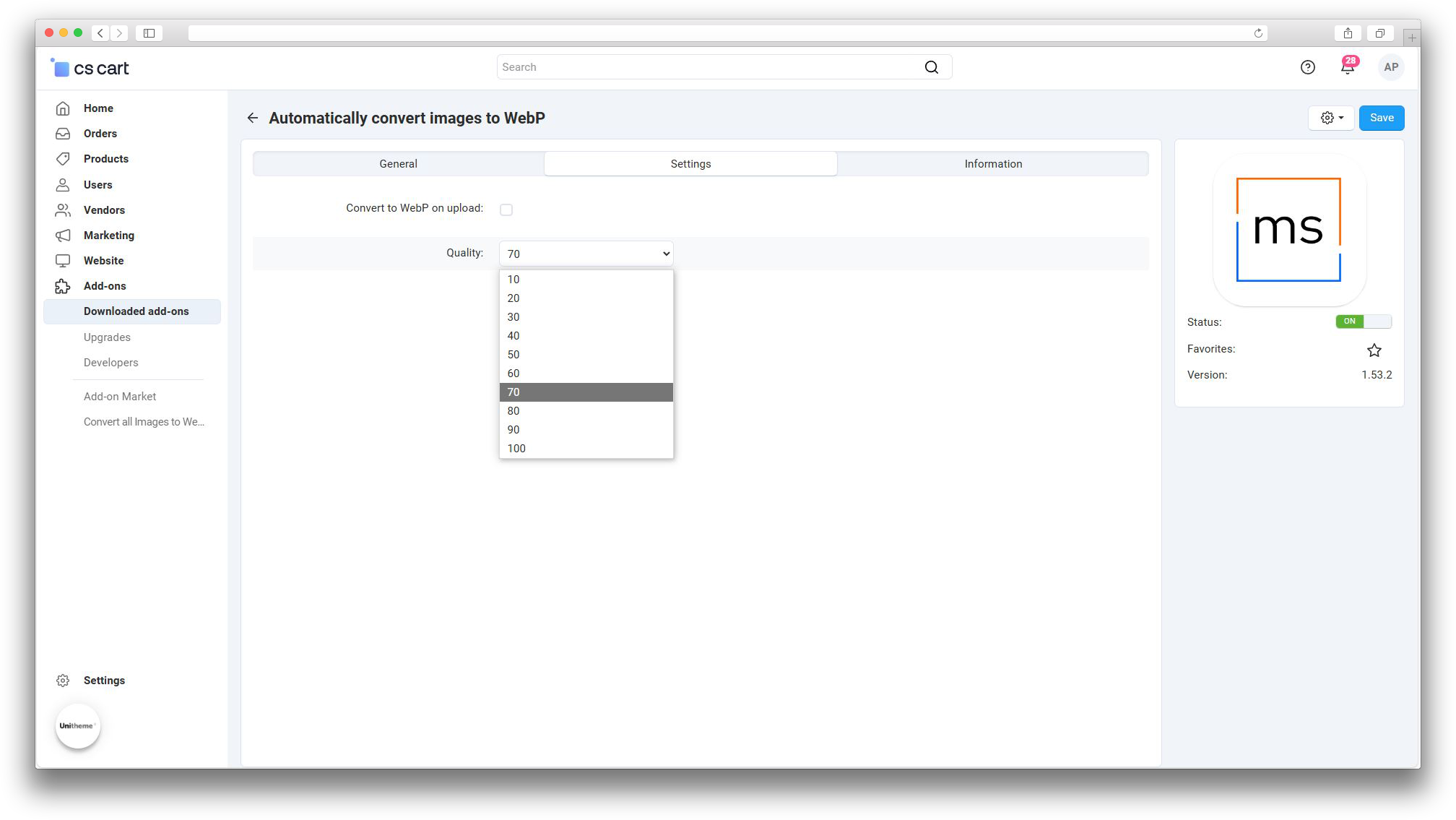
The settings are available in the «Automatic Image Conversion to WebP» add-on card: Add-ons → Manage add-ons → Automatic Image Conversion to WebP → Settings.
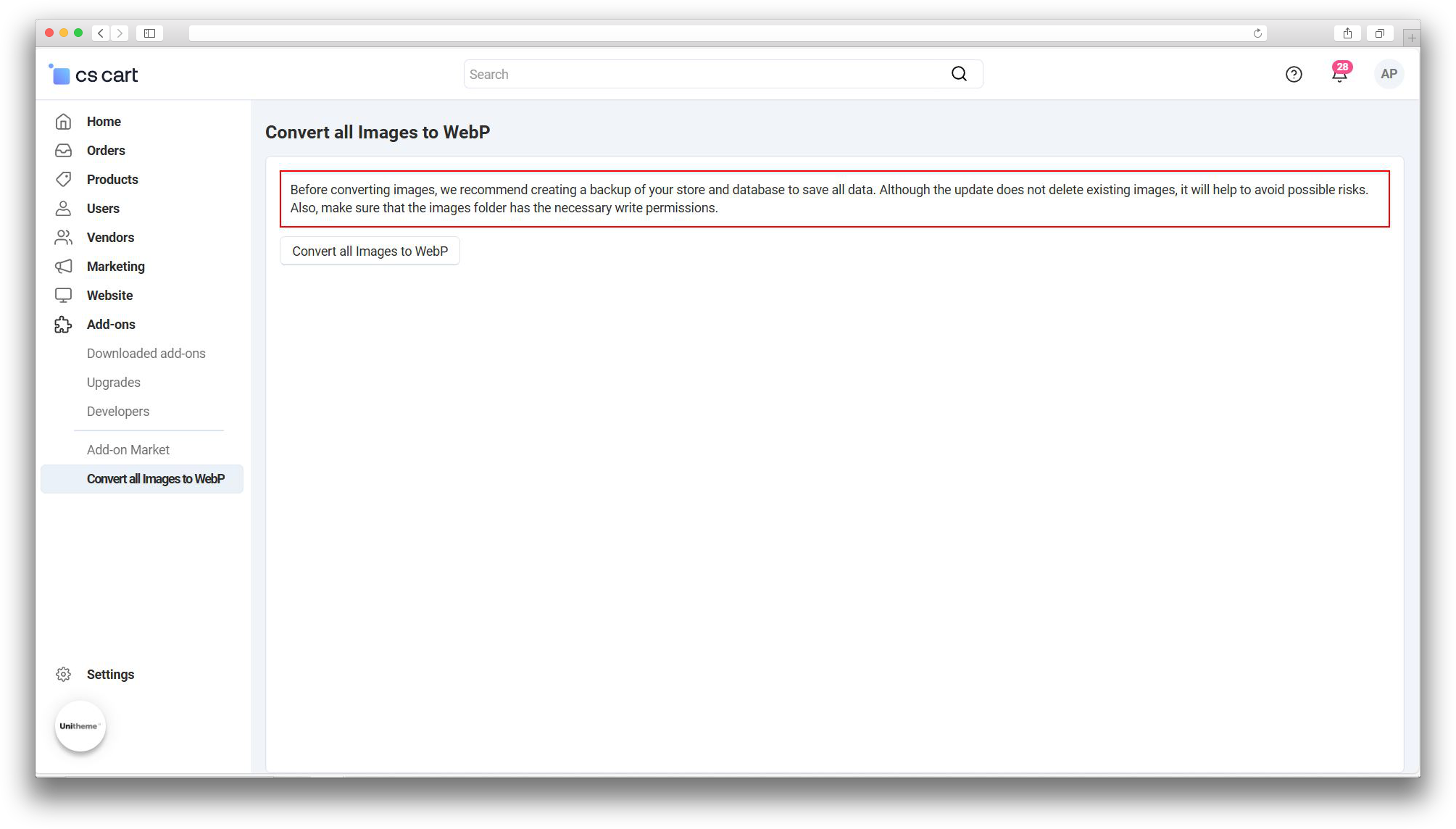
The bulk operation is available from Add-ons → Convert all images to WebP.
Configure conversion on upload
- Enable Convert to WebP on upload to process new images automatically.
- Select Quality from 10 to 100. A higher value usually keeps more detail but produces a larger file.
- Save the settings and upload a new product image or an image for another entity.
The web server must have write access to the images/ directory. If a WebP file cannot be created, the add-on displays an error notification.
Bulk conversion of existing images
Create a backup of the shop files and database before starting. The operation creates WebP copies for linked images and their thumbnails; logos are skipped.
- Open Add-ons → Convert all images to WebP.
- Review the warning and make sure the backup is available.
- Click Convert all images to WebP and wait for the completion notification.
How to check the result
- Upload a new image with automatic conversion enabled, or complete the bulk operation.
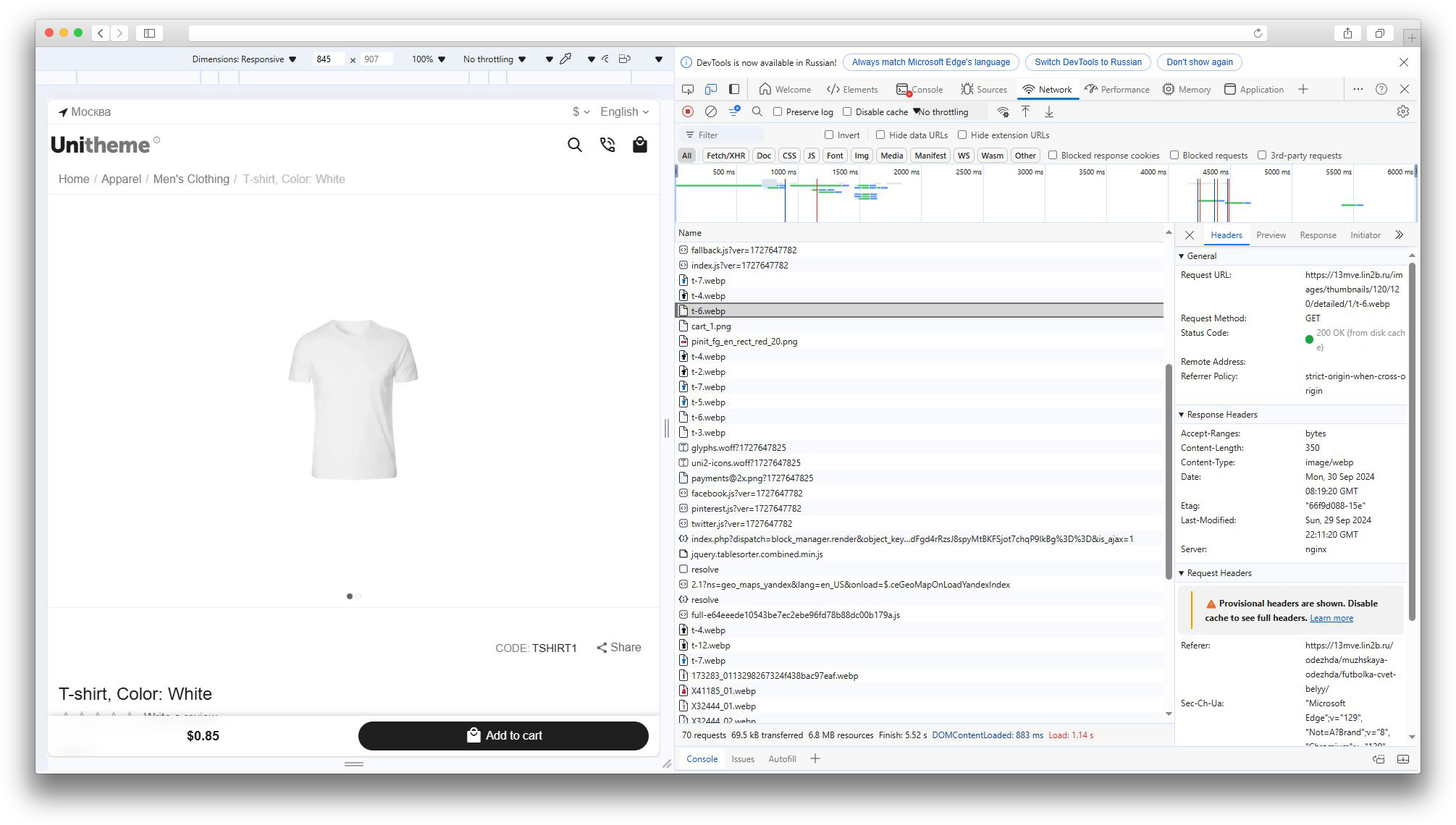
- Open a product page or another storefront page in a browser that supports WebP.
- Use the browser developer tools to confirm that the requested image file has the
.webpextension. - Check several product cards and thumbnails, especially after a bulk conversion.
If WebP is not used
- Check that conversion on upload is enabled.
- Check write permissions for the
images/directory. - Make sure PHP GD on the server supports WebP processing.
- Check the storefront in a browser that supports WebP.
Changelog
v1.53.4 from 10.08.2026
[*] Updated the add-on code, templates, and integration files.
[*] Updated the add-on description, instructions, changelog, and logo.
v1.53.3 from 2025-04-04
[*] The addon code was changed.
v1.53.2 from 2024-10-18
[*] The addon was standardized.
[*] The warning text before the full conversion action was updated.
v1.53.1 from 2023-09-28
[!] Fixed the “Convert to WEBP on upload” setting.
v1.53.0 from 2023-09-07
[+] Added support for the “Watermarks” addon.
v1.52.3 from 2023-08-07
[*] Short ` [!] Fixed using images in the old format when switching a variation on the product page.
v1.52.2 from 2023-06-26
[!] The addon was updated to current CS-Cart requirements.
v1.52.1 from 2023-05-12
[*] The licensing mechanism was updated.
[+] New features.
[-] Removed.
[*] Changes and improvements.
[!] Fixes.
Legend:
[+] Added
[-] Removed
[*] Changed
[!] Bug fixed
Reviews