


This add-on is part of our Subscription plan.
Subscribe once — enjoy all add-ons without limits.
Simplified Shipment
Helps prepare CDEK shipments from CS-Cart orders using order data, requesting a tracking number and saving it to the shipment.
What it is for
Reduces repeated entry during dispatch preparation. Staff work from an order while shipping data is sent through the configured CDEK integration.
Key features
- Create a shipment from an order and request a CDEK number.
- Configure the order status and shipment comment.
- Generate a barcode label with selected captions as a PDF.
- Pass seller information when the integration is configured accordingly.
- Copy selected shipping methods for newly created vendors, using their city.
How it works
Staff verify the order’s shipping method and address before creating a shipment. Submission to CDEK requires a configured CDEK 2 shipping method and CDEK 2 carrier selection. A successful response supplies the tracking number used for a printable label.
Verify batch printing before use: the current implementation may retain only the last label in the PDF. The add-on does not replace CDEK connection and tariff configuration.
Have questions about the add-on?
- Store Builder
- Store Builder Ultimate
- Multi-Vendor
- Multi-Vendor Plus
- Multi-Vendor Ultimate
- Owners
- Vendors
- English
- Русский
- 4.21.X
- 4.20
- 4.19.X
- 4.18.X
- 4.17.X
- 4.16.X
- 4.15.X
- 4.14.X
- 4.13.X
- 4.12.X
- 4.11.X
- 4.10.X
- 4.9.X
Instructions for Simplified Shipment
What the add-on does
Creates shipments from order data, requests CDEK numbers through rus_sdek2 and saves them to shipments. It produces PDF barcode labels and copies selected shipping methods for new vendors.
Where to find the add-on
Open Add-ons → Manage add-ons → Simplified Shipment. Shipment creation is available on the order page. “Print barcode for FBS” is available in shipment information and the print menu for selected orders. The add-on settings also contain a rus_sdek2 patch section.
Prerequisites and settings
Configure the rus_sdek2 connection and shipping tariff first. Verify the order address, phone and CDEK 2 shipping method. Enter CDEK credentials only through the protected shipping configuration interface, not in chat.
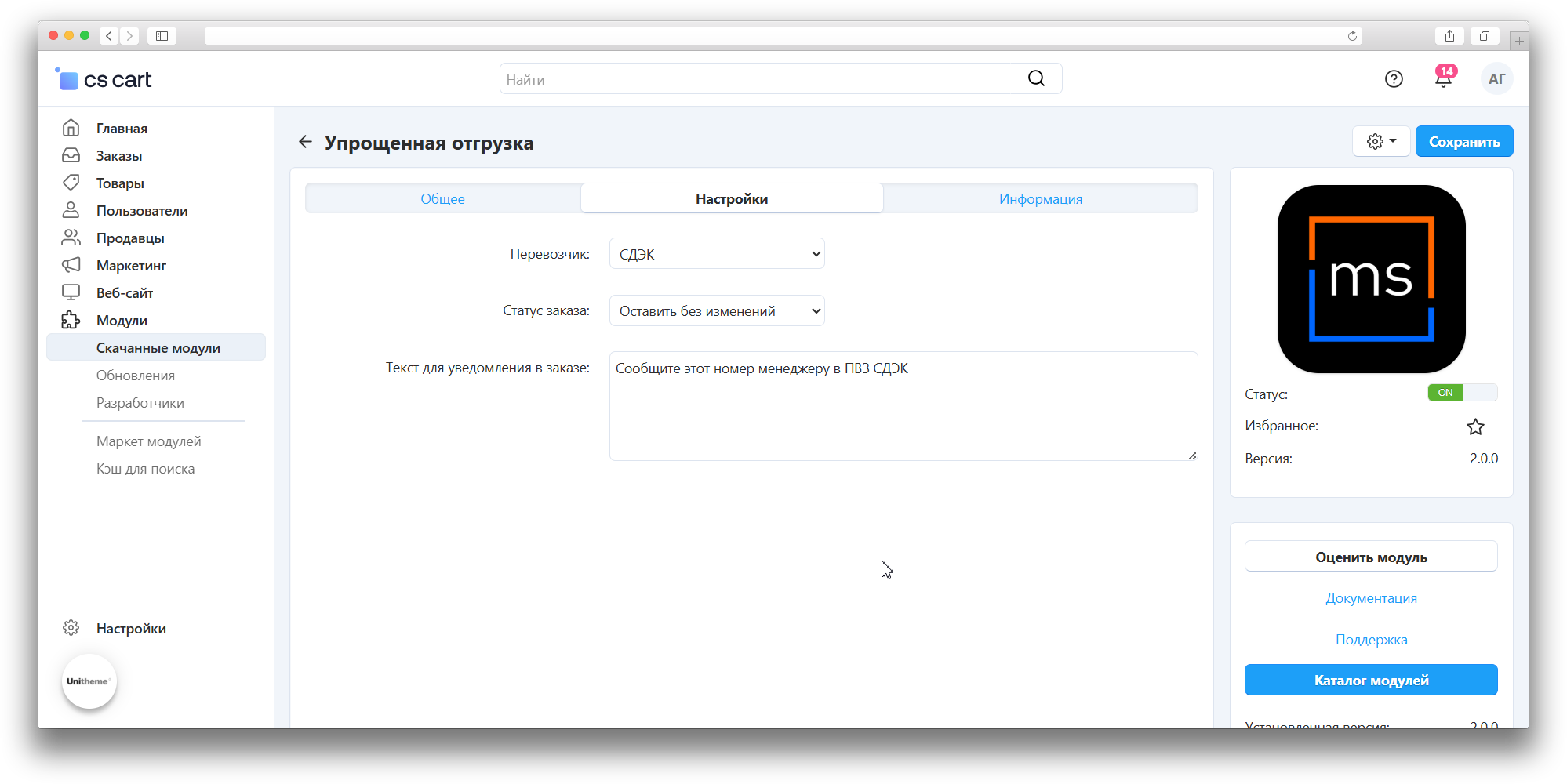
- Carrier: select CDEK 2. Legacy CDEK may also appear, but the current quick workflow requests a number only when both the shipping service and carrier are sdek2.
- Order status: the status passed when creating a shipment; choose the appropriate workflow stage.
- Notification text: passed as the shipment comment. Notification delivery follows store rules.
- Show tracking number, order number and delivery service name: printed label captions, enabled by default.
- Hide shipping information block: controls the order page block, disabled by default.
- Pass seller data: disabled by default. Check the seller name, tax ID, phone and ownership form, and the corresponding rus_sdek2 modification before using it.
Quick creation uses settings for the order’s storefront. The shipping method comes from the order; there is no separate shipping-method selector in the add-on settings.
Creating a shipment
- Open the order and verify products, quantities, address and shipping method.
- Start simplified shipment creation. It passes all product quantities from the order; use the detailed form and check the contents for partial dispatch.
- Check messages and the tracking number. A local shipment record alone does not confirm acceptance by CDEK.
Orders with multiple shipping methods may not provide the single shipping ID needed by the quick workflow. Use detailed creation. If a number is delayed or an error occurs, inspect the existing shipment and CDEK account before retrying: repeated clicks are not guaranteed to prevent duplicate shipments.
Printing labels
For a shipment with a tracking number, select “Print barcode for FBS”. The PDF contains a Code 128 barcode and enabled captions. This is a tracking label, not proof of carrier handover.
The current batch-printing code replaces the HTML on each iteration, so the PDF may contain only the last label. Order printing also collects all tracked shipments without filtering the supplied shipment_id. Verify the number and label count before use; orders with several shipments require additional verification and a printing fix.
rus_sdek2 patches
Two groups are available: CDEK calculation changes (declared value, INSURANCE and handling of 5% VAT) and actual seller data transmission. These modify files in the related add-on rather than merely changing settings.
- Back up rus_sdek2 files and try the operation on a test copy.
- Apply only the required group and read the result message.
- Verify the shipping calculation or seller data in a test shipment.
- Rollback is shown when the relevant backup exists. Recheck patch compatibility after updating rus_sdek2; do not blindly reapply changes over modified files.
Shipping methods for new vendors
In Multi-Vendor, mark active marketplace shipping methods for copying to new vendors. The new vendor must have a city. Adding the vendor triggers copying and city substitution; editing an existing vendor does not trigger it. Verify the copied method’s city, rate areas and parameters. Unmarked methods are not copied.
API integration
The package includes the MsShipments entity for CS-Cart API shipment operations. This is a separate integration workflow and does not replace shipping configuration. Use the installed version’s API schema for supported operations and parameters; keep access credentials in protected integration configuration.
How to check the result
- Create a shipment for a test order with one CDEK 2 shipping method. Verify contents, status, comment and tracking number.
- Compare the shipment in CDEK, including address, tariff and seller details when enabled.
- Print a label and compare its number and captions with the shipment.
- Check the shipping information block and settings in each storefront used.
- Add a test vendor with a city and verify that only marked shipping methods are copied.
If no number appears, check the carrier, order shipping method, rus_sdek2 connection settings and service messages. If printing is empty, check for a tracking number. Do not create another shipment merely to print a label.
Changelog
v2.3.4 from 14.09.2026
[*] The module template and service files were brought up to the current standard without changing business logic.
[!] Fixed:.
[*] The bundled PDF generation library was updated to a secure version.
v2.3.3 from 2026-03-18
[!] Fixed:.
[!] Fixed redeclaration of the barcode generation function in the orders.pre.php controller.
v2.3.2 from 2026-03-16
[+] Added:.
[+] Added passing the actual seller data to SDEK.
[+] Added a settings section for applying and rolling back rus_sdek2 module patches.
v2.3.1 from 2026-03-04
[!] Fixed:.
[+] Fixed tariff zone copying when creating a shipping method for a new vendor.
[+] Added:.
[+] Added instructions for implementing additional functions in the SDEK module.
v2.3.0 from 2026-02-20
[*] Updated the module template.
v2.2.1 from 2026-02-11
[+] Added:.
[*] Auto-filled state and country when they are missing while detecting the city.
v2.2.0 from 2026-01-28
[+] Added:.
[+] Added the ability to save the barcode to a PDF file.
[+] Added a setting to control hiding the delivery information block on the order edit page.
v2.1.0 from 2025-12-23
[+] Added:.
[*] Deliveries are created when a vendor registers.
[!] Fixed:.
[+] Fixed issues caused by the new rus_sdek2 version.
v2.0.0 from 2025-10-30
[+] The add-on was reworked to work with the rus_sdek2 add-on.
[+] Settings were moved from a separate menu to the add-on settings.
[+] Added the MsShipment API entity for working with sdek2 shipments via API.
[+] The add-on was standardized.
[+] Removed the shipping selection setting from the add-on settings, shipping is now taken from the order.
v1.0.0 from 2023-07-31
[+] Added:.
[+] First release.
Legend:
[+] Added
[-] Removed
[*] Changed
[!] Bug fixed
Here you can share your opinion and evaluate our work.
Your feedback helps us become better and offer you even better service.