


AI Consultant (ChatGPT)
This add-on is part of our Subscription plan.
Subscribe once, enjoy all add-ons without limits.
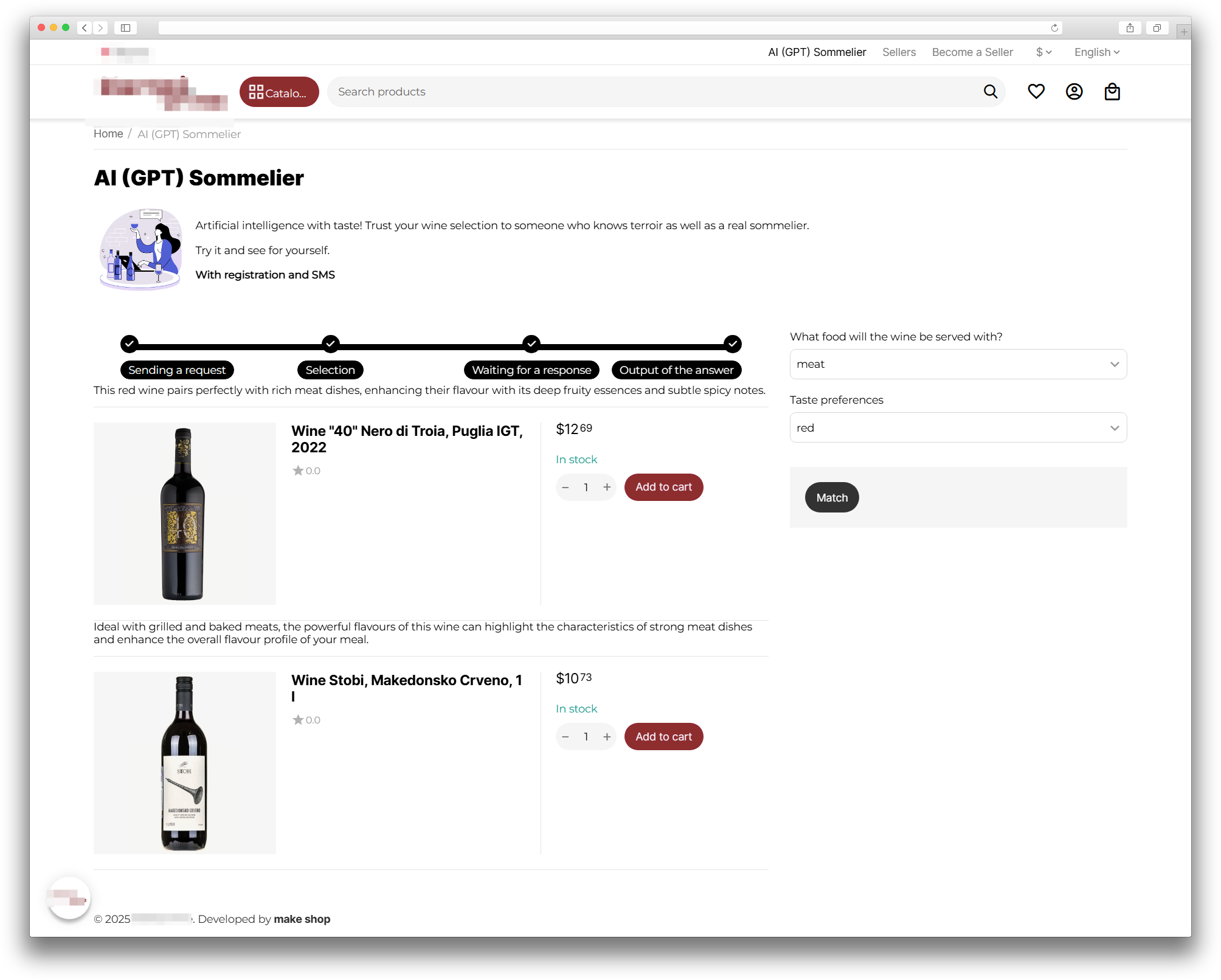
MS: AI Consultant (ChatGPT) helps shoppers complete a short questionnaire and receive product picks based on their answers. It is a good fit for storefronts that need a personal consulting flow without manual handling of each request.
What it is for
- to collect shopper answers in a clear flow;
- to show products that better match the request;
- to provide practical usage recommendations;
- to keep the consultation close to a chat experience.
Key features
- questionnaires with groups of questions and answer variants;
- product selection based on questionnaire data;
- personalized recommendations;
- storefront block for launching the consultation;
- questionnaire management in the admin panel;
- assistant refresh and product file generation.
How it works
You first create a questionnaire and configure questions, answer options, and prompts. Then you place the block on the storefront, where the shopper fills in the form. The add-on collects the answers, builds a request, sends it to the AI service, and then shows recommendations and matched products.
Have questions about the add-on?
- Store Builder
- Store Builder Ultimate
- Multi-Vendor
- Multi-Vendor Plus
- Multi-Vendor Ultimate
- Buyers
- English
- Русский
- 4.20
- 4.19.X
- 4.18.X
Instructions for MS: AI Consultant (ChatGPT)
The add-on helps you collect shopper answers through a questionnaire, build a request for the AI service, and show personalized recommendations with matching products. It fits scenarios where you need a guided selection flow instead of manual handling of each request.
What the add-on does
- creates questionnaires with question groups and answer variants;
- collects shopper data and turns it into a prompt;
- sends the prompt to the AI service and returns recommendations;
- can match products based on questionnaire results;
- shows the consultation form on the storefront in a separate block;
- provides tools to recreate the assistant, update it, and clear dialogs.
Where to find the add-on
- Administration → Add-ons → Manage add-ons → MS: AI Consultant (ChatGPT) — main add-on settings.
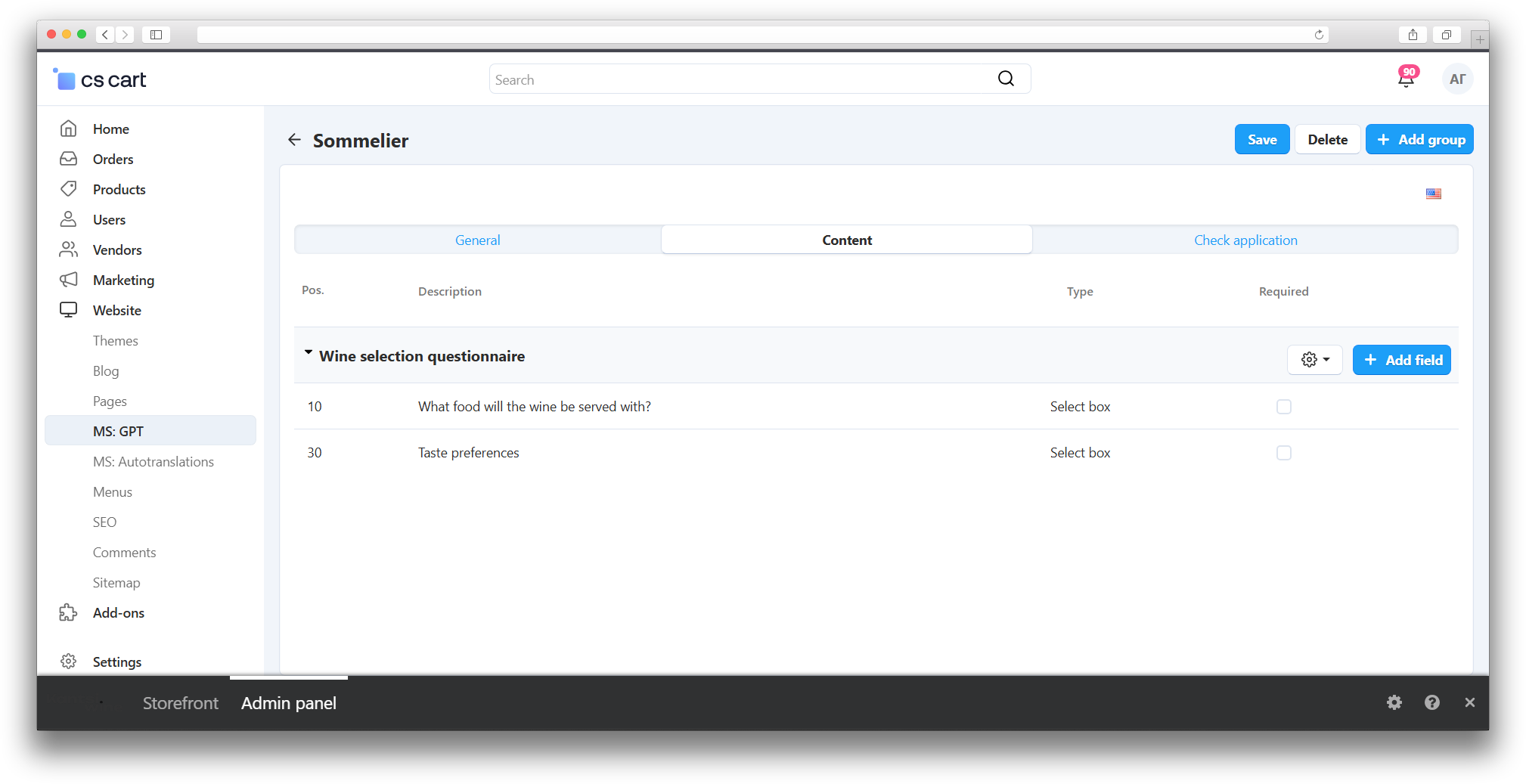
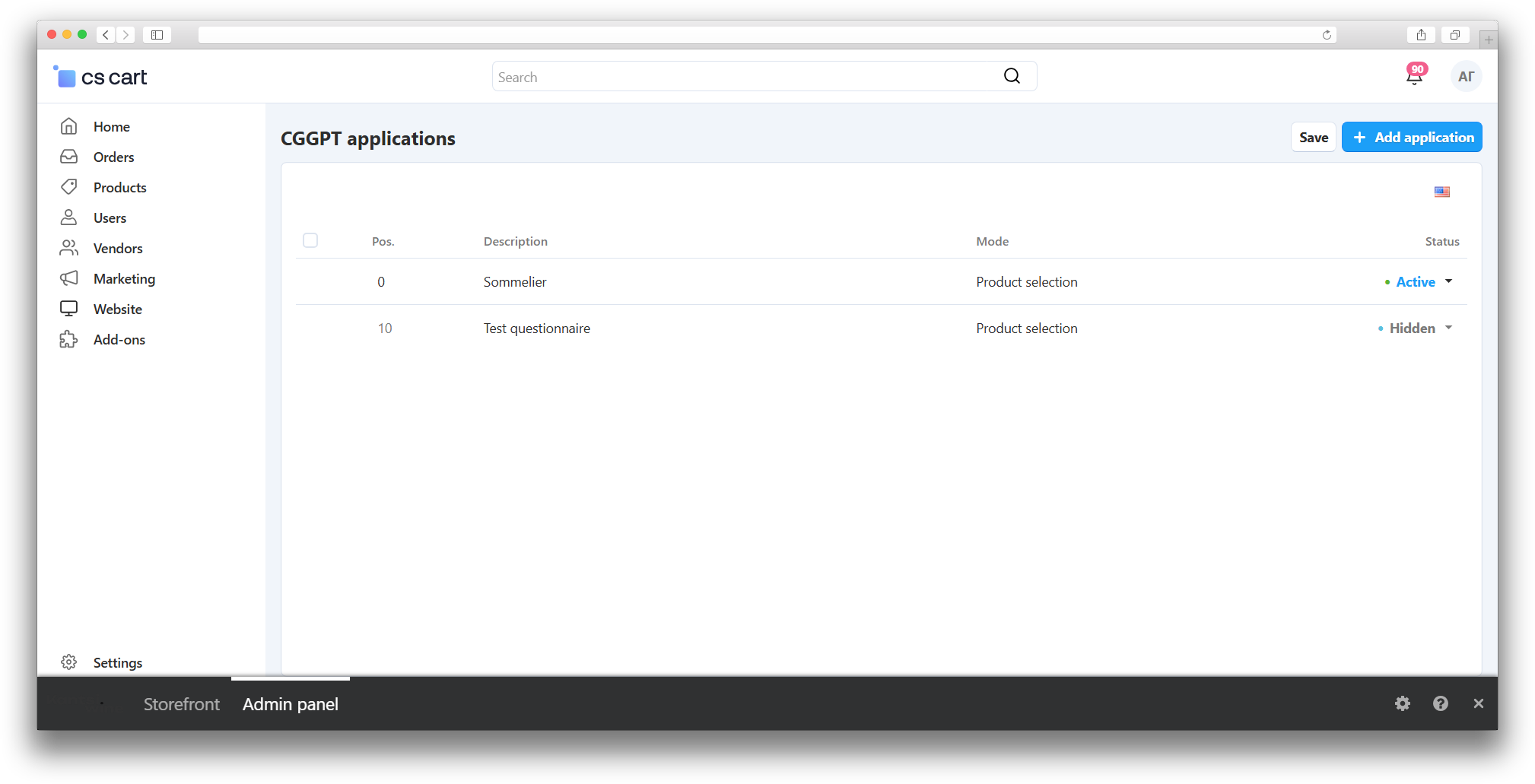
- Administration → MS: GPT — questionnaire list and questionnaire card.
- Design → Block manager — the storefront block MS: GPT.
The main settings include a Security key. By default it is set to ms_goods_gpt. The product file cron link uses this key.
When the security key is filled in, the add-on card shows the Generate products file, Update assistant, and Delete all threads buttons.
How to configure the consultation flow
- Open the add-on card and check the security key.
- If needed, use the cron link for regular product file generation. The module builds it from the secret key and runs it on schedule.
- Go to MS: GPT and create a questionnaire.
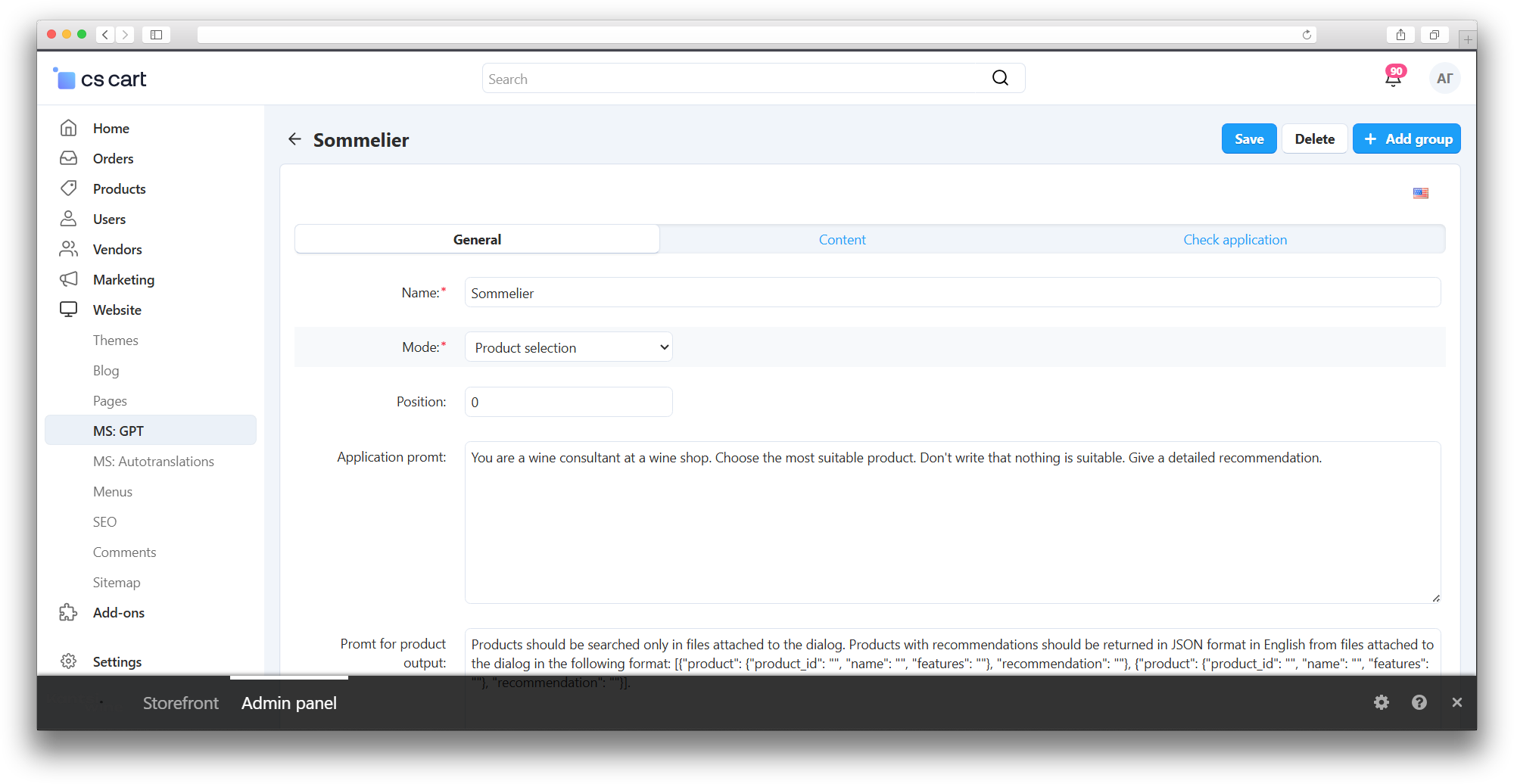
- Set the questionnaire name, work mode, display order, and the main prompt.
- If the questionnaire works in product selection mode, fill in the separate products prompt.
- Add question groups, then add fields inside each group.
- For each field, set the label, type, required flag, prompt, and, if needed, display CSS classes.
- For radio and selectbox fields, add answer variants and separate prompts for the variants.
- In Block manager, add the MS: GPT block to the desired storefront page and choose the questionnaire.
- If needed, adjust answer position, status bar display, and technical information output.
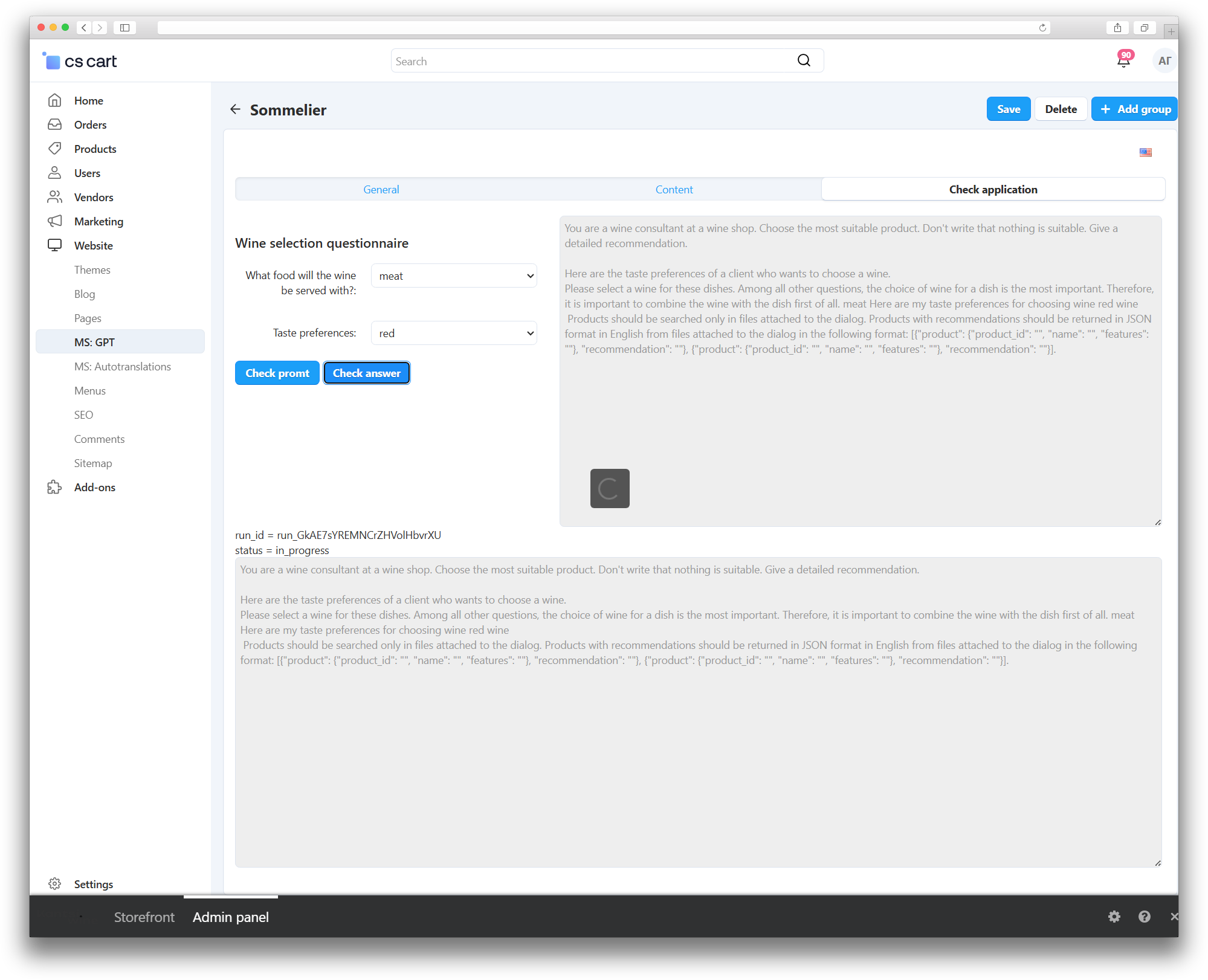
The questionnaire card has three tabs: General, Content, and Application check. The Content tab is used for groups and fields, while Application check lets you build the final prompt and send a test request to the AI service right away.
How to verify the result
- Open the questionnaire card and fill in the Application check tab.
- Click Check prompt to see how the module builds the request text from the questionnaire.
- Click Get answer to test the AI response.
- On the storefront, open the page with the MS: GPT block, fill in the questionnaire, and submit the form.
- Make sure the module shows the answer, recommendations, and matched products.
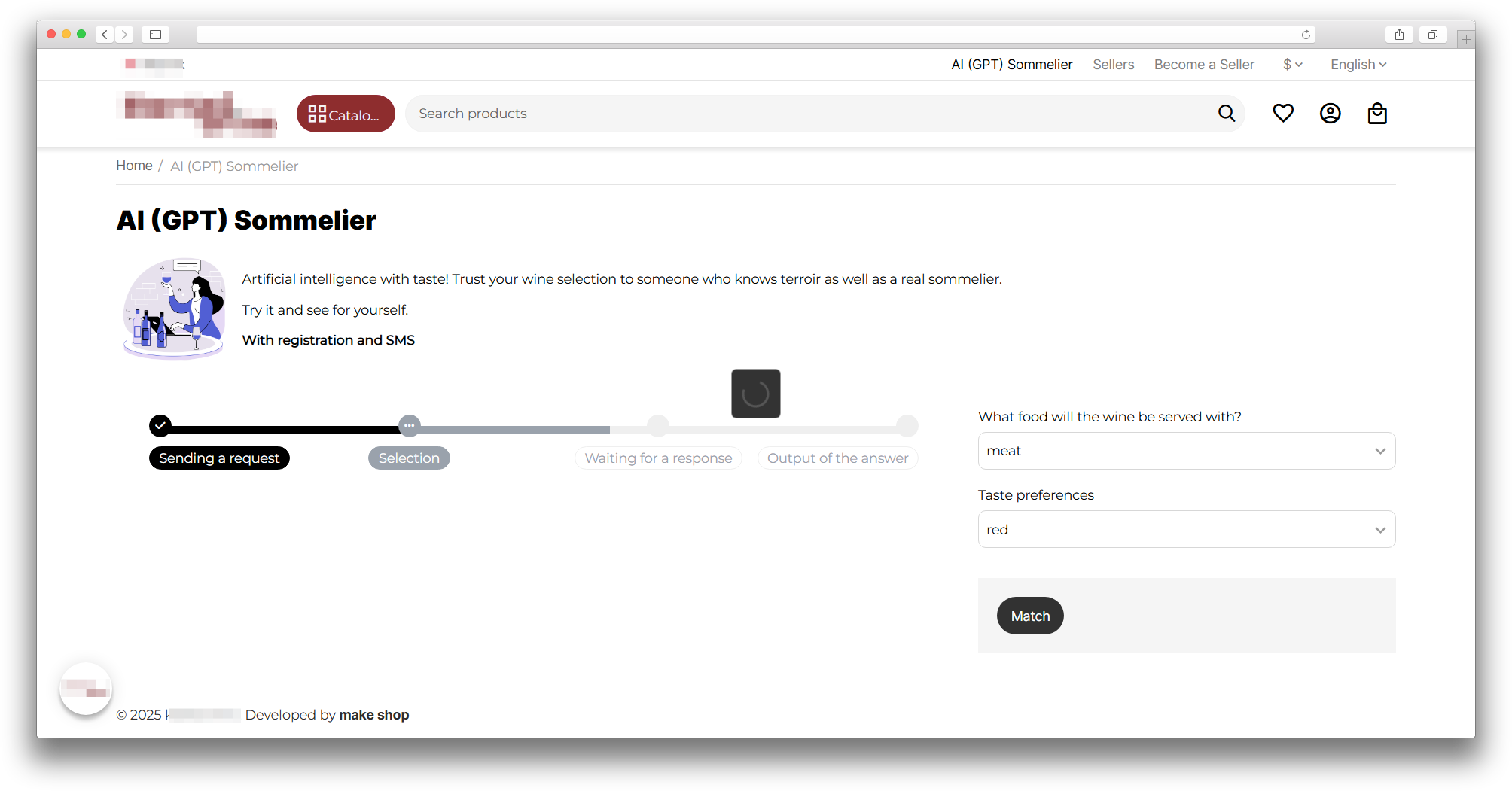
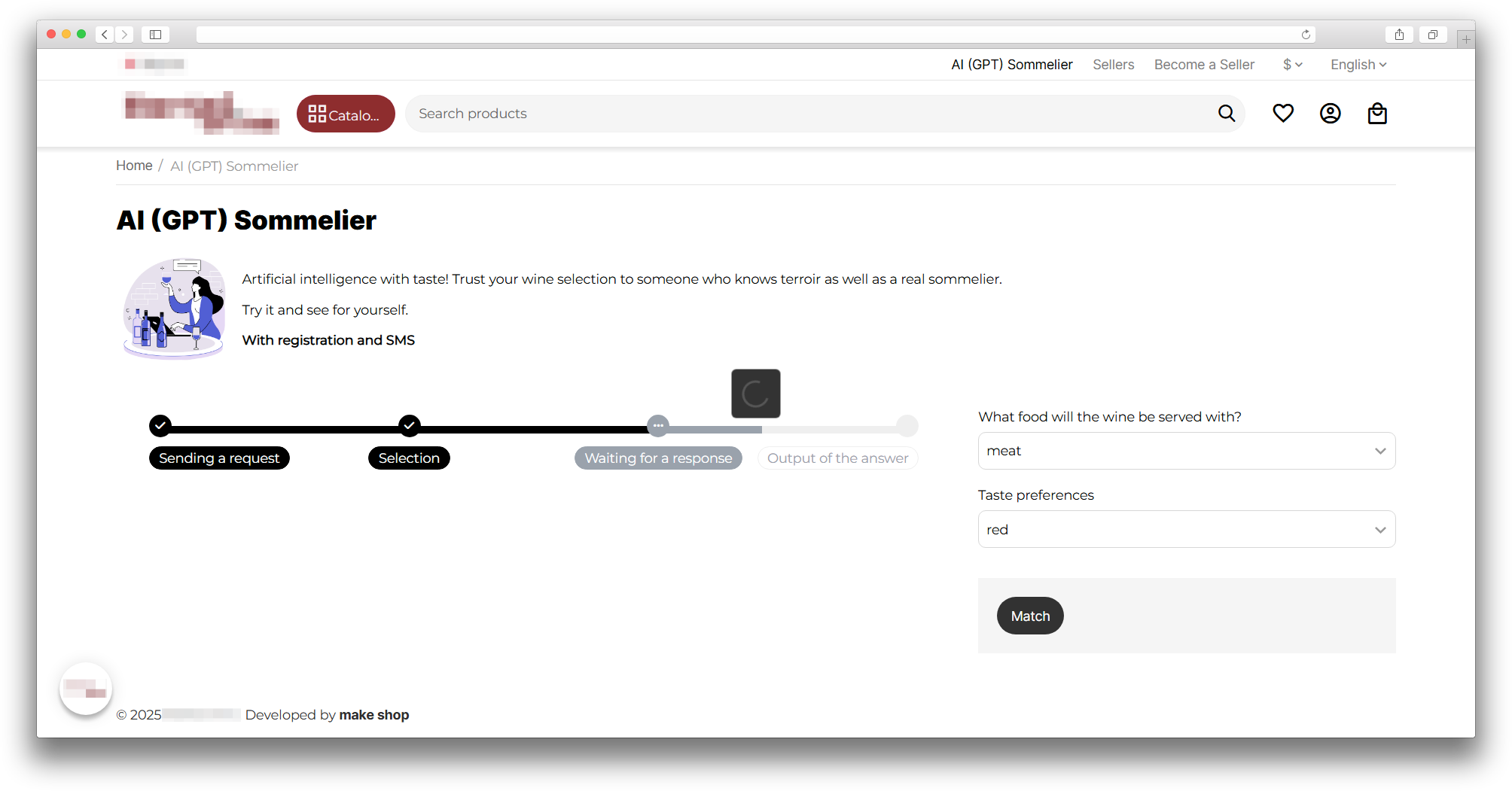
- If the status bar is enabled, verify that it changes during the response wait.
- If technical information is enabled, check the displayed run_id and response status.
If the shopper is not logged in, the storefront block shows an authorization prompt.
Changelog
v1.5.1 from 06.08.2026
[*] Updated the add-on code, templates, and integration files.
[*] Updated the add-on description, instructions, changelog, and logo.
v1.5.0 from 2026-02-23
[*] Updated the add-on template.
v1.4.0 from 2026-02-06
[*] Changed the AI domain and adjusted server response handling.
[*] Updated the add-on template.
v1.3.0 from 2025-09-05
[+] New features and fixes:.
[+] Added block settings, a status-bar template, and a token counter in the add-on settings.
[!] Fixed saving field variants in non-primary languages.
v1.2.0 from 2025-05-20
[*] Changes and fixes:.
[!] Fixed passing the user ID when requesting a GPT response.
[+] Added settings for answer position and technical-information display, and switched the GPT server host to HTTPS.
v1.1.0 from 2025-03-20
[+] New features:.
[+] Products are transferred in batches of 1000, assistant creation was moved into a separate request, and the add-on ID is passed for project verification.
[*] Added a JSON product-request prompt, buttons to recreate the assistant and delete dialogs, and updated storefront output.
v1.0.0 from 2025-03-06
[+] New features:.
[+] Initial release.
Legend:
[+] Added
[-] Removed
[*] Changed
[!] Bug fixed
Here you can share your opinion and evaluate our work.
Your feedback helps us become better and offer you even better service.