
Save 50%



This add-on is part of our Subscription plan.
Subscribe once — enjoy all add-ons without limits.
Delivery Schedule
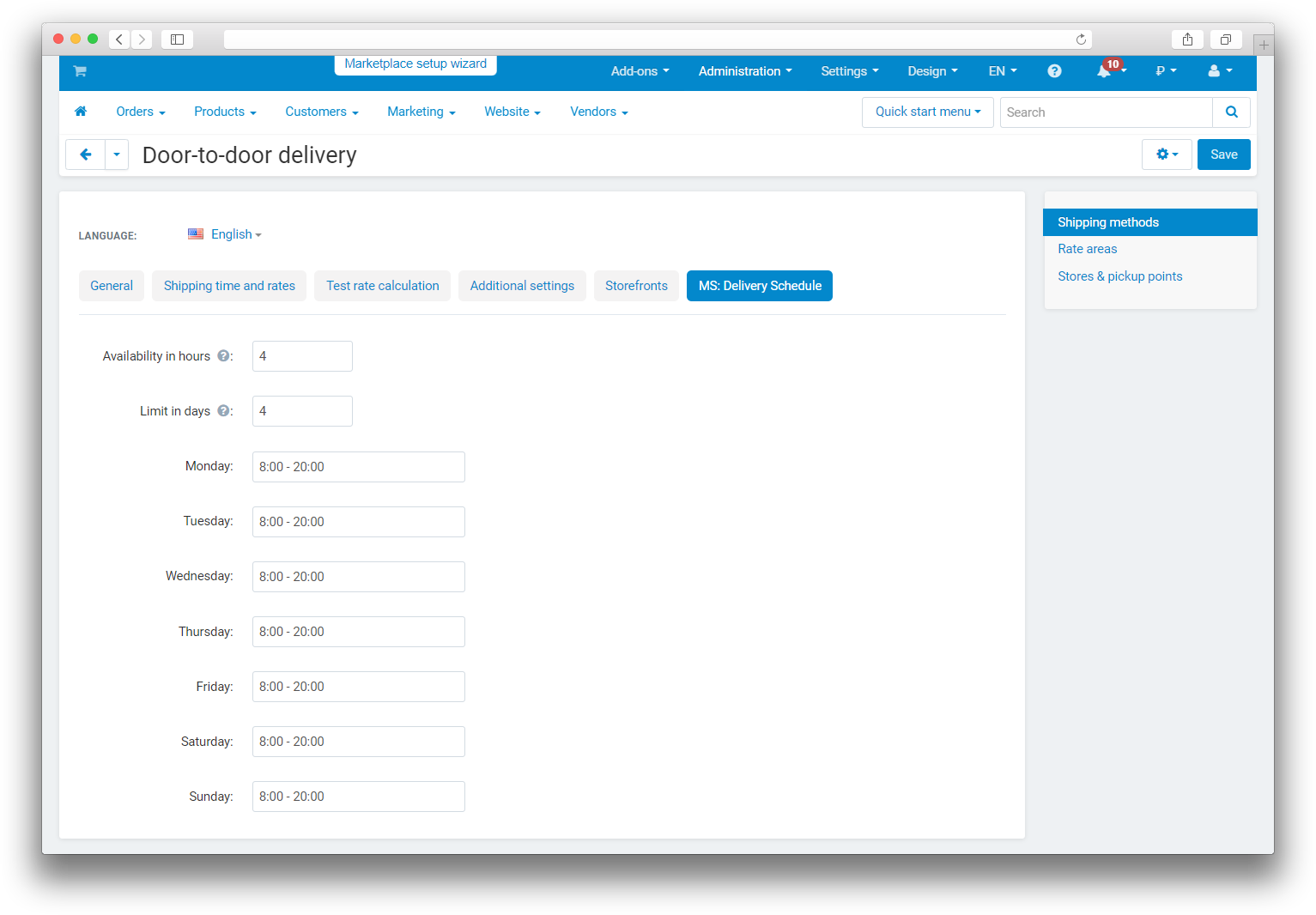
The add-on adds delivery availability scheduling and helps show customers only the dates and time slots that are actually available. Each shipping method gets its own schedule, set by weekdays, time ranges, and delivery deadline limits.
What it is for
- to limit delivery by weekdays and time ranges;
- to let customers choose a delivery date at checkout;
- to hide unavailable dates before the order is placed;
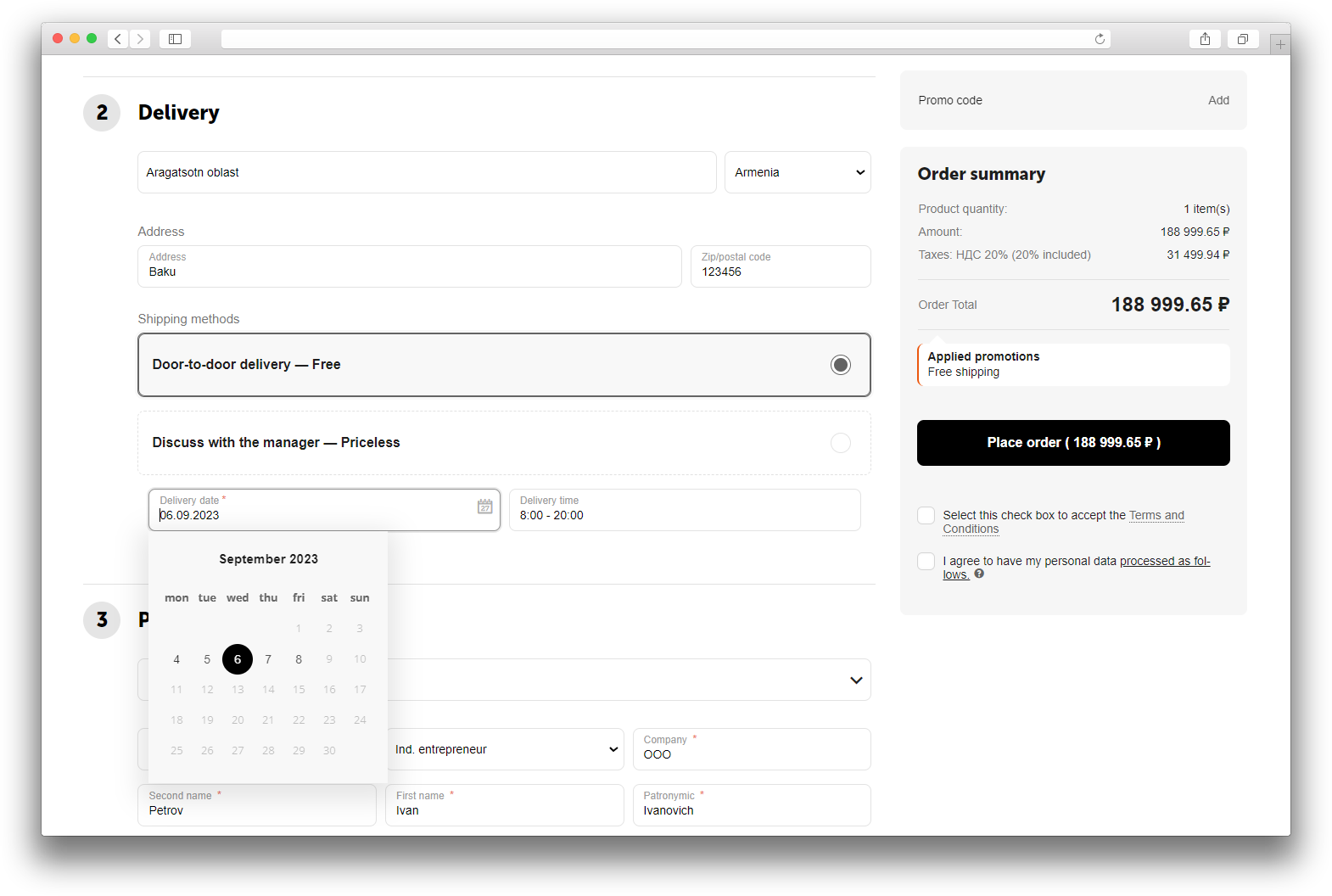
- to save the selected delivery date and time in the order and show it in order information.
Key features
- separate schedule settings for each shipping method;
- multiple time ranges for one weekday;
- a limit on how many days ahead the calendar can show;
- a limit based on the remaining time before delivery starts;
- date and time selection on checkout;
- delivery information shown in the order details;
- support for multiple suppliers in a single order.
How it works
The administrator sets up the schedule in the shipping method card, defines the availability in hours and the day limit, and enables date and time display on checkout. On the storefront, the customer sees only available dates and time slots, selects a suitable delivery time, and places the order. The selected values are saved in the order and displayed in order information.
Have questions about the add-on?
