
Save 45%



Convenient Cart
This add-on is part of our Subscription plan.
Subscribe once — enjoy all add-ons without limits.
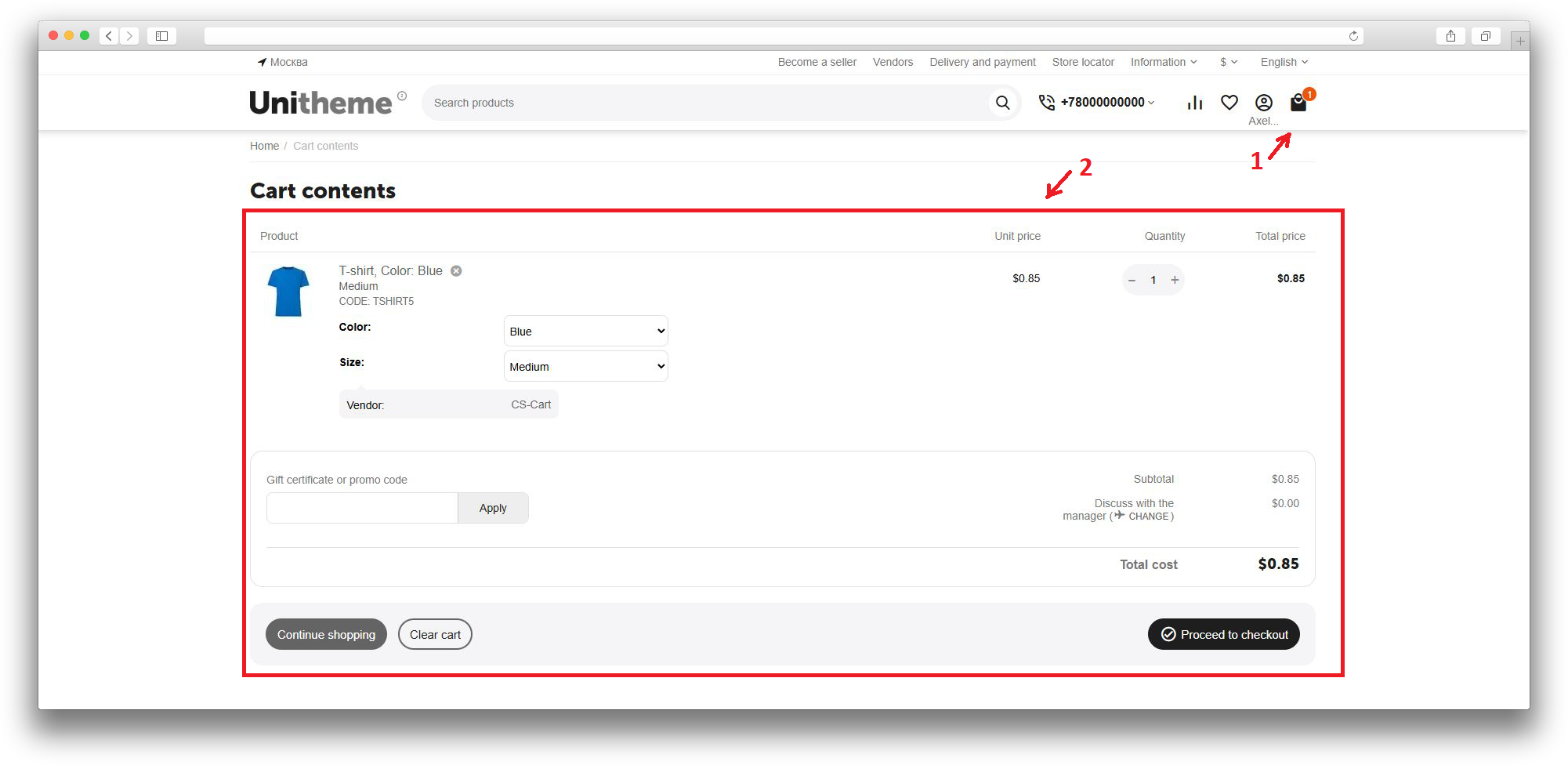
The Convenient Cart add-on shortens the path from cart to purchase. It helps remove extra transitions, lets customers edit products directly on the checkout page, and makes the checkout cart clearer.
This flow is especially useful for stores where customers often adjust quantity, options, or product variations before payment.
What it is for
The add-on helps customers get to checkout faster while keeping the ability to adjust order contents. Instead of going back to a separate cart page, the main cart actions are available directly during checkout.
Key features
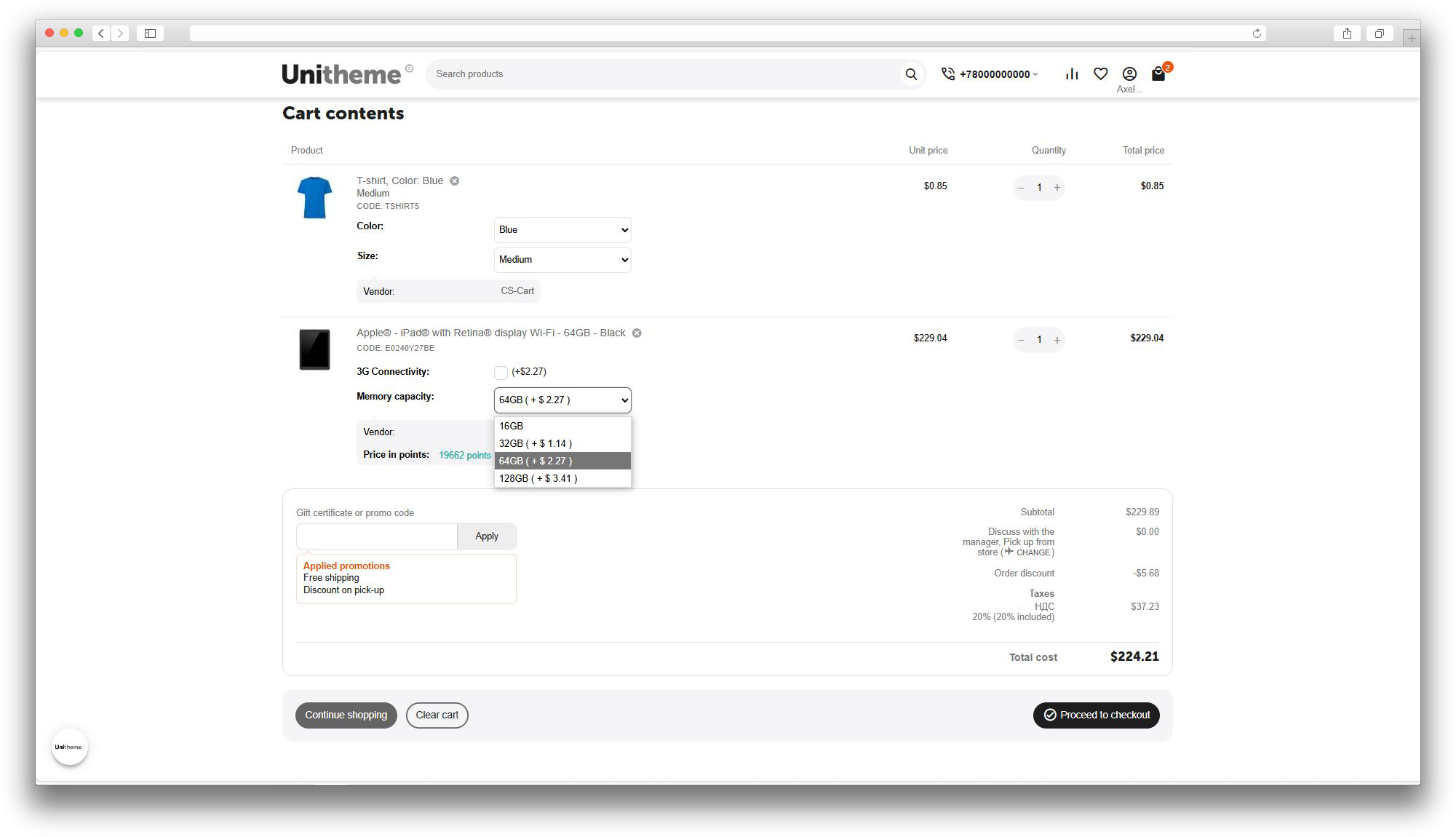
- changing product quantity on the checkout page without a page reload;
- removing products from the order without returning to the cart;
- changing product options and variations during checkout;
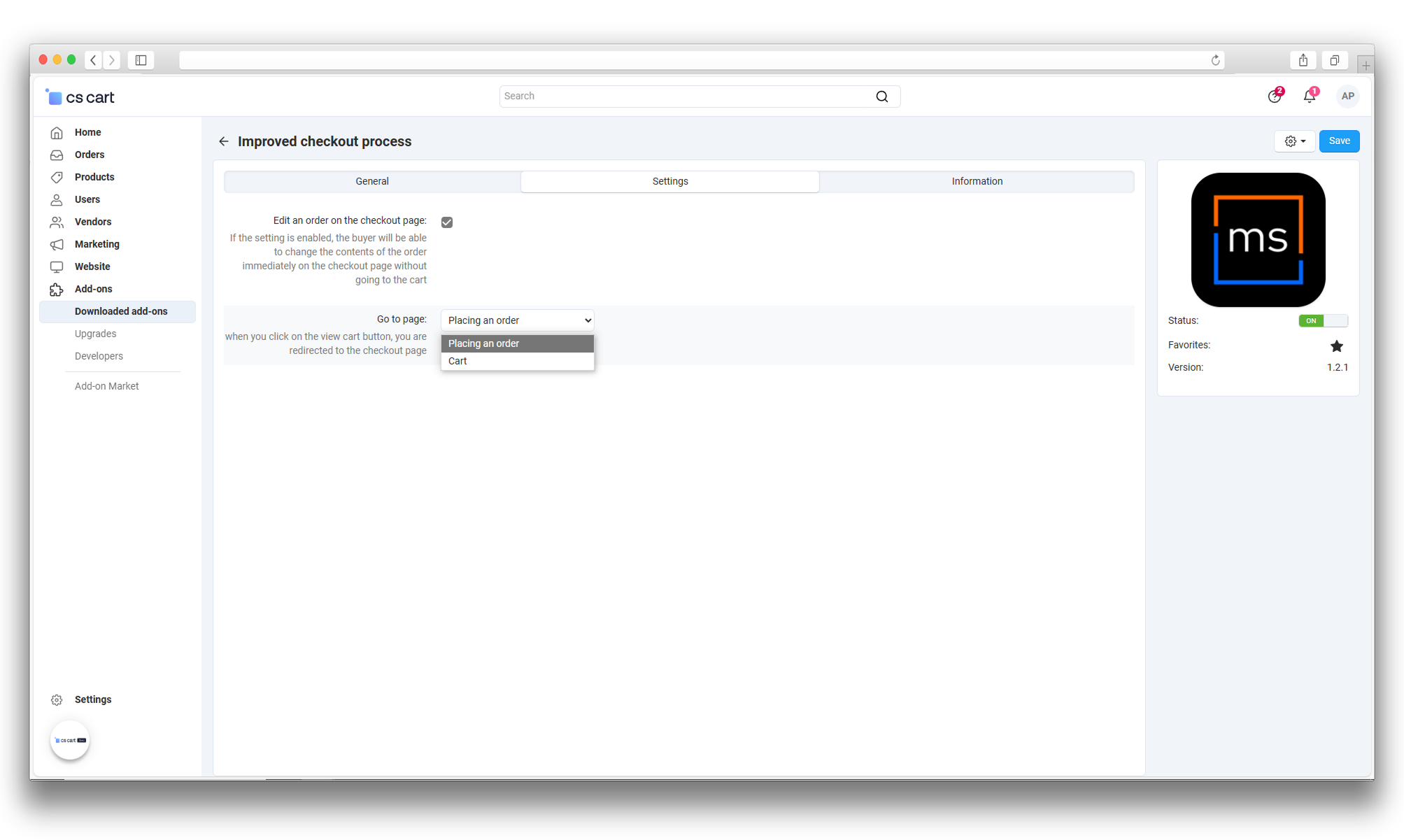
- automatic redirect from the cart page directly to checkout;
- hiding the popup after a product is added to the cart;
- showing the cart subtotal near the mini-cart;
- correct final validation of the minimum order amount;
- responsive product list display for the standard theme and Unitheme 2.
How it works
The administrator chooses where customers should go when they open the cart: to the standard cart page or directly to checkout. If checkout redirect is selected, the add-on shortens the customer path and automatically keeps order editing enabled on the checkout page.
On checkout, customers can change quantity with buttons, enter it manually, remove an item, select another available variation, or adjust product options. After a change, the add-on saves the cart and updates totals without forcing customers to return to the cart page.
If the store has a minimum order amount, the add-on does not block access to checkout too early, but keeps the standard validation before the order is finally placed.
Have questions about the add-on?
